
AD CS ESC1 Explained: Exploiting Certificate Templates
AD CS ESC1 end to end: the four template conditions that create it, enumeration with Certipy, requesting the certificate, and how to remediate it.
An internal Certificate Authority can issue a domain credential powerful enough to bypass the password entirely.
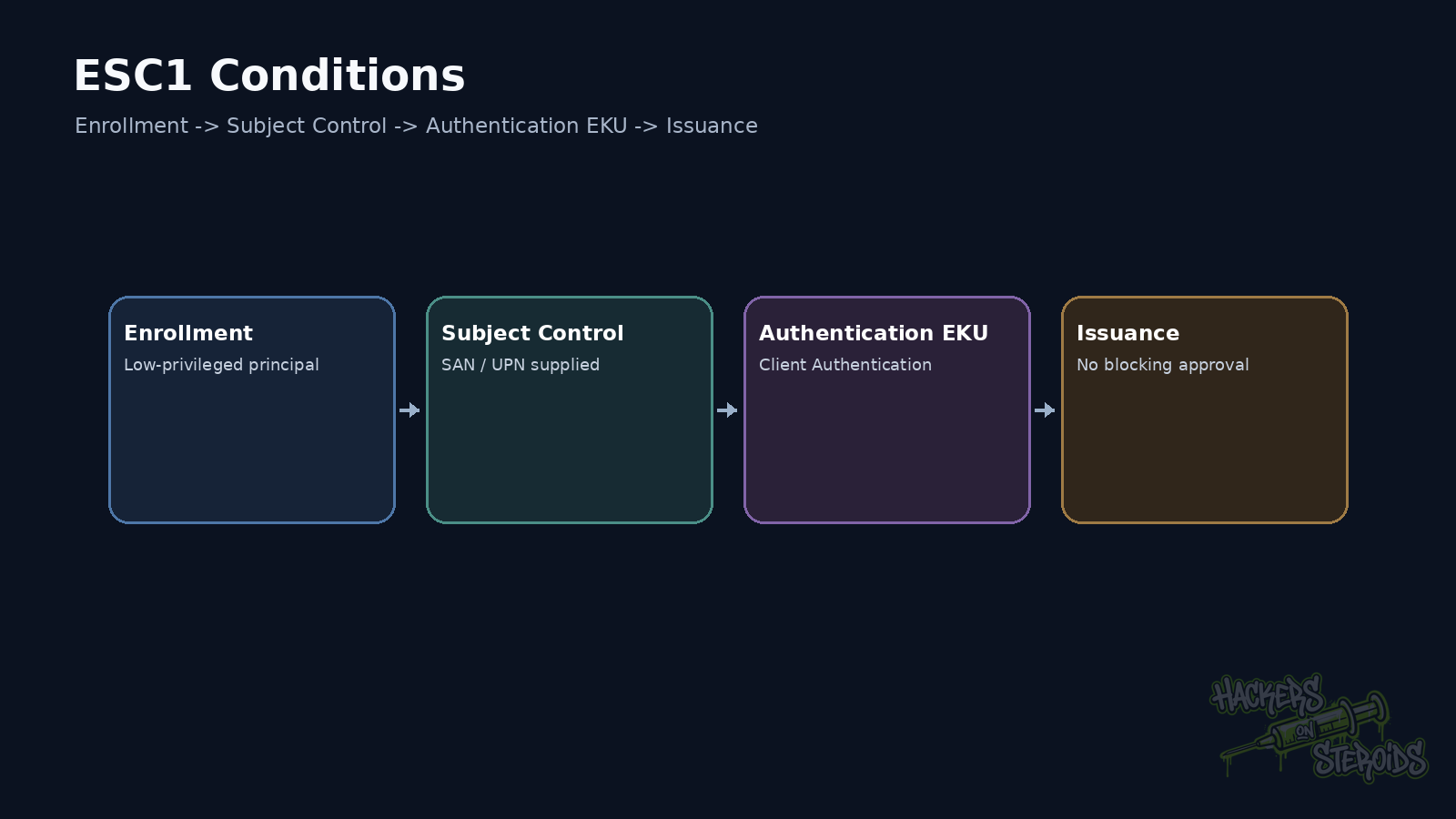
ESC1 appears when a certificate template lets the requester control the identity placed in the certificate while also issuing certificates that can be used for authentication. If low-privileged users can enroll in that template, the configuration deserves immediate attention.
The examples below assume a lab or an authorized penetration test.
What AD CS is doing
Active Directory Certificate Services lets an organization run its own public key infrastructure.
The CA issues certificates.
Templates define how those certificates are issued.
Active Directory decides who can use each template.
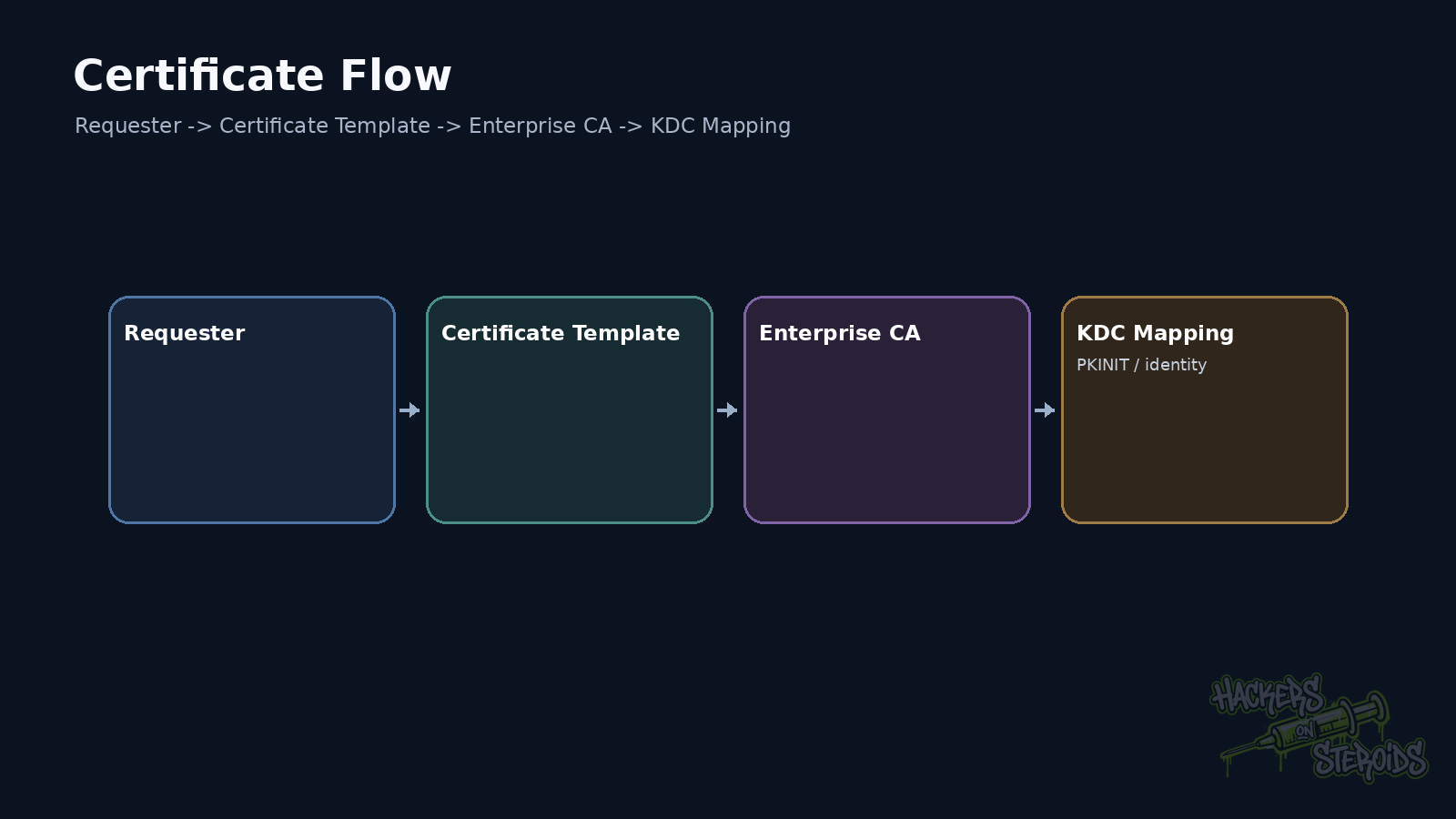
That separation explains why an ordinary-looking template can become a privilege path. The CA trusts the template. The template allows authentication. The template ACL allows enrollment. The requester controls identity data.
When those pieces line up, the certificate can represent more than the account that requested it.
The four questions I ask first
I check whether the controlled principal can enroll.
Then I verify whether the template allows the enrollee to supply the Subject or Subject Alternative Name.
I also confirm whether the certificate can be used for client authentication or logon.
Finally, I check for manager approval or authorized signatures before issuance.
If the requester controls identity, can request the certificate, and receives something usable for authentication, the classic ESC1 conditions are present.
Enumeration with Certipy
Certipy makes the first pass much easier.
Example:
1
2
3
4
5
6
certipy find \
  -u 'gabriel@lab.local' \
  -p 'Password123!' \
  -dc-ip 10.10.10.10 \
  -vulnerable \
  -stdout
The output still needs context.
A template flagged as vulnerable deserves validation. The tool label helps with prioritization. It does not replace checking the actual properties.
I focus on enrollment permissions, EKUs, subject flags, and extra issuance requirements.
A typical lab combination may look like this:
1
2
3
4
5
6
7
8
9
10
11
12
13
14
Enrollment Rights
  LAB\Domain Users

Certificate Name Flag
  Enrollee Supplies Subject

Extended Key Usage
  Client Authentication

Manager Approval
  Disabled

Authorized Signatures Required
  0
Every line contributes to the chain.
Why Enrollee Supplies Subject matters
In a normal flow, the CA derives identity from the requesting account.
When a template accepts a subject supplied by the enrollee, the requester gains influence over that field.
That can allow a request containing a different UPN or SAN.
Conceptually:
1
2
3
4
5
6
7
8
9
gabriel@lab.local
       |
       | requests certificate
       v
ESC1 template
       |
       | requester-controlled SAN
       v
administrator@lab.local
The issued certificate still needs to map to an identity that the domain will accept for authentication.
That final step matters more now because Windows certificate mapping has been hardened.
Requesting a certificate in a lab
After validating the template, a Certipy request may look like this:
1
2
3
4
5
6
7
certipy req \
  -u 'gabriel@lab.local' \
  -p 'Password123!' \
  -dc-ip 10.10.10.10 \
  -ca 'LAB-CA' \
  -template 'UserAuth-ESC1' \
  -upn 'administrator@lab.local'
If the CA issues the certificate, you have already proven an important part of the problem.
You still need to determine whether that certificate authenticates as the intended identity.
Keeping those tests separate prevents a vulnerable issuance condition from being confused with successful authentication.
Issuance and authentication are separate tests
Older ESC1 walkthroughs often ended with something like:
1
2
3
certipy auth \
  -pfx administrator.pfx \
  -dc-ip 10.10.10.10
Modern domain controllers apply stronger certificate mapping rules.
Microsoft moved domain controllers toward Full Enforcement for strong certificate mapping in 2025. After the September 2025 security update, the previous compatibility mechanism through StrongCertificateBindingEnforcement was no longer supported.
A certificate issued with an arbitrary UPN may therefore fail to authenticate in a hardened domain.
The template can still be dangerous when issuance allows attacker-controlled identity data. The exact path depends on identity fields, SID extensions, mapping methods, and environment configuration.
In 2026, I separate two questions in the report:
1
2
Will the CA issue a certificate containing attacker-controlled identity data?
Will the domain accept that certificate as another account?
That distinction keeps the finding technically accurate in hardened environments.
What an authenticating certificate gives you
If authentication succeeds, the target account’s password is no longer required for that flow.
Depending on the protocol and tooling, the certificate can be used to obtain Kerberos material and establish an authenticated session.
The attack does not recover the original password.
It does not break the CA’s cryptography either.
It uses a legitimate issuance process created by an unsafe template.
The template sits at the center of the problem
Bad remediation often starts by treating the CA as compromised.
The CA may be doing exactly what it was configured to do.
The weakness lives in the template rules and in who can request the certificate.
I review the template from four angles.
First, who can enroll.
Then, who can modify the template.
Next, which EKUs and application policies it contains.
Finally, how Subject and SAN are built.
A small change in any one of those areas can break the attack chain.
Broad groups make exposure larger
Domain Users appears often in examples because the exposure is obvious.
Real environments use custom groups.
That means membership needs to be followed.
A group named VPN Users sounds limited.
If every employee is automatically added to it, the practical exposure is broad.
The group name tells you little.
The useful question is who can reach the enrollment right.
Old templates survive for years
AD CS is usually long-lived infrastructure.
Templates created for smart cards, VPNs and corporate Wi-Fi can stay published after the original requirement disappears. The same happens with SCEP and old products.
Cloning adds another problem.
Someone copies a template for integration testing and relaxes a few flags.
The integration works.
The template stays.
Years later, nobody remembers why regular users can issue authentication certificates while controlling the subject.
That pattern is far more common than direct compromise of the CA.
How I validate it without creating unnecessary damage
I start with a dedicated test account.
I enumerate the environment.
I identify the template.
I request one certificate.
I test authentication only where needed to prove impact.
Then I record the serial number, template and CA. I also record the requested identity and authentication result.
If the test changed any configuration, I revert it.
Most ESC1 findings can be demonstrated without modifying the template itself.
Remediation
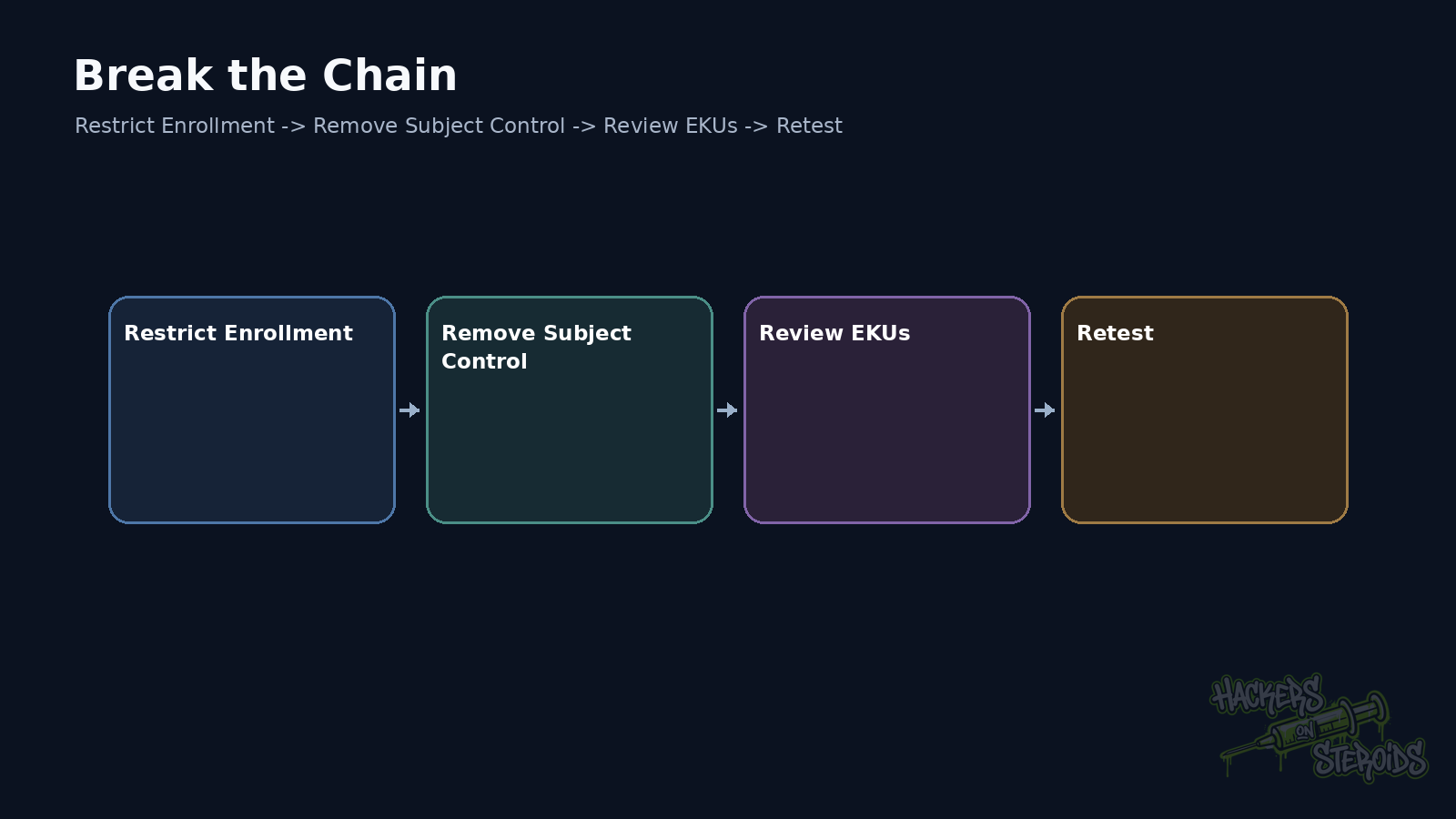
Start by removing requester control over identity when the business case does not require it.
Then restrict enrollment to the group that genuinely needs the certificate.
Authentication templates also deserve review of EKUs, manager approval, and authorized signatures.
Administrative rights over the template belong in the same review.
Finally, test again with a low-privileged account.
If the template still issues a credential capable of representing another identity, the path remains open.
The way to remember ESC1
Follow the trust instead of memorizing the number.
Who can request?
Who chooses the identity?
What can the certificate be used for?
Who trusts it afterward?
Those four answers show the entire path.
References
Microsoft Support, KB5014754: Certificate-based authentication changes on Windows domain controllers.
Microsoft Learn, Certificate Templates.
SpecterOps, Certified Pre-Owned: Abusing Active Directory Certificate Services.
Certipy, Project documentation.